
User`s manual



CP-134U Series User’s Manual Software Installation
3-22
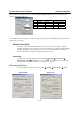
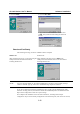
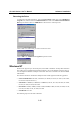
4. Click on Finish.
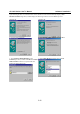
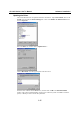
4. Click on Have Disk.
5. Type \Software\Win9x\Windows and then click
on OK. The system will start reading the files from
the CD.
Board and Port Ready
After finishing this stage, the driver installation will be complete.
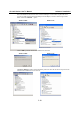
Windows 95
Windows 98
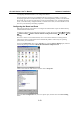
After configuring the ports, you can start using the
COM ports of the CP-168U board without
restarting Windows 95.
After configuring the ports, click on Finish. The
COM ports of the CP-168U board can be used without
restarting Windows 98.
NOTE
If an error message similar to “CP-168U board(BusNo=x, DevNo=x, Port1=COMx) interrupt
number is invalid!” pops up, refer to the “Troubleshooting” chapter for solutions.
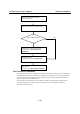
If you want to add more boards after installing the driver, simply plug the additional CP-168U
board into an empty PCI slot, and Windows 95/98 will automatically detect the additional board.
Skip to Port Configuration to take care of port settings.
This completes the installation of the CP-168U board driver, including board and port
configuration. If you need to modify configuration of the board and ports, refer to the next section,