
User`s manual



CP-134U Series User’s Manual Software Installation
3-21
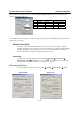
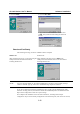
Upon detecting the first new CP-168U Series board, Windows 95/98 will automatically display a New
hardware found message box, and then display the following windows. Click on Next to proceed.
Windows 95 Windows 98
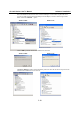
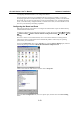
2. Click on Other Locations.
2. Select Display a list... and then click on Next.
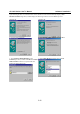
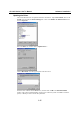
3. Type \Software\Win9x\Windows in the
Location input box, and then click OK in the Select
Other Location window. The system will start
reading the files from the CD.
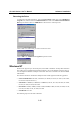
3. Select Other Devices and then click on Next.