
User`s manual



CP-134U Series User’s Manual Software Installation
3-15
How to Check the Installation
There are three ways to check the installation of the CP-168U Series board.
Device Manager
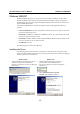
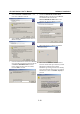
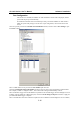
You can check the installation of the board by selecting Start Æ Settings Æ Control Panel Æ System, select
the Hardware tab, and then click on the Device Manager button.
Windows 2000 Windows XP
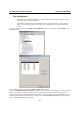
If the driver installation was successful, you will be able to see the model number of the CP-168U
board listed under Multi-port serial adapters.
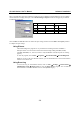
You may also expand the Ports (COM & LPT) item to check the status of the COM ports. If you
see a question mark on top of the icon, then the installation might have a problem. Check the
Event Log to determine what kind of problem exists.
Windows 2000 Windows XP