
User`s manual



CP-134U Series User’s Manual Software Installation
3-8
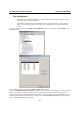
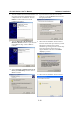
Select a Tx FIFO Size from the Tx FIFO Level pull-down list. Tx FIFO Levels from High to Low are available,
with the default set to High (128 bytes). Check Set the change to all ports check-box to apply the just defined
Tx FIFO Size to all ports.
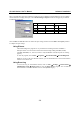
CP-134U V2/CP-134U-I V2 CP-134U/CP-134U-I
Tx FIFO Rx FIFO Tx
FIFO
Rx FIFO
High 128 120 64 56
Middle 64 60 32 28
Low 1 1 1 1
Unit: Bytes
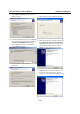
Click on OK in the Port X window to confirm the port settings, and then click on OK in the Property window
to complete the port settings.
Using PComm
The PComm Diagnostic program is a very useful tool for checking the status of MOXA’s
multiport boards. It can be used for internal and external testing of IRQ, TxD/RxD, UART,
CTS/RTS, DTR/DSR, etc., and can be used to verify that MOXA’s boards and ports are working
properly.
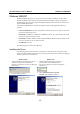
To start the program, click on Start Æ Programs Æ PComm Lite 2000 ÆPComm Diagnostic.
NOTE: If you do not have the PComm software, you can download the free version from Moxa’s
website at
www.moxa.com.
Using Event Log
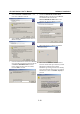
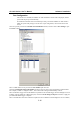
To use Event Log to check MOXA boards, click on Start Æ Settings Æ Control Panel Æ
Administrative Tools Æ Event Viewer to enter the Event Viewer program. You can find the
latest information relevant to MOXA’s drivers under System category.