
User`s manual


CP-134U Series User’s Manual Software Installation
3-4
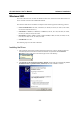
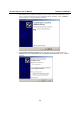
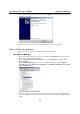
5. Wait while the driver software is installed. The next window shows the model number of the
board, and indicates that Windows has completed the driver installation. Click on Finish to
continue with the rest of the installation procedure.
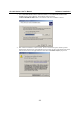
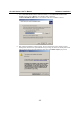
6. The Found New Hardware Wizard window will open to help you install the driver for
MOXA Port 0. Select Install from a list or specific location (Advanced). Click on Next to
continue.