
User guide





72
Getting to Call Timers...
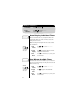
1.
Enter Menu Press ƒ
then press aa
aa
.
2.
Enter
Call Timers
Press qq
qq
or ZZ
ZZ
to scroll to Timers
and press
AA
AA
to select.
Viewing the Individual Timer
The individual timer records the air-time of your most recent
call in hours, minutes, and seconds. It resets before you place
the next call and when you turn the phone OFF. You can have
the timer display automatically while calls are in progress. See
Auto Display Individual Timer on page 74.
Viewing the Resettable Timer
You can track how much air-time you have accumulated during
any time period you choose. For example, reset this timer at the
beginning of each billing period to know where you stand at any
given moment. Use this feature to view the time elapsed, and
follow the instructions on page 73 to reset the timer.
3.
View
Timer
When you enter the Call Timers menu,
you will see: Individual XX:XX:XX.
4.
Exit
Menu
Press º to exit the menu, or you may scroll
to other features.
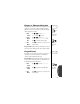
3.
View
Timer
Press qq
qq
or ZZ
ZZ
to scroll to Resettable Time.
You will see the air-time in minutes since you
last reset the timer.
4.
Exit
Menu
Press º to exit the menu, or you may scroll
to other features.
Shortcut:
Press
‰ then
» twice for a
quick look at this
timer.
Shortcut:
Press
ƒ, aa
aa
then
›, fi.
Individual
XX:XX:XX
c
Resettable
TimeXXXXX
c
Shortcut:
Press
‰ then
» three times
for a quick
look at this timer
.
Shortcut:
Press
ƒ, aa
aa
then
›, fl.