
Specifications



97
Phone Options
96
Here’s a bonus feature for when you’re in strong signal
areas. Turn the Extended Talk-time feature ON and receive
extra talk-time from your phone’s battery!
You will see:
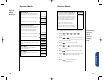
1. Press then press
to enter the
menu features.
2. Press to scroll to
Extended
Talk-time.
3. Press to toggle the feature ON or OFF.
4. Press to exit the menu, or you may
scroll to other features.
Extended
Talk-time
(optional)
Shortcut
Press then
press the Smart
Button, then
,
and continue
with step 3.
Battery Options Sub-Menu
Extend
TalkOff
Extend
Talk On
or
When your StarTAC cellular phone receives an incoming
digital message, a tone will notify you. If your phone is set
to vibrate, using the VibraCall function (page 64), you will
feel your phone vibrate to notify you of an incoming
digital message.
If you are unable to immediately view a new message, you
have the option to set reminder tones or vibrations, which
repeat every two minutes. These reminders are especially
helpful in jogging your memory if you’re either busy at the
time when your digital message arrives or are temporarily
away from your phone.
Remember that this Digital Message Reminder feature is
only available if your cellular service provider offers Digital
Message Access.
You will see:
1. Press then press
to enter the
menu features.
2. Press to scroll to
Digital Message
Reminder.
3. Press to toggle the feature ON or OFF.
4. Press to exit the menu, or you may
scroll to other features.
Remind
Msg On
Remind
Msg Off
or
Digital Message Reminder
StarTac.prt 3/7/00 9:47 Page 96