
Specifications




79
Phone Options
78
Your cellular service provider configures this feature when
you receive a cellular phone number. If you want to get into
the nitty-gritty of your cellular phone’s operation, read on.
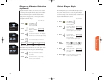
System Mode allows you to select the type of cellular system
your phone will access.
1. Press , .
2. Press to scroll through the system
mode settings. (See the chart on
the next page for a description
of System Mode Settings.)
3. Press to select the system mode
setting you want.
4. Press to exit the menu.
System Mode
Your phone can operate on two different home systems. If
you travel often, you can have your phone programmed with
two cellular numbers to reduce roaming. This feature allows
you to change your active number to the one appropriate for
the area you’re in.
When your phone has two numbers, both are designated as
your home system but only one number can be active at any
given time. Calls are placed and received by the currently
active number only. Each time you turn your phone ON,
you’ll see a message in the display that indicates which phone
number and home system are currently active:
In most areas, there are two competing cellular carriers, the
“wireline” carrier and the “non-wireline” carrier. If your
cellular service is from the non-wireline carrier, the display
will indicate that your home system is system A. If your
cellular service is from the wireline carrier, the display will
indicate that your home system is system B.
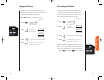
To change to your other phone number
1. Press , , .
Change Your Phone Number
A1XXXXX
A2XXXXX
B1XXXXX
B2XXXXX
Non-wireline type with phone number 1
Non-wireline type with phone number 2
Wireline with phone number 1
Wireline with phone number 2
StarTac.prt 3/7/00 9:46 Page 78