
Specifications


76
Home Page - Information
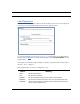
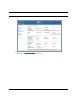
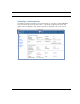
The Home Page contains a summary of the Gateway’s configuration settings and status.
Summary Information
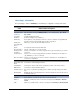
Field Status and/or Description
Connection Information
DSL/WAN Status Wide Area Network may be Waiting for DSL (or other waiting status), Up or Down
Connection Up or Down
User Name Your ISP-assigned Username
IP Address IP address assigned to the WAN port.
IP Gateway The IP address of the gateway to which the connection defaults. If doing DHCP, this
info will be acquired. If doing PPP, this info will be negotiated.
Primary and
Secondary DNS
Server
Address(es) of your ISP's Domain Name Server(s).
Speed Your upstream and downstream data rates
Line Attenuation amount of attenuation on your phone lines.
Restart Connec-
tion button
allows you to attempt to reconnect using the same login credentials as your current
connection.
Connect button allows you to reconnect using a different User Name and Password. This button is
only available if you are not connected.
Disconnect button allows you to disconnect your current connection. This button is only available if a
connection is established.
Router Information
Router Name and
Model
Your Router's manufacturing information
Serial Number Your Router's unique serial number. Usually also printed on the Router's label.
MAC Address Your Router's unique hardware address
Software Version The version of embedded operating system software currently running on the Gate-
way.
Warranty Date Original date when your Gateway is first connected and gets the time via the network,
for warranty purposes.
Local Network
IP Address The IP address of your Router as seen from your internal LAN
Ethernet Status of your Ethernet network connection (if supported). Connected or Not Con-
nected.
USB Status of your USB network connection (if supported). Connected or Not Connected.