
Specifications




229
CONFIG Commands
• qos – Allows you to specify the Quality of Service for the flow: off, assure, expedite or
network-control. These are used both to mark the IP TOS byte and to distribute pack-
ets into the queues as if they were marked by the source.
Packet Mapping Configuration
set diffserv qos [ network-control-queue | expedite-queue |
assured-queue | best-effort-queue ]
queue_name
Specifies the Diffserv QoS queue mapping associations.
•
queue_name
- the basic queue name to which classified packets are directed.
By default the following mappings are created:
set diffserv qos network-control-queue basic_q0
set diffserv qos expedite-queue basic_q1
set diffserv qos assured-queue basic_q2
set diffserv qos best-effort-queue basic_q3
set diffserv qos dscp-map [ default | custom ]
• default – the default DSCP-queue mappings are used
• custom – allows you to set up customized mappings between DSCP code points and
queue types.
If custom is selected, the following can be configured:
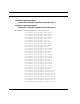
set diffserv qos dscp-map-0
[ best-effort | assured | expedite | network-control ]
QoS Setting TOS Bit Value Behavior
Off TOS=000 This custom flow is disabled. You can activate it by selecting one
of the two settings below. This setting allows you to pre-define
flows without actually activating them.
Assure TOS=001 Use normal queuing and throughput rules, but do not drop pack-
ets if possible. Appropriate for applications with no guaranteed
delivery mechanism.
Expedite TOS=101 Use minimum delay. Appropriate for VoIP and video applications.
Network Control TOS=111 Use highest possible priority.