
Specifications





163
CHAPTER 5 Command Line Interface
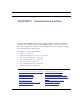
The Motorola Netopia® Gateway operating software includes a command line interface
(CLI) that lets you access your Motorola Netopia® Gateway over a telnet connection. You
can use the command line interface to enter and update the unit’s configuration settings,
monitor its performance, and restart it.
This chapter covers the following topics:
• “Overview” on page 165
• “Starting and Ending a CLI Session” on page 168
• “Using the CLI Help Facility” on page 169
• “About SHELL Commands” on page 170
• “SHELL Commands” on page 171
• “About CONFIG Commands” on page 187
• “CONFIG Commands” on page 191
CONFIG Commands
“Remote ATA Configuration Commands” on page 191 “PPPoE with IPoE Settings” on page 246
“DSL Commands” on page 194 “Ethernet Port Settings” on page 248
“Bridging Settings” on page 196 “802.3ah Ethernet OAM Settings” on page 249
“DHCP Settings” on page 198 “Command Line Interface Preference Settings” on
page 251
“DMT Settings” on page 207 “Port Renumbering Settings” on page 252
“Domain Name System Settings” on page 208 “Security Settings” on page 253
“IGMP Settings” on page 211 “System Settings” on page 269