
Specifications

148
The CURRENT Router STATUS is displayed for all logs.
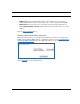
• To clear the individual logs, click the Clear Log button for that page.
• To clear all the logs, click the Clear All Logs button on the main Logs page.
• You can save logs to a text (.CTXT) file by clicking the Save to File button. This will
download the file to your browser’s default download location on your hard drive. The
file can be opened with your favorite text editor.
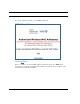
☛ Note:
Some browsers, such as Internet Explorer for Windows XP, require that you
specify the Motorola Netopia® Gateway’s URL as a “Trusted site” in “Internet
Options: Security”.
User List
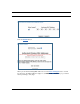
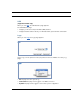
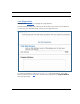
When you click User List, the User List Statistics page appears.
The User List Statistics page:
• displays Ethernet Users’ PC Name, IP Address, and MAC Address.
• displays Wireless SSID Users’ PC Name, IP Address, and MAC Address.
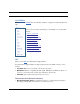
If you have multiple SSIDs defined (see “
Enable Multiple Wireless IDs” on page 136),
Wireless SSID users are displayed by their respective SSID.