
Specifications

147
Links Bar
USB
(supported models only)
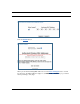
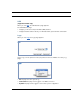
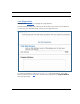
When you click USB, the USB Statistics page appears.
The USB Statistics page:
• displays your Router's unique hardware (MAC) address.
• displays detailed statistics about your LAN data traffic, upstream and downstream.
Logs
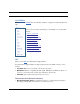
When you click Logs, the Logs page appears.
Select a log from the pull-down menu (the pull-down menu is available from every Log
page):
• All: Displays the entire system log.
• Connection: Displays events logged for the WAN connection.
• System: Displays events logged for the Router system configuration.