
Specifications

144
Link:
Status
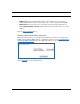
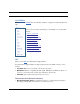
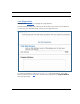
When you click the Status link, the Links Bar expands to display nine statistical sub-head-
ings.
These screens will vary depending on your Gateway’s model and traffic
activity:
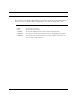
•“DSL” on page 144
•“ATM” on page 145
•“Ethernet” on page 145
•“IP” on page 145
•“LAN” on page 146
•“USB” on page 147
•“Wireless” on page 146
•“Logs” on page 147
•“User List” on page 148
DSL
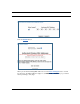
When you click DSL, the DSL Statistics page appears.
The DSL Statistics page displays information about the Router's WAN connection to the
Internet.
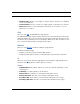
• Line State: May be Up (connected) or Down (disconnected).
• Modulation: Method of regulating the DSL signal. DMT (Discrete MultiTone) allows con-
nections to work better when certain radio transmitters are present.
• Data Path: Type of path used by the device's processor.
Downstream and Upstream statistics
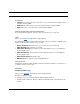
• Max Allowed Speed (kbps): Your maximum speeds for downloading (receiving) and
uploading (sending) data on the DSL line, in kilobits per second.