
Specifications



113
Links Bar
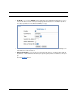
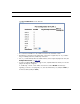
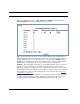
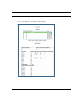
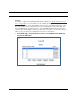
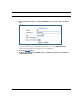
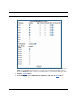
The Port Configuration screen appears.
• Port interfaces available for this VLAN are listed in the left hand column.
• Displayed port interfaces vary depending on the kinds of physical ports on your Gate-
way, for example, Ethernet, USB, and/or wireless.
• Also, if you have multiple wireless SSIDs defined, these may be displayed as well (See
Multiple Wireless IDs on page
136)
• For Motorola Netopia® VGx technology models, separate Ethernet switch ports are dis-
played and may be configured.
To enable any of them on this VLAN, check the associated Enable checkbox(es).
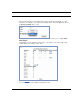
Typically you will choose a physical port, such as an Ethernet port (example: eth0.1) or
a wireless SSID (example: ssid1).