
User`s guide


45Wireless
DLNA™ media devices
Note: Copyright—do you have the right? Always follow
the rules. See “Content Copyright” in your legal and
safety information.
Use DLNA Certified computers, TVs, and other devices
to play or transfer the video, pictures, and music stored
on your smartphone.
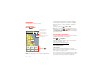
1 Make sure your smartphone is connected to a Wi-Fi
network that has another DLNA Certified device.
2 Touch >
DLNA
.
3 Touch
Play media
,
Copy media to server
,
Copy media
to phone
, or
Share media
.
Your smartphone searches for DLNA devices on your
network. To search again, touch Menu >
Refresh
.
4 Touch a device to connect.
For more about DLNA devices, visit www.dlna.org
.
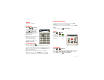
MOTOPRINT
Print email, documents, pictures, and contacts directly
to shared printers on a Wi-Fi network—no printer drivers
necessary. MOTOPRINT automatically discovers
networked printers for you. You can even save your
favorite printers and geo-tag their location for future use.
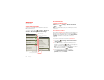
Print a document or file
To print something from the
Email
,
Quickoffice
, or
Gallery
apps, open it and touch Menu >
Print
.
To print something directly from the
MOTOPRINT
app,
touch >
MOTOPRINT
, then select a document
type and follow the on-screen instructions.
Add a printer
Find it: >
MOTOPRINT
, touch Menu
>
Manage printers
, touch Menu >
Add printer
MOTOPRINT host
To print to a non-compatible or non-networked printer
connected to your Windows™ computer, you need to
install free MOTOPRINT Host software on the computer.
You can download MOTOPRINT Host at
www.motorola.com
.
To print something using MOTOPRINT Host:
Find it: >
MOTOPRINT
, touch Menu
>
Manage printers
, touch Menu >
Add printer
>
MOTOPRINT host
Select MOTOPRINT Host running on your computer,
then select the printer you want to use.