
User`s guide




1Congratulations
Congratulations
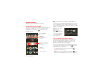
DROID RAZR™
Introducing the powerful smartphone in a RAZR slim
design! DROID RAZR has tons of advanced features for
everything you want to do—video, web browsing,
multimedia, and more.
• A blistering fast dual-core 1.2 GHz processor lets you
download web pages in under a second, and makes
multi-tasking a snap.
• Use MotoCast to stream or download music, videos,
and documents to your smartphone, and upload
photos and files to your computer.
• Use your 8MP camera to capture life’s moments in
full 1080p HD video. Your smartphone’s 4.3" qHD
Super AMOLED Advanced display makes video
playback crisper and more vivid than ever before.
Note: Certain apps and features may not be available in
all countries.
Caution: Before assembling, charging, or using your
phone for the first time, please read the important
legal and safety information in this guide.
This product meets the applicable limit for
exposure to radio waves (known as SAR) of
1.6 W/kg (FCC). The limits and guidelines include
a substantial safety margin designed to assure the
safety of all persons, regardless of age and health. The
highest SAR values measured for this device are listed in
the regulatory information packaged with your product.
More
•Answers: Touch >
Help Center
.
• Updates: Smartphone updates, computer software,
user guides, online help, and more at
www.motorola.com/mydroidrazr
.
• Accessories: Find accessories for your smartphone at
www.motorola.com/products
.
Notes:
• All screens in this guide are simulated. Actual
displays may vary.
• Instructions to perform tasks in this guide may
change depending on the software version on your
smartphone.
• Unless specified otherwise, all instructions to
perform tasks in this guide assume that you are
starting from the home screen.