
User`s guide



23Social networking
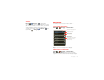
Text input settings
Find it: Menu >
Settings
>
Language & keyboard
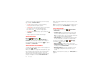
• To edit your dictionary, touch
User dictionary
.
• To change the language and the style for your
touchscreen keypad, touch
Select locale
.
• To change input method and settings, touch
Swype
or
Multi-touch keyboard
.
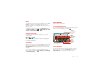
Paste cut or copied
text at cursor location
Touch and hold location to
paste, then touch
Paste
.
Delete character to left
of cursor
Touch Delete (hold to
delete more).
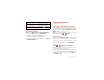
To .. .
Social networking
my life, your life
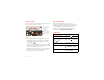
Your social networking account
Integrate and sync all your contacts, emails, and social
networking sites. No opening and closing apps and
menus. Just touch the
Social Networking
and
Social
Status
widgets on your home screen.
Tip: Use the gallery to view all of yours and your friends’
online albums. Touch >
Gallery
.
Add accounts
You can add your
Facebook
,
Twitter
, or other accounts
to your social networking account. If you don’t have
accounts on these sites, visit their websites to set them
up.
To set up email accounts, see “Set up messaging” on
page 20.
Find it: >
My Accounts
>
Add account
Add an account by touching it. Then enter your user
name and password for that account.
When you sign into social networking accounts, you’ll
see your friends and contacts in your
Contacts
list, and
your status and updates can appear in your
Social
Networking
widget.
Account Manager