
Installation Instructions
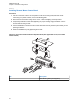


Figure 54: APX Mobile O5 Control Head Front View – Mode Knob
O5
1
No. Description
1 Mode Knob
5 Repeat step 1 through step 4 to set the ID of the remaining control heads.
NOTICE: In Multiple Control Head (MCH) installations, the yellow ignition sense wire
must be connected to the head assigned ID #1.
2.2.2.5
O3 Control Head and Remote Mount Cabling
Choose a mounting location for the radio, considering accessibility, control, and antenna cable lengths.
The control head extension cable and the accessories cable should be installed and routed properly to
avoid complications.
Prerequisites: Route the cables in the wiring troughs (where available) of the vehicle or route the
cables where they are protected from pinching, sharp edges, or crushing. One suggested route is
along one side of the driveshaft hump under the carpet. Use grommets in any holes where the cable
passes through metal panels.
MN005720A01-AB
Chapter 2: Standard Configurations
59