
Installation Instructions
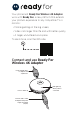
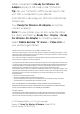
When connected, the Ready For Wireless 4K
Adapter displays a QR code on the TV/monitor.
Tip: Set your TV/monitor HDMI source/input to the
port that is connected to your adapter.
Scan the QR code using your Motorola smartphone’s
Camera app.
Your Ready For Wireless 4K Adapter and phone
connect wirelessly.
Note: On your phone, you can also swipe the status
bar down, and then tap Ready For > Display > Ready
For Wireless 4K Adapter to connect wirelessly.
Select Mobile desktop, TV, Game or Video chat on
your phone to get started.
© 2021 Motorola Mobility LLC. All rights reserved.
Product ID: Ready For Wireless 4K Adapter (Model MD-02)
Manual number: SSC8D22342-A
Federal Communications Commission (FCC) Compliance Statement for USA
This device complies with part 15 of the FCC rules. Operation is subject to the following two conditions: (1) This
device may not cause harmful interference, and (2) this device must accept any interference received, including
interference that may cause undesired operation.
FCC Caution: Any changes or modifications not expressly approved by the party responsible for compliance
could void the user's authority to operate this equipment.
This equipment has been tested and found to comply with the limits for a Class B digital device, pursuant to part
15 of the FCC Rules. These limits are designed to provide reasonable protection against harmful interference in
a residential installation. This equipment generates, uses and can radiate radio frequency energy and, if not
installed and used in accordance with the instructions, may cause harmful interference to radio
communications. However, there is no guarantee that interference will not occur in a particular installation. If this
equipment does cause harmful interference to radio or television reception, which can be determined by turning
the equipment off and on, the user is encouraged to try to correct the interference by one or more of the
following measures:
— Reorient or relocate the receiving antenna.
— Increase the separation between the equipment and receiver.
— Connect the equipment into an outlet on a circuit different from that to which the receiver is connected.
— Consult the dealer or an experienced radio/TV technician for help.
NOTE: THE GRANTEE IS NOT RESPONSIBLE FOR ANY CHANGES OR MODIFICATIONS NOT
EXPRESSLY APPROVED BY THE PARTY RESPONSIBLE FOR COMPLIANCE. SUCH MODIFICATIONS
COULD VOID THE USER'S AUTHORITY TO OPERATE THE EQUIPMENT.
RF exposure warning
This equipment must be installed and operated in accordance with provided instructions and the antenna(s)
used for this transmitter must be installed to provide a separation distance of at least 20 cm from all persons
and must not be collocated or operating in conjunction with any other antenna or transmitter.