User's Manual
Manuals
Brands
Motorola Mobility Manuals
Audio Equipment
Wireless Portable Speaker HF800
11
12
13
14
15
16
17
18
19
20
Table Of Contents
Welcome
Contents
Safety and General Information
Introduction
What Is Bluetooth Wireless Technology?
How Can I Use My Wireless Portable Speaker?
Portable Speaker Features
Using Your Portable Speaker
Charging Your Portable Speaker
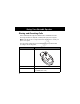
Using the Portable Speaker in a Vehicle
Wearing the Portable Speaker
Pairing Your Portable Speaker and Phone
Controlling Portable Speaker Volume
Placing and Receiving Calls
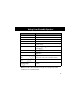
Using Your Portable Speaker Indicators
Limited Warranty for Motorola Personal Communications Products and Accessories Purchased in the United States and Canada
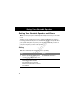
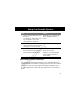
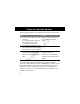
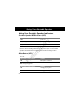
Using Your Portable Speaker
12
Pr
eli
m
ina
ry
T
ur
ning the P
ortable Speak
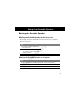
er On and Of
f
Fun
ct
i
on
Act
ion
Press the v
olume button to tur
n the
P
or
table Speaker
on
.
Press and hold the
v
olume button for
2-3 seconds to tur
n the P
or
table
Speaker
off
.
1
...
...
10
11
12
13
14
...
...
29