
User's Manual


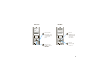
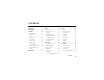
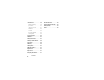
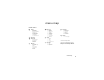
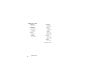
Table Of Contents
- HELLOMOTO
- contents
- menu map
- Use and Care
- essentials
- tips & tricks
- basics
- customize
- calls
- messages
- other features
- service & repairs
- SAR Data
- Safety Information
- Industry Canada Notice
- FCC Notice
- Warranty
- Hearing Aids
- WHO Information
- Registration
- Export Law
- Recycling Information
- Perchlorate Label
- Privacy and Data Security
- Driving Safety
- index

3
&
zå
PH.BOOK
MESSAGE
Service Provider
10/15/08
5:05pm
t
M
x
s
G
Main MenuHome Screen
Press & hold the
power key
Ë
until
the display lights up
to turn on your
phone.
Press the center
key
s
to open the
Main Menu.
Press the
navigation key
S
up/down/left/right
to scroll to a
menu feature.
Press the
center key
s
to select it.
SELECT
EXIT
Prepaid the
[ n s
e É Q
t l Z
4
3
2
1