
Operating Instructions

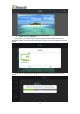


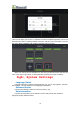


Table Of Contents
- 一、Software Introduction
- 二、Application Installation and Uninstallation
- 三、User Login
- 四,Device Control Management
- 五、Program Management
- 六、Media Types
- 七、Custom Templates
- 八、System Settings
- 九、Advanced Settings
- 十、FAQ&Solutions

Then when you want to use this templates for next time,you can directly select
the 600x100 template, click “OK” then you can add the media files.
2、Custom Multiple Window Templates
(1)In the program list , click “+ Add Program” and slide down to the bottom,
find “custom template”, and click “+” to enter the width ,height. as shown below:
(2)For example: respectively input 1600 and 960 for width and height, click
“OK” to jump to the adding templates interface, as shown in the figure below:
(3)Click the “+” on the left to add the window, the green 00 window appears,as
shown below:
16