
Operating Instructions

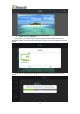


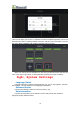


Table Of Contents
- 一、Software Introduction
- 二、Application Installation and Uninstallation
- 三、User Login
- 四,Device Control Management
- 五、Program Management
- 六、Media Types
- 七、Custom Templates
- 八、System Settings
- 九、Advanced Settings
- 十、FAQ&Solutions

(1)Weather Settings: Address setting(province,city),txt color.
(2)Set the Displaying Duration, the default is 1 hour.
7、Web Page
To add URL in the program window, the following items could be set:
(1)Set the web page address and click “edit” to type in.
(2)Set the displaying duration, the default is 1 hour.
Seven、Custom Templates
New Program Sequence, Click add program —Set program Name—Select Templates
—Add media file. In order to save the time of setting the screen parameters, we can
make commonly used screen parameters into templates, the specific operations are
described below:
(1)Click “+Add Program” in the program list to enter the bottom of the program
adding interface, and then find the “custom templates”
(2)Click “+” to enter width and height ( such as 600x1000),as the following
figure shows:
(3)Click “OK” to jump to ADD Templates Interface, as the following figure
shows:
14