
Operating Instructions

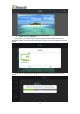


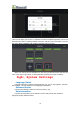


Table Of Contents
- 一、Software Introduction
- 二、Application Installation and Uninstallation
- 三、User Login
- 四,Device Control Management
- 五、Program Management
- 六、Media Types
- 七、Custom Templates
- 八、System Settings
- 九、Advanced Settings
- 十、FAQ&Solutions

Sending Programs to the Media Player.Wait…………..
The above is an example of the basic operations of single screen program editing
and publishing. The operation to have multi screen or other media files added or sent
to MB2 are similar. The properties of the media files(duration,special effects)could be
set, you can set it according to your needs. For the specific settings of the media type,
refer to the next section.
Six、Media Types
1、Picture
Supported Formats are:JPG、JPEG、BMP、GIF、PNG、WEBP
While editing the programs,jump to the album from the media library to add and
add the pictures in the program window.
(1)Set the Display Screen Size, such as :Full Screen or Original Scale.
(2)Set the Picture Switching Time, The Default stay is 15 seconds.
(3)Set the picture switching methods,including: fade in/out. random special
effects,top to bottom,picture movement,right to left, picture enlargement, picture
rotation, picture reduction.
2、Video
Supported Formats are:MPEG-1/2、MPEG-4、H.264/AVC、MVC、H.265/HEVC、
Google VP8、H.263、VC-1、Motion JPEG
While editing the programs,jump to the album from the media library to add and
add videos in the program window. The following items can be set:
(1)Set the Display Screen Size, such as :Full Screen or Original Scale.
(2)Video Sound On/Off
(3)Set the video playing duration and time ON/OFF.
3、TXT
To add txt in the program window and you can set the following items.
(1)TXT input box,enter txt in the black area on the left.
(2)Set the txt display effect on the right, such as: font, font
size,bold,oblique,underline,color,background color,form background color,alignment.
(3)Set the txt playing duration, the default is 1 hour.
(4)Set the txt displaying effect, scroll direction(not scrolling ,right to left,left
to right,bottom to top,top to bottom), and playing speed(fast,slow)effect.
4、Digital Clock
To add the digital clock in the program window, the following items could be set:
(1)Set the displaying style, such as: time zone,date format,24 hour format,
single/multi-line displaying.
(2)Set the TXT displaying effect, such as: Font size,
bold,oblique,underline,color settings.
(3)Set the displaying duration, the default is 1 hour.
5、Analog Clock
To add analog clock in the program window,you can set the following items:
(1)Set the displaying style,such as: time zone, minute color,minute interval
color,second hand color,minute hand color,hour hand color.
(2)Set the displaying duration, the default is 1 hour.
6、Weather
To add weather in the program window, the following items could be set:
13