
User guide




Monster® GO-DJ™ | Instruction Manual | Page 65
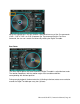
Pitch Bend Mode
When the highlight bar in the Arc Selector is positioned over the Cue Clear command,
the Pitch Bend mode is activated on the Digital Turntable. Use Pitch Bend mode to
bend the pitch of the track. This is similar to physically nudging a record on a turntable
to slow down or speed up the track, usually activated when matching beats and
synchronizing tracks.\
Search Mode
When the highlight bar in the Arc Selector is positioned over the Cue Clear command
and the track is paused, you can use the high-resolution search function on the Digital
Turntable.
Off Mode
When the highlight bar in the Arc Selector is positioned over the Loop Range command,
then every touch operation of the Digital Turntable is ignored.