
User guide




Monster® GO-DJ™ | Instruction Manual | Page 64
blinking)
Tap (when white in color)
Measure the BPM that the user will tap on
the Digital Turntable.
Tap (when blinking)
Adopt the BPM measured from the user
tapping.
Loop (when white in color)
Start looping using the selected loop
range.
Loop (when light blue in color)
Stop looping.
Loop Range
Change the loop range.
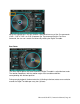
Digital Turntables
The Digital Turntables are controlled by using the touchscreen interface.
There are five main modes of the Digital Turntable that are activated depending on the
position of the highlight bar in the Arc Selector: