
User guide




Monster® GO-DJ™ | Instruction Manual | Page 57
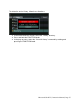
To delete the entire History, follow these directions:
● In the Media Selection screen, select the “History” directory.
● Press and hold the FUNCTION knob.
● In the pop up menu, select the “Clear All History” command by rotating and
pressing the FUNCTION knob.