
User`s manual





MONOPRICE 10594 Windows User's Manual
5
8. Verifying Hardware and Driver Functionality
Once the software and hardware has been installed, verify the operation and
functionality of the tablet.
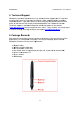
a. Press the power button on top of the pen. The tablet will initiate and then the LED
indicator on the left side will flash briefly.
b. Press a button on the pen. The LED indicator will flash briefly.
c. Hover the pen over the working surface of the tablet. The LED indicator will slowly
blink and the cursor on screen will move to follow the movement of the pen.
If all three tests above pass, the pen and tablet have been properly installed and setup
on your PC.
If the tests fail, please contact Monoprice Technical Support for assistance. You can
contact Tech Support via email at support@monoprice.com
, using "Contact Us" form at:
http://www.monoprice.com/home/home.asp?pn=contact
You can also use the Live Chat feature on our website, at:
https://www.monoprice.com/home/chat.asp
Tech Support is available for Live Chat during the following hours:
Monday through Friday: 6:00 am ~ 7:00 pm PT
Saturday and Sunday: 9:00 am ~ 6:00 pm PT