
Manual

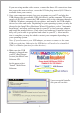
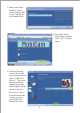
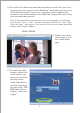

b) Select one of two detection modes: “By Scheduler” or “All the Time.”
Then select “Dene Motion Area.”
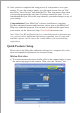
If you chose the “By Scheduler” mode be sure to enable and setup a schedule
for the camera under “Tools” then “Scheduler” on the main menu.
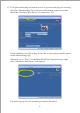
c) You may then dene the whole frame or specic areas of the camera view to
be sensitive to motion detection by clicking and dragging your mouse over
the desired area...
You may also select multiple zones if you want.
8