MELDAS is a registered trademark of Mitsubishi Electric Corporation. Other company and product names that appear in this manual are trademarks or registered trademarks of their respective companies.
Introduction Thank you for selecting the Mitsubishi numerical control unit. This instruction manual describes the handling and caution points for using this AC servo/spindle.Incorrect handling may lead to unforeseen accidents, so always read this instruction manual thoroughly to ensure correct usage. Make sure that this instruction manual is delivered to the end user. Always store this manual in a safe place.
Precautions for safety Please read this manual and auxiliary documents before starting installation, operation, maintenance or inspection to ensure correct usage. Thoroughly understand the device, safety information and precautions before starting operation. The safety precautions in this instruction manual are ranked as "WARNING" and "CAUTION". DANGER When there is a potential risk of fatal or serious injuries if handling is mistaken.
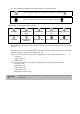
The signs indicating prohibited and mandatory matters are explained below. Indicates a prohibited matter. For example, "Fire Prohibited" is indicated as Indicates a mandatory matter. For example, grounding is indicated as . . The meaning of each pictorial sign is as follows.
WARNING 1. Electric shock prevention Do not open the front cover while the power is ON or during operation. Failure to observe this could lead to electric shocks. Do not operate the unit with the front cover removed. The high voltage terminals and charged sections will be exposed, and can cause electric shocks. Do not remove the front cover and connector even when the power is OFF unless carrying out wiring work or periodic inspections. The inside of the units is charged, and can cause electric shocks.
2. Injury prevention In the system where the optical communication with CNC is executed, do not see directly the light generated from CN1A/CN1B connector of drive unit or the end of cable. When the light gets into eye, you may feel something is wrong for eye. (The light source of optical communication corresponds to class1 defined in JISC6802 or IEC60825-1.) The linear servomotor, direct-drive motor and built-in IPM spindle motor uses permanent magnets in the rotor, so observe the following precautions.
CAUTION 1. Fire prevention Install the units, motors and regenerative resistor on non-combustible material. Direct installation on combustible material or near combustible materials could lead to fires. Always install a circuit protector and contactor on the servo drive unit power input as explained in this manual. Refer to this manual and select the correct circuit protector and contactor. An incorrect selection could result in fire. Shut off the power on the unit side if a fault occurs in the units.
CAUTION 3. Various precautions Observe the following precautions. Incorrect handling of the unit could lead to faults, injuries and electric shocks, etc. (1) Transportation and installation Correctly transport the product according to its weight. Use the motor's hanging bolts only when transporting the motor. Do not transport the machine when the motor is installed on the machine. Do not stack the products above the tolerable number.
CAUTION Store and use the units under the following environment conditions.
CAUTION Always connect the motor to the drive unit's output terminals (U, V, W). Do not directly connect a commercial power supply to the servomotor. Failure to observe this could result in a fault. When using an inductive load such as a relay, always connect a diode as a noise measure parallel to the load. When using a capacitance load such as a lamp, always connect a protective resistor as a noise measure serial to the load.
CAUTION (4) Usage methods In abnormal state, install an external emergency stop circuit so that the operation can be stopped and power shut off immediately. Turn the power OFF immediately if smoke, abnormal noise or odors are generated from the unit or motor. Do not disassemble or repair this product. Never make modifications. When an alarm occurs, the machine will start suddenly if an alarm reset (RST) is carried out while an operation start signal (ST) is being input.
CAUTION (5) Troubleshooting If a hazardous situation is predicted during power failure or product trouble, use a servomotor with magnetic brakes or install an external brake mechanism. Use a double circuit configuration that allows the operation circuit for the magnetic brakes to be operated even by the external emergency stop signal. Shut off with the servomotor brake control output. Shut off with NC brake control PLC output.
CAUTION (8) Transportation The unit and motor are precision parts and must be handled carefully. According to a United Nations Advisory, the battery unit and battery must be transported according to the rules set forth by the International Civil Aviation Organization (ICAO), International Air Transportation Association (IATA), International Maritime Organization (IMO), and United States Department of Transportation (DOT), etc.
Treatment of waste The following two laws will apply when disposing of this product. Considerations must be made to each law. The following laws are in effect in Japan. Thus, when using this product overseas, the local laws will have a priority. If necessary, indicate or notify these laws to the final user of the product. (1) Requirements for "Law for Promotion of Effective Utilization of Resources" (a) Recycle as much of this product as possible when finished with use.
Disposal (Note) This symbol mark is for EU countries only. This symbol mark is according to the directive 2006/66/EC Article 20 Information for endusers and Annex II. Your MITSUBISHI ELECTRIC product is designed and manufactured with high quality materials and components which can be recycled and/or reused. This symbol means that batteries and accumulators, at their end-of-life, should be disposed of separately from your household waste.
本製品の取扱いについて ( 日本語 /Japanese) 本製品は工業用 ( クラス A) 電磁環境適合機器です。販売者あるいは使用者はこの点に注意し、住商業環境以外で の使用をお願いいたします。 Handling of our product (English) This is a class A product. In a domestic environment this product may cause radio interference in which case the user may be required to take adequate measures. 본 제품의 취급에 대해서 ( 한국어 /Korean) 이 기기는 업무용 (A 급 ) 전자파적합기기로서 판매자 또는 사용자는 이 점을 주의하시기 바라며 가정외의 지역에 서 사용하는 것을 목적으로 합니다 .
Contents 1 Installation .................................................................. 1 - 1 1-1 Installation of servomotor.................................................................................................................. 1 - 2 1-1-1 Environmental conditions ......................................................................................................... 1 - 2 1-1-2 Quakeproof level ..................................................................................................
2-8-3 Wiring of the motor magnetic brake (MDS-D-SVJ3)............................................................... 2 - 38 2-8-4 Wiring of an external emergency stop .................................................................................... 2 - 40 2-8-5 Safety observation function .................................................................................................... 2 - 43 2-8-6 Specifications of proximity switch ......................................................................
5 Spindle Adjustment ................................................... 5 - 1 5-1 D/A output specifications for spindle drive unit ................................................................................. 5 - 2 5-1-1 D/A output specifications .......................................................................................................... 5 - 2 5-1-2 Setting the output data .............................................................................................................
Appendix 1-2-3 Servo / tool spindle detector cable ........................................................... Appendix 1 - 6 Appendix 1-2-4 Spindle detector cable ............................................................................ Appendix 1 - 10 Appendix 1-3 Connector outline dimension drawings ........................................................... Appendix 1 - 12 Appendix 1-3-1 Optical communication cable..................................................................
Appendix 5-5-2 Measures for shield treatment .................................................................. Appendix 5 - 5 Appendix 5-5-3 Servo/spindle motor power cable ............................................................. Appendix 5 - 6 Appendix 5-5-4 Servo/spindle motor feedback cable ........................................................ Appendix 5 - 7 Appendix 5-6 EMC countermeasure parts..............................................................................
Outline for MDS-D-SVJ3/SPJ3 Series Specifications Manual (IB-1500158-C) 1 Introduction 1-1 Servo/spindle drive system configuration 1-1-1 System configuration 1-2 Explanation of type 1-2-1 Servomotor type 1-2-2 Servo drive unit type 1-2-3 Spindle motor type 1-2-4 Tool spindle motor type 1-2-5 Spindle drive unit type 2 Specifications 2-1 Servomotor 2-1-1 Specifications list 2-1-2 Torque characteristics 2-2 Spindle motor 2-2-1 Specifications 2-2-2 Output characteristics 2-3 Tool spindle motor 2-3-1 Specifica
5 Dedicated Options 5-1 Servo options 5-1-1 Battery option 5-1-2 Ball screw side detector (OSA105-ET2) 5-1-3 Machine side detector 5-2 Spindle options 5-2-1 Spindle side ABZ pulse output detector (OSE-1024 Series) 5-2-2 Spindle side PLG serial output detector (TS5690, MU1606 Series) 5-2-3 Spindle side accuracy serial output detector (ERM280, MPCI Series) 5-3 Detector interface unit 5-3-1 Serial output interface unit for ABZ analog detector MDS-B-HR 5-3-2 Pulse output interface unit for ABZ analog detector I
Appendix 4 EMC Installation Guidelines Appendix 4-1 Introduction Appendix 4-2 EMC instructions Appendix 4-3 EMC measures Appendix 4-4 Measures for panel structure Appendix 4-4-1 Measures for control panel unit Appendix 4-4-2 Measures for door Appendix 4-4-3 Measures for operation board panel Appendix 4-4-4 Shielding of the power supply input section Appendix 4-5 Measures for various cables Appendix 4-5-1 Measures for wiring in panel Appendix 4-5-2 Measures for shield treatment Appendix 4-5-3 Servo/spindle m
Function specifications list MDS-DMV3 MDS-DMSPV2F/3F MDS-DMSPV2/3 ● - ● (Note2) ● ● ● ● ● ● ● - - - ● ● - - - 2-1 Torque limit function (stopper function) ● ● ● ● ● 2-2 Variable speed loop gain control ● ● ● ● ● 2-3 Gain changeover for synchronous tapping control ● ● ● ● ● 2-4 Speed loop PID changeover control ● ● ● ● ● 2-5 Disturbance torque observer ● ● ● ● ● 2-6 Smooth High Gain control (SHG control) ● ● ● ● ● ● (Only for 1-axi
MDS-DSP MDS-DHSP MDS-DSP2 MDS-DMSPV2F/3F MDS-DMSPV2/3 MDS-DSPJ3 1-5 Spindle's continuous position loop control ● ● ● ● ● 1-6 Coil changeover control ● ● - ● - 1-7 Gear changeover control ● ● ● ● ● 1-8 Orientation control ● ● ● ● ● 1-9 Indexing control ● ● ● ● ● 1-10 Synchronous tapping control ● ● ● ● ● 1-11 Spindle synchronous control ● ● ● ● ● 1-12 Spindle/C axis control ● ● ● ● ● 1-13 Proximity switch orientation control ● ●
付録 1 1 章 Installation Contents 1-1 Installation of servomotor.............................................................................. 1 - 2 1-1-1 Environmental conditions...................................................................... 1 - 2 1-1-2 Quakeproof level .................................................................................. 1 - 3 1-1-3 Cautions for mounting load (prevention of impact on shaft) ................. 1 - 4 1-1-4 Installation direction .........................
MITSUBISHI CNC 1 Installation 1-1 Installation of servomotor 1. Do not hold the cables, axis or detector when transporting the motor. Failure to observe this could lead to faults or injuries. 2. Securely fix the motor to the machine. Insufficient fixing could lead to the motor deviating during operation. Failure to observe this could lead to injuries. 3. When coupling to a servomotor shaft end, do not apply an impact by hammering, etc. The detector CAUTION could be damaged. 4.
MDS-D-SVJ3/SPJ3 Series Instruction Manual 1-1 Installation of servomotor 1-1-2 Quakeproof level Motor type HF75, 105 HF54, 104, 154, 224, 123, 223, 142 HF204, 354, 303, 302 HF-KP13, 23, 43, 73 Acceleration direction Axis direction (X) Direction at right angle to axis (Y) 24.5m/s2 (2.5G) or less 24.5m/s2 (2.5G) or less 24.5m/s2 (2.5G) or less 29.4m/s2 (3G) or less 49m/s2 (5G) or less 49m/s2 (5G) or less The vibration conditions are as shown below.
MITSUBISHI CNC 1 Installation 1-1-3 Cautions for mounting load (prevention of impact on shaft) [1] When using the servomotor with key way, use the screw hole at the end of the shaft to mount the pulley onto the shaft. To install, first place the double-end stud into the shaft screw holes, contact the coupling end surface against the washer, and press in as if tightening with a nut. When the shaft does not have a key way, use a frictional coupling, etc.
MDS-D-SVJ3/SPJ3 Series Instruction Manual 1-1 Installation of servomotor 1-1-5 Shaft characteristics There is a limit to the load that can be applied on the motor shaft. Make sure that the load applied on the radial direction and thrust direction, when mounted on the machine, is below the tolerable values given below. These loads may affect the motor output torque, so consider them when designing the machine.
MITSUBISHI CNC 1 Installation 1-1-6 Machine accuracy Machine accuracy of the servo motor's output shaft and around the installation part is as below. (Excluding special products) Accuracy (mm) Amplitude of the flange surface to the output shaft Amplitude of the flange surface's fitting outer diameter Amplitude of the output shaft end Measurement point Less than 100 a 0.05 0.06 0.08 0.08 b 0.04 0.04 0.06 0.08 c 0.02 0.02 0.03 0.03 c a b 1-6 Flange size [mm] 100 SQ., 130 SQ. 176 SQ.
MDS-D-SVJ3/SPJ3 Series Instruction Manual 1-1 Installation of servomotor 1-1-7 Coupling with the load There are several ways to couple the motor shaft and machine, such as direct coupling with flexible coupling or rigid coupling, gear connection, timing belt connection, etc. Summarized comparison is as follows.
MITSUBISHI CNC 1 Installation (2) Direct coupling - Rigid coupling A rigid coupling has benefits such as high rigidity, and relatively lower price. However, shaft core deviation and angle deviation of the motor shaft and ball screw are not allowed, so full attention is required in installing the rigid coupling. Shaft core deviation is desired to be 0.01mm or less. If enough accuracy cannot be ensured, the motor will have a broken shaft, or the bearing will have a shorter life.
MDS-D-SVJ3/SPJ3 Series Instruction Manual 1-1 Installation of servomotor 1-1-8 Oil/water standards [1] The motor protective format uses the IP type, which complies with IEC Standard. However, these Standards are short-term performance specifications. They do not guarantee continuous environmental protection characteristics. Measures such as covers, etc., must be taken if there is any possibility that oil or water will fall on the motor, and the motor will be constantly wet and permeated by water.
MITSUBISHI CNC 1 Installation [3] When installing the servomotor horizontally, set the power cable and detector cable to face downward. When installing vertically or on an inclination, provide a cable trap. Cable trap 1. The servomotors, including those having IP65 specifications, do not have a completely waterproof (oil-proof) structure. Do not allow oil or water to constantly contact the motor, enter the motor, or CAUTION accumulate on the motor.
MDS-D-SVJ3/SPJ3 Series Instruction Manual 1-1 Installation of servomotor [6] When installing on the top of the shaft end, make sure that oil from the gear box, etc., does not enter the servomotor. The servomotor does not have a waterproof structure.
MITSUBISHI CNC 1 Installation 1-1-10 Cable stress [1] Sufficiently consider the cable clamping method so that bending stress and the stress from the cable's own weight is not applied on the cable connection part. [2] In applications where the servomotor moves, make sure that excessive stress is not applied on the cable. If the detector cable and servomotor wiring are stored in a cable bear and the servomotor moves, make sure that the cable bending part is within the range of the optional detector cable.
MDS-D-SVJ3/SPJ3 Series Instruction Manual 1-2 Installation of spindle motor 1-2 Installation of spindle motor 1. Do not hold the cables, axis or detector when transporting the motor. Failure to observe this could lead to faults or injuries. 2. Securely fix the motor to the machine. Insufficient fixing could lead to the motor deviating during operation. Failure to observe this could lead to injuries. CAUTION 3. When coupling to a servomotor shaft end, do not apply an impact by hammering, etc.
MITSUBISHI CNC 1 Installation 1-2-2 Shaft characteristics There is a limit to the load that can be applied on the motor shaft. Make sure that the load applied on the radial direction, when mounted on the machine, is below the tolerable values given below. These loads also affect the motor output torque, so consider them when designing the machine. Spindle motor SJ-VL2.2-02ZT SJ-VL11-10FZT SJ-VL0.75-01T, SJ-VL1.5-01T SJ-D3.7/100-01, SJ-DJ5.5/100-01 SJ-V2.2-01T, SJ-V3.7-01T, SJ-V5.5-01ZT, SJ-V7.
MDS-D-SVJ3/SPJ3 Series Instruction Manual 1-3 Installation of tool spindle motor 1-3 Installation of tool spindle motor 1-3-1 Environmental conditions Environment Ambient temperature Ambient humidity Storage temperature Storage humidity Atmosphere Altitude Vibration Conditions 0°C to +40°C (with no freezing) 80% RH or less (with no dew condensation) -15°C to +70°C (with no freezing) 90% RH or less (with no dew condensation) Indoors (no direct sunlight) No corrosive gas, inflammable gas, oil mist or dust
MITSUBISHI CNC 1 Installation 1-4 Installation of the drive unit 1. Install the unit on noncombustible material. Direct installation on combustible material or near combustible materials may lead to fires. 2. Follow the instructions in this manual and install the unit while allowing for the unit mass. 3. Do not get on top of the units or motor, or place heavy objects on the unit. Failure to observe this could lead to injuries. 4. Always use the unit within the designated environment conditions. 5.
MDS-D-SVJ3/SPJ3 Series Instruction Manual 1-4 Installation of the drive unit 1-4-2 Installation direction and clearance Wire each unit in consideration of the maintainability and the heat dissipation, as well as secure sufficient space for ventilation. Installation clearance For the heat radiation, secure the following dimensions around the unit. Secure the distance shown below for clearance between the unit side face and the device which is a noise source of power wire or relay, etc.,.
MITSUBISHI CNC 1 Installation 1-4-3 Prevention of entering of foreign matter Treat the cabinet with the following items. (1) Make sure that the cable inlet is dust and oil proof by using packing, etc. (2) Make sure that the external air does not enter inside by using head radiating holes, etc. (3) Close all clearances of the cabinet. (4) Securely install door packing. (5) If there is a rear cover, always apply packing. (6) Oil will tend to accumulate on the top.
MDS-D-SVJ3/SPJ3 Series Instruction Manual 1-4 Installation of the drive unit 1-4-4 Heating value Each heating value is calculated with the following values. The values for the servo drive unit apply at 50% of the stall output. The values for the spindle drive unit apply for the continuous rated output.
MITSUBISHI CNC 1 Installation 1-4-5 Heat radiation countermeasures (1) Heat radiation countermeasures in the control panel In order to secure reliability and life, design the temperature in the panel so that the ambient temperature of each unit is 55°C or less. If the heat accumulates at the top of the unit, etc., install a fan or heat exchanger so that the temperature in the panel remains constant. Please refer to following method for heat radiation countermeasures.
MDS-D-SVJ3/SPJ3 Series Instruction Manual 1-4 Installation of the drive unit The following shows a calculation example for considering heat radiation countermeasures. When installing four units which have the heating value in the panel of 15W Fan for agitating 600 Top of panel inside 300 600 Heat radiation area (A): When a bottom section contacts with a machine A = 0.6 × 0.3 + 0.6 × 0.6 × 2 + 0.6 × 0.3 × 2 = 1.
MITSUBISHI CNC 1 Installation 1-5 Installation of the spindle detector 1-5-1 Spindle side ABZ pulse output detector (OSE-1024 Series) To maintain the detector life and performance, a flexible coupling should be used to couple the spindle side detector and C-axis detector with the spindle. Detector Flexible coupling 0.02 0.
MDS-D-SVJ3/SPJ3 Series Instruction Manual 1-5 Installation of the spindle detector 1-5-2 Spindle side PLG serial output detector (TS5690, MU1606 Series) (1) Part configuration The detector is configured of a sensor and detection gear. The sensor and detection gear must be used in the designated combination. These are precision parts, and require care when handling. Do not apply an excessive force on the sensor's detection surface, as this could result in faults.
MITSUBISHI CNC 1 Installation Deflection of the outer diameter 0.02mm or less (3) Installing the sensor section Sensor installation surface [1] Prepare the notched fitting section at the machine side's Lead wire installation position to be of the specified dimensions in Sensor installation seat advance. [2] With the sensor installation seat's R section butted against R section the notched fitting section, fix the sensor installation seat with a mounting screw (M5 x 0.8 screws). A locking agent should 16.
MDS-D-SVJ3/SPJ3 Series Instruction Manual 1-5 Installation of the spindle detector 1-5-3 Installation accuracy diagnosis for PLG detector (1) Outline PLG detects the speed and position by the rotation of the gear installed at the motor end or spindle end. Adjustment-free PLG can be used without adjusting the waveform after installing the sensor section (TS5690 Series) on the machined notched fitting section.
MITSUBISHI CNC 1 Installation (2) Setting the parameters The parameters related to the installation accuracy diagnosis for PLG detector are shown below. 【#13018(PR)】 SP018 SPEC2 Spindle specification 2 bit 1 : oplp Open loop 0: Disable 1: Enable 【#13113】 SP113 OPLP Current command value for open loop Set the current command value for when the open loop control is enabled. When "0" is set, the state will be the same as when "50" is set. When not using, set to "0".
MDS-D-SVJ3/SPJ3 Series Instruction Manual 1-5 Installation of the spindle detector (3) Details for PLG installation diagnosis Installation error judgment of the adjustment-free PLG can be checked using the D/A output of the spindle drive unit. The setting numbers of D/A output are shown below. For the output waveform, 2.5V represents a normal state and +1V or -1V of the normal state represents an abnormal state. *Set the D/A output numbers to the spindle parameters "#13125(SP125)" and "#13126(SP126)".
MITSUBISHI CNC 1 Installation 1-6 Noise measures Noise includes "propagation noise" generated from the relay, etc., and propagated along a cable causing the drive unit to malfunction, and "radiated noise" propagated through air from a peripheral device, etc., and causing the power supply unit or drive unit to malfunction. Always implement these noise measures to prevent the peripheral devices and unit from malfunctioning.
MDS-D-SVJ3/SPJ3 Series Instruction Manual 1-6 Noise measures [5] [7] [2] [7] [2] [1] Instrument Drive unit Receiver [6] [3] Sensor power supply [4] [8] Sensor Servomotor Spindle motor M Generated noise of drive system Noise propagation path [1] [2] [3] [4] [5] [6] [7] [8] Measures When devices such as instrument, receiver or sensor, which handle minute signals and are easily affected by noise, or the signal wire of these devices, are stored in the same panel as the drive units and the wiri
1 - 30
付録 2 2 章 Wiring and Connection Contents 2-1 Part system connection diagram................................................................... 2 - 3 2-2 Main circuit terminal block/control circuit connector...................................... 2 - 4 2-2-1 Names and applications of main circuit terminal block signals and control circuit connectors ............................................................... 2 - 4 2-2-2 Connector pin assignment ..........................................................
MITSUBISHI CNC 2 Wiring and Connection 1. Wiring work must be done by a qualified technician. 2. Wait at least 15 minutes after turning the power OFF and check the voltage with a tester, etc., before starting wiring. Failure to observe this could lead to electric shocks. 3. Securely ground the drive units and servo/spindle motor. DANGER 4. Wire the drive units and servo/spindle motor after installation. Failure to observe this could lead to electric shocks. 5.
MDS-D-SVJ3/SPJ3 Series Instruction Manual 2-1 Part system connection diagram 2-1 Part system connection diagram Mitsubishi CNC Servo drive unit Spindle drive unit CN1A CN1A Optical communication cable OPT1,2 CN1B CN1B Optical communication cable CN3 CN3 Machine side detector CN9 Spindle side detector CN9 Regenerative resistor unit Regenerative resistor unit P P CNP2 C Circuit protector Contactor When using a built-in regenerative resistor, use a shorted wire.
MITSUBISHI CNC 2 Wiring and Connection 2-2 Main circuit terminal block/control circuit connector 2-2-1 Names and applications of main circuit terminal block signals and control circuit connectors The following table shows the details for each terminal block signal. Name L1 . L2 . L3 (N . P1 . P2) P.C.D Signal name Main circuit power supply Not used Regenerative resistor L11 L21 Control circuit power supply U.V.
MDS-D-SVJ3/SPJ3 Series Instruction Manual 2-2 Main circuit terminal block/control circuit connector 2-2-2 Connector pin assignment CAUTION Do not apply a voltage other than that specified in Instruction Manual on each terminal. Failure to observe this item could lead to rupture or damage, etc.
MITSUBISHI CNC 2 Wiring and Connection Unit Terminal MDS-D-SVJ3-10NA to 20NA MDS-D-SPJ3-22NA [1] Terminal position MDS-D-SVJ3-35NA MDS-D-SPJ3-37NA [1] [2] [3] [1] CNP1 Terminal [2] CNP2 specification/ Pin assignment [3] CNP3 [4] [3] [2] [4] [4] L1 L2 L3 N P1 P2 L1 L2 L3 N P1 P2 P C D L11 L21 P C D L11 L21 U V W U V W Screw size: M4×10 Tightening torque: 1.2Nm (Note) The illustrations of drive units are shown as an example.
MDS-D-SVJ3/SPJ3 Series Instruction Manual 2-2 Main circuit terminal block/control circuit connector Unit MDS-D-SPJ3-55NA to 75NA Terminal MDS-D-SPJ3-110NA Terminal position [2] [1] [2] [3] [1] [3] [1] TE1 Screw size: M4 x 10 Tightening torque: 1.2Nm Terminal specification/ [2] TE2 Pin assignment Screw size: M3.5 x 6 Tightening torque: 0.8Nm [3] Screw size: M4 x 10 Tightening torque: 1.2Nm (Note) The illustrations of drive units are shown as an example.
MITSUBISHI CNC 2 Wiring and Connection (2) Control circuit connector Unit Terminal Connector position MDS-D-SVJ3-07NA MDS-D-SPJ3-075NA MDS-D-SVJ3-03NA to 04NA [3] [3] [1] [1] [2] [2] [4] [4] [5] [6] [5] [6] Optical communication connector [1] CN1A [2] CN1B DI/O or Maintenance connector Pin No. [3] CN9 Connector specification No.1 No.11 No.10 No.20 CN2: Motor side detector connector CN3: Machine side / spindle side detector connector [4] CN2 [5] CN3 No.2 No.10 No.1 No.
MDS-D-SVJ3/SPJ3 Series Instruction Manual 2-2 Main circuit terminal block/control circuit connector Unit Terminal Connector position MDS-D-SVJ3-10NA to 20NA MDS-D-SPJ3-22NA MDS-D-SVJ3-35NA MDS-D-SPJ3-37NA [3] [3] [1] [1] [2] [2] [4] [4] [5] [6] [5] [6] Optical communication connector [1] CN1A [2] CN1B DI/O or Maintenance connector Pin No. [3] CN9 Connector specification No.1 No.11 No.10 No.
MITSUBISHI CNC 2 Wiring and Connection Unit Terminal MDS-D-SPJ3-55NA to 75NA MDS-D-SPJ3-110NA [3] [3] [1] [1] [2] Connector position [2] [4] [5] [4] [5] Optical communication connector [1] CN1A [2] CN1B DI/O or Maintenance connector Pin No. Connector [3] CN9 specification No.1 No.11 No.10 No.20 CN2: Motor side detector connector CN3: Machine side / spindle side detector connector [4] CN2 [5] CN3 (Note) The illustrations of drive units are shown as an example. 2 - 10 No.2 No.10 No.
MDS-D-SVJ3/SPJ3 Series Instruction Manual 2-2 Main circuit terminal block/control circuit connector 2-2-3 Main circuit connector (CNP1,CNP2,CNP3) wiring method Use the supplied drive unit power supply connectors for wiring of CNP1, CNP2 and CNP3. For the wire size used for wring, refer to the section "5-1 selection of wire" in MDS-D-SVJ3/SPJ3 POINT Series Specifications Manual. MDS-D-SPJ3-55NA/75NA/110NA does not have these connectors.
MITSUBISHI CNC 2 Wiring and Connection (2) MDS-D-SVJ3-10NA/20NA, MDS-D-SPJ3-22NA (a) Drive unit power supply connectors Cable finish OD: to Ǿ 5mm Connector for CNP1 06JFAT-SAXGFS-XL (J.S.T.) Drive unit Connector for CNP2 05JFAT-SAXGSA-E-SS (J.S.T.) CNP1 CNP2 Cable finish OD: to Ǿ 3.8mm Connector for CNP3 03JFAT-SAXGFS-XL (J.S.T.
MDS-D-SVJ3/SPJ3 Series Instruction Manual 2-2 Main circuit terminal block/control circuit connector (3) MDS-D-SVJ3-35NA, MDS-D-SPJ3-37NA (a) Drive unit power supply connectors Cable finish OD: to Ǿ 5mm Connector for CNP1 PC4/6-STF-7.62-CRWH Phoenix Contact Drive unit Connector for CNP3 PC4/3-STF-7.62-CRWH Phoenix Contact CNP1 CNP3 CNP2 Cable finish OD: to Ǿ 3.
MITSUBISHI CNC 2 Wiring and Connection (4) How to insert the cable into 54928-0610, 54927-0510, and 54928-0310 (MOLEX) connector How to connect a cable to the drive unit power supply connector is shown below. (a) When using the supplied cable connection lever [1] The drive unit is packed with the cable connection lever 54932-0000 (MOLEX). [Unit: mm] 20.6 4.9 3.4 10 (7.7) 6.5 MXJ غ 54932 4.7 7.7 (3) (4.9) (3.
MDS-D-SVJ3/SPJ3 Series Instruction Manual 2-2 Main circuit terminal block/control circuit connector (b) When using the flat-blade screwdriver [1] Applicable flat-blade screwdriver dimensions Always use the screwdriver shown here to do the work. [Unit:mm] (22) 3° 0.6 (R0.3) 3㨪3.5 (R0.3) [2] Cable connection procedure 1) Insert the screwdriver into the square hole. Insert it along the top of the square hole to insert it smoothly. 2) If inserted properly, the screwdriver is held.
MITSUBISHI CNC 2 Wiring and Connection (5) How to insert the cable into 03JFAT-SAXGFS-XL, 05JFAT-SAXGSA-E-SS and 06JFAT-SAXGFSXL connector Use the supplied cable connection lever. The cable connection lever can be used for CNP1, 2 and 3. Cable connection lever 1) Attach the supplied cable connection lever to the housing. (Detachable) 2) Push the cable connection lever in the direction of arrow. 3) Hold down the cable connection lever and insert the cable in the direction of arrow.
MDS-D-SVJ3/SPJ3 Series Instruction Manual 2-2 Main circuit terminal block/control circuit connector (6) How to insert the cable into PC4/6-STF-7.62-CRWH, and PC4/3-STF-7.62-CRWH connector Insert the core of the cable into the opening and tighten the screw with a flat-blade screwdriver so that the cable does not come off. (Tightening torque: 0.5 to 0.6N m(4.425 to 5.31 lb in)) Before inserting the cable into the opening, make sure that the screw of the terminal is fully loose. When using a cable of 1.
MITSUBISHI CNC 2 Wiring and Connection 2-3 NC and drive unit connection Connect the optical communication cables from the NC to the each drive unit so that they run in a straight line from the NC to the drive unit that is a final axis. And up to 16 axes can be connected per system. Note that the number of connected axes is limited by the NC. CAUTION POINT Connect the NC and the drive units by the optical communication cables.
MDS-D-SVJ3/SPJ3 Series Instruction Manual 2-4 Connecting with optical communication repeater unit 2-4 Connecting with optical communication repeater unit CAUTION Optical Communication Repeater Unit cannot be used to connect between two Servo Drive Units. (1) Connection example For the 1st part system, connect the control unit to OPT1IN and the drive unit to OPT1OUT. For the 2nd part system, connect the control unit to OPT2IN and the drive unit to OPT2OUT.
MITSUBISHI CNC 2 Wiring and Connection (2) Power Supply Sequence The diagram below shows the timing of power ON/OFF of the drive unit 200VAC (400VAC), the optical communication repeater unit, and the control unit. [Power ON] Turn the power ON in the following order; drive unit -> optical communication repeater unit -> control unit If the control unit is powered ON before the optical communication repeater unit, the initial communication with the drive unit may fail and cause an alarm.
MDS-D-SVJ3/SPJ3 Series Instruction Manual 2-5 Motor and detector connection 2-5 Motor and detector connection 2-5-1 Connection of the servomotor (1) Connecting the HF-KP13(B) / HF-KP23(B) / HF-KP43(B) / HF-KP73(B) MDS-D-SVJ3 Detector connector : CN2 Pin No. No.2 No.10 Detector connector 2 1 4 3 6 5 8 7 9 Optional cable: CNV2E (Refer to Appendix 2 for details on the cable treatment.) No.1 No.
MITSUBISHI CNC 2 Wiring and Connection (2) Connecting the HF75(B) / HF105(B) / HF54(B) / HF104(B) / HF154(B) / HF224(B) / HF123(B) / HF223(B) /HF142(B) MDS-D-SVJ3 Detector connector : CN2 Pin No. No.2 No.10 Detector connector Optional cable: CNV2E (Refer to Appendix 2 for details on the cable treatment.) No.1 No.
MDS-D-SVJ3/SPJ3 Series Instruction Manual 2-5 Motor and detector connection (3) Connecting the HF204(B) / HF303(B) / HF302(B) / HF354(B) MDS-D-SVJ3 Detector connector : CN2 Pin No. No.2 No.10 No.1 No.9 Detector connector Optional cable: CNV2E (Refer to Appendix 2 for details on the cable treatment.
MITSUBISHI CNC 2 Wiring and Connection 2-5-2 Connection of the full-closed loop system Refer to the section "2-4-1 Connecting the servomotor" for details on connecting each motor type and wiring the power line or the motor magnetic brake. (1) Connecting the ball screw side detector Connect the ball screw side detector cable to CN3. Option battery is required for the absolute position system. MDS-D-SVJ3 Detector connector : CN3 Pin No. No.2 No.10 No.1 No.9 CNV2E cable Max.
MDS-D-SVJ3/SPJ3 Series Instruction Manual 2-5 Motor and detector connection (3) Connecting the linear scale (for rectangular wave signal output) Rectangular wave signal output (including when SIN wave signal output is converted to the rectangular wave signal output with a scale manufacturer detector interface unit) can directly input to the drive unit. MDS-D-SVJ3 Detector connector:CN3 Pin No. No.2 No.10 No.1 No.9 CN2 CNV2E cable Name P5(+5V) A B Z Pin 1 3 5 7 9 Max.
MITSUBISHI CNC 2 Wiring and Connection 2-5-3 Connection of the spindle motor Refer to each motor specifications for details on the motor side connection destination, specifications and outline, and for the spindle PLG detector specifications. (1) Connecting the motor built-in PLG MDS-D-SPJ3 Detector connector : CN2 Pin No. No.2 No.10 Option cable: CNP2E-1 U V W No.1 No.9 CN2 Pin 1 3 5 7 9 Max.
MDS-D-SVJ3/SPJ3 Series Instruction Manual 2-5 Motor and detector connection (2) Connecting the spindle side ABZ pulse output detector (OSE-1024-3-15-68, OSE-1024-3-15-68-8) MDS-D-SPJ3 Detector connector:CN3 Pin No. No.2 No.10 CNP2E-1 cable No.1 No.9 max.30m Name P5(+5V) A B Z Pin 1 3 5 7 9 Spindle motor CN2 CN3 Pin 2 4 6 8 10 Name LG A* B* Z* ABZSEL* CNP3EZ cable max.30m Spindle Spindle side detector (Note) Confirm that the gear ratio (pulley ratio) of the spindle end to the detector is 1:1.
MITSUBISHI CNC 2 Wiring and Connection 2-5-4 Connection of the tool spindle motor (1) Connecting the HF-KP46 / HF-KP56 / HF-KP96 MDS-D-SPJ3 Detector connector : CN2 Pin No. No.2 No.10 Detector connector CM10-R10P 3 7 10 Pin 1 2 3 4 5 6 7 8 9 1 2 6 5 9 Optional cable: CNV2E (Refer to Appendix 2 for details on the cable treatment.) No.1 No.
MDS-D-SVJ3/SPJ3 Series Instruction Manual 2-5 Motor and detector connection (2) Connecting the HF75 / HF105 / HF54 / HF104 / HF154 / HF224 / HF123 / HF223 MDS-D-SPJ3 Detector connector : CN2 Pin No. No.2 No.10 Detector connector Optional cable: CNV2E (Refer to Appendix 2 for details on the cable treatment.) No.1 No.
MITSUBISHI CNC 2 Wiring and Connection (3) Connecting the HF204 / HF303 MDS-D-SPJ3 Detector connector : CN2 Pin No. No.2 No.10 No.1 No.9 Detector connector Optional cable: CNV2E (Refer to Appendix 2 for details on the cable treatment.) Pin 1 3 5 7 9 CM10-R10P Max : 30m 3 7 2 6 10 9 Pin 1 2 3 4 5 6 7 8 9 10 1 5 U V W CN2 4 8 Name RQ RQ* CNT BAT LG(GND) SD SD* P5 (+5V) SHD Power wire and grounding wire (Refer to Specification manual for details on selecting the wire.
MDS-D-SVJ3/SPJ3 Series Instruction Manual 2-6 Connection of power supply 2-6 Connection of power supply 1. Make sure that the power supply voltage is within the specified range of each unit. Failure to observe this could lead to damage or faults. 2. For safety purposes, always install a circuit protector, and make sure that the circuit is cut off when CAUTION an error occurs or during inspections. 3. The wire size will differ according to each drive unit capacity. 4.
MITSUBISHI CNC 2 Wiring and Connection 2-6-2 Connection of the grounding cable (1) Connection of the protective grounding (PE) and frame ground (FG) Each unit has a terminal or mounting hole to connect PE ( ) or FG. Please connect an earth wire to the main ground of a cabinet or a machine frame at one point. Ground each device according to the grounding conditions set forth by each country. (Typically, a Yconnection neutral point ground is used in Europe.
MDS-D-SVJ3/SPJ3 Series Instruction Manual 2-7 Connection of regenerative resistor 2-7 Connection of regenerative resistor 2-7-1 Standard built-in regenerative resistor (Only for MDS-D-SVJ3) The built-in regenerative resistor is connected by short-circuiting between the P and D terminals of the control circuit terminal block (TE2). (Shipment state). Confirm that a short wire has been connected between the P and D terminals.
MITSUBISHI CNC 2 Wiring and Connection (2) Spindle drive unit Disconnect the short wire connected between the P and D terminals, and connect the external option regenerative resistor unit R1-R2 between the P and C terminals (There is no polarity). The drive unit has an internal regenerative resistor electronic thermal (software process), and when overheating of the regenerative resistor is detected, an over-regeneration (alarm 30) is detected.
MDS-D-SVJ3/SPJ3 Series Instruction Manual 2-8 Wiring of the peripheral control 2-8 Wiring of the peripheral control 2-8-1 Wiring of the Input/output circuit The input/output circuit to control the external signal such as external emergency stop input and relay changeover signal output is wired. The input/output circuit for each unit is as follows. Input circuit 24V Output circuit (1) When DICOM is connected to 24V CN9 connector Relay, etc. CN9 connector 24V DICOM 5 13 MBR Relay, etc. 5.6k 5.
MITSUBISHI CNC 2 Wiring and Connection The following cable can simplify the wiring. FCUA-R001 List of parts used 1 No. 3 11 1 20 10 1 2 Cable length: 10cm 3 4 5 5 Part name / model Connector 10220-0200EL Connector 10120-3000VE Wire material ( flat cable ) 1.
MDS-D-SVJ3/SPJ3 Series Instruction Manual 2-8 Wiring of the peripheral control 2-8-2 Wiring of the contactor control (1) Output circuit of contactor control A relay or photo coupler can be driven. When using an inductive load, install a diode. (Tolerable current: 40mA or less, rush current: 100mA or less) Contactor The servo drive unit will fail if the diode polarity is incorrect.
MITSUBISHI CNC 2 Wiring and Connection 2-8-3 Wiring of the motor magnetic brake (MDS-D-SVJ3) The magnetic brake of servomotors with a magnetic brake is controlled by the motor brake control signal (CN9-13 pin) of the servo drive unit. The servo drive unit releases the brake when the motor is ON. (Servo ON means when torque is generated in the motor.) (1) Output circuit of motor brake control As shown in the illustration below, a motor brake power supply is controlled by the DO output of CN9 via a relay.
MDS-D-SVJ3/SPJ3 Series Instruction Manual 2-8 Wiring of the peripheral control (3) Motor brake release sequence The motor brake control connector (CN9:MBR) releases the magnetic brake in the sequences in the following drawing when canceling the emergency stop. The brake is released after the start of the power ON to the servomotor.
MITSUBISHI CNC 2 Wiring and Connection 2-8-4 Wiring of an external emergency stop The external emergency stop function of controls the contactor and turns off the power by directly receiving signals from the emergency stop switch. (1) Input circuit of an external emergency stop Besides the emergency stop input from the NC controller, double-protection when an emergency stop occurs can be provided by directly inputting an external emergency stop to the EMGX of CN9 connector on the servo/spindle drive unit.
MDS-D-SVJ3/SPJ3 Series Instruction Manual 2-8 Wiring of the peripheral control (2) Parameter settings When using the external emergency stop, set the following parameter to the axis to which the signal is input (contactor control axis). 【#2236(PR)】SV036 PTYP Regenerative resistor type bit 7-4 : emgx External emergency stop function Set the external emergency stop function. (Do not set a value other than specified.
MITSUBISHI CNC 2 Wiring and Connection [2] When only the external emergency stop is input If only the external emergency stop is input, all the drive units that share one NC communication enter an emergency stop state and deceleration control (servo/spindle) or dynamic brake stop (servo) is executed. At this time, the axis to which the external emergency stop is input enters "in external emergency stop" (EA display).
MDS-D-SVJ3/SPJ3 Series Instruction Manual 2-8 Wiring of the peripheral control 2-8-5 Safety observation function By using the safety observation function, the safety door, etc. can be opened during operation without shutting the power. This function contributes to reducing preparation time and improving operation. The safety is observed in the control section (NC) and drive section (servo drive unit and spindle drive unit).
MITSUBISHI CNC 2 Wiring and Connection 1. The safety observation function is NC option. Make sure the compatibility with this function. 2. Make sure to input one of the door status signal for each control system to CN9 connector of servo or spindle drive unit. In the control system, it is conveyed to the axis which is not directly connected via the NC. CAUTION 3. Using the safety observation function, it is required to set parameter in addition to the wiring mentioned above.
MDS-D-SVJ3/SPJ3 Series Instruction Manual 2-8 Wiring of the peripheral control Sets the safety speed of the machine and motor for which the safety observation is executed. 【#2233】 SV033 SSF2 Servo function 2 bit D : rps Setting increment Change the setting units of the specified speed signal output speed (SV073) and safety observation safety speed (SV238). 0: mm/min 1: 100mm/min 【#2438】 SV238 SSCFEED Safety observation Safety speed Set the machine's safety speed for the safety observation function.
MITSUBISHI CNC 2 Wiring and Connection (3) Parameter setting for spindle drive unit Starts the safe observation function. 【#13229】 SP229 SFNC9 Spindle function 9 bit F : ssc Safety observation function 0: Disable 1: Enable bit D : rps Safety observation speed setting unit 0: Normal 1: 100°/min The digital signal input selection is set to "1" for the drive unit connected with the door state signal. The digital signal input selection is set to "0" for the other drive unit not connected with the signal.
MDS-D-SVJ3/SPJ3 Series Instruction Manual 2-8 Wiring of the peripheral control 2-8-6 Specifications of proximity switch Use a proximity switch which satisfies the following specifications.
MITSUBISHI CNC 2 Wiring and Connection (a) When DICOM is connected to 24V < Connection details: For proximity switch of two wire system > MDS-D-SPJ3 Shield CN9 5.6k Proximity switch 5 DICOM 19 DI 3 DOCOM 24VDC Case ground Detection circuit Current direction approx. 4mA < Connection details: For proximity switch of three wire system > MDS-D-SPJ3 Shield Proximity switch CN9 5.6k 5 DICOM 19 DI 3 DOCOM 24VDC Case ground Detection circuit Current direction approx.
MDS-D-SVJ3/SPJ3 Series Instruction Manual 2-8 Wiring of the peripheral control (3) Detection signal polarity The table below is the polarities of the detections signals. According to the polarity, select the enable edge of the signals with the spindle parameter (SP225/bit5).
MITSUBISHI CNC 2 Wiring and Connection bit 2-1 : Orientation direction bit 2,1= 00: Short-cut 01: Forward run 10: Reverse run bit 0 : Z phase detection direction 0: Forward direction 1: Reverse direction 【#3108】 ori_sft In-position shift amount for orientation Set the orientation stop position. The clockwise direction when viewed from the load side is considered as minus (-). ---Setting range---35999 to 35999 (0.
付録 3 3 章 Setup Contents 3-1 Initial setup.................................................................................................... 3 - 2 3-1-1 Setting the rotary switch ....................................................................... 3 - 2 3-1-2 Setting DIP switch................................................................................. 3 - 3 3-1-3 Transition of LED display after power is turned ON..............................
MITSUBISHI CNC 3 Setup 3-1 Initial setup 3-1-1 Setting the rotary switch Before turning on the power, the axis No. must be set with the rotary switch. The rotary switch settings will be validated when the drive units are turned ON. Spindle drive unit (MDS-D-SPJ3) Servo drive unit (MDS-D-SVJ3) # $ % & ' ( # $ % & ' ( MDS-D-SVJ3/SPJ3 setting AXIS NO.
MDS-D-SVJ3/SPJ3 Series Instruction Manual 3-1 Initial setup 3-1-2 Setting DIP switch Setting the DIP switches is necessary prior to turning ON the power. Setting of the DIP switches at the time of turning ON the power is validated. The DIP switches shall be as the standard setting (all the switches OFF). The switches are OFF when facing bottom as illustrated. Setting unused axis Unused axis can be set by turning the switches ON.
MITSUBISHI CNC 3 Setup 3-2 Setting the initial parameters for the servo drive unit The servo parameters must be set before the servo system can be started up. The servo parameters are input from the NC. The input method differs according to the NC being used, so refer to each NC Instruction Manual. When setting the initial setting parameters, perform the following settings in each system.
MDS-D-SVJ3/SPJ3 Series Instruction Manual 3-2 Setting the initial parameters for the servo drive unit 3-2-1 Setting of servo specification parameters (1) Basic specification parameters When performing absolute position control, set the axis specification parameter #2049. When the setting value of #2049 is "1 to 4", "SV017/bit7" is automatically set to the absolute position control. It is not possible to set SV017/bit7 directly.
MITSUBISHI CNC 3 Setup (2) Electronic gear related parameters Servo control is performed by changing NC command unit to servo control unit with the following parameters (electric gear). Even if each parameter is within the setting range, overflow of the electric gear coefficient may be occur. When the overflow of the electric gear occurs, initial parameter error (servo alarm 37) will occur.
MDS-D-SVJ3/SPJ3 Series Instruction Manual 3-2 Setting the initial parameters for the servo drive unit 3-2-2 Setting of machine side detector (1) Setting of the machine side detector specification 【#2225(PR)】 SV025 MTYP Motor/Detector type Set the position detector type, according to the machine side detector specifications.
MITSUBISHI CNC 3 Setup (2) Setting table for each detector Rectangular wave signal output detector Manufacturer Detector type Interface unit type MAGNESCALE SR74 SR84 Not required HEIDENHAIN LS187 LS487 IBV 101 (10 divisions) IBV 102 (100 divisions) IBV 660B (400 divisions) Other manufacturers Rectangular wave output scale Not required Control resolution 1.0μm 0.5μm 0.1μm 0.05μm 0.5μm 0.05μm 0.
MDS-D-SVJ3/SPJ3 Series Instruction Manual 3-2 Setting the initial parameters for the servo drive unit For MPI scale, set the following parameters depends on the number of poles.
MITSUBISHI CNC 3 Setup 3-2-3 List of standard parameters for each servomotor (1) Standard motor HF Series Motor Parameter No. Abbrev.
MDS-D-SVJ3/SPJ3 Series Instruction Manual 3-2 Setting the initial parameters for the servo drive unit Motor Parameter No. Abbrev.
MITSUBISHI CNC 3 Setup Motor Parameter No. Abbrev.
MDS-D-SVJ3/SPJ3 Series Instruction Manual 3-2 Setting the initial parameters for the servo drive unit Motor Parameter No. Abbrev.
MITSUBISHI CNC 3 Setup (2) Standard motor HF-KP Series Motor Parameter No. Abbrev.
MDS-D-SVJ3/SPJ3 Series Instruction Manual 3-2 Setting the initial parameters for the servo drive unit Motor Parameter No. Abbrev.
MITSUBISHI CNC 3 Setup 3-2-4 Servo parameters The parameters with "(PR)" requires the CNC to be turned OFF after the settings. Turn the power OFF and ON to enable the parameter settings. 【#2201(PR)】 SV001 PC1 Motor side gear ratio Set the gear ratio in the motor side when there is the gear between the servomotor's shaft and machine (ball screw, etc.). For the rotary axis, set the total deceleration (acceleration) ratio.
MDS-D-SVJ3/SPJ3 Series Instruction Manual 3-2 Setting the initial parameters for the servo drive unit 【#2206】 SV006 VGN2 Speed loop gain 2 Set the speed loop gain at the motor limitation speed VLMT (maximum rotation speed x 1.15) with "VCS(SV029: Speed at the change of speed loop gain)". Use this to suppress noise at high speed rotation during rapid traverse, etc. Then, the speed loop gain decreases at faster speed than the setting value of VCS. When not using, set to "0".
MITSUBISHI CNC 3 Setup 【#2211】 SV011 IQG Current loop q axis gain Set the fixed value of each motor. Set the standard value for each motor described in the standard parameter list. ---Setting range--1 to 8192 【#2212】 SV012 IDG Current loop d axis gain Set the fixed value of each motor. Set the standard value for each motor described in the standard parameter list. ---Setting range--1 to 8192 【#2213】 SV013 ILMT Current limit value Set the current (torque) limit value in a normal operation.
MDS-D-SVJ3/SPJ3 Series Instruction Manual 3-2 Setting the initial parameters for the servo drive unit 【#2216】 SV016 LMC1 Lost motion compensation 1 Set this parameter when the protrusion (that occurs due to the non-sensitive band by friction, torsion, backlash, etc.) at quadrant change is too large. This sets the compensation torque at quadrant change (when an axis feed direction is reversed) by the proportion (%) to the stall torque.
MITSUBISHI CNC 3 Setup 【#2217(PR)】 SV017 SPEC1 Servo specification 1 Select the servo specifications. A function is allocated to each bit. Set this in hexadecimal format. mdir dfbx vfb sdir abs mp spm bit F-C : spm Motor series selection 0: 200V HF, HP motor 1 1: 200V HF, HP motor 2 (Standard) 2: 400V HF-H, HP-H motor 1 3: 400V HF-H, HP-H motor 2 (Standard) 6: 200V LM-F linear motor 7: 200V direct-drive motor 8: 400V LM-F linear motor 9: 400V direct-drive motor bit B : Not used. Set to "0".
MDS-D-SVJ3/SPJ3 Series Instruction Manual 3-2 Setting the initial parameters for the servo drive unit bit 1 : dfbx Dual feedback control Control the position FB signal in full closed control by the combination of a motor end detector and machine end detector. 0: Stop 1: Start Related parameters: SV051, SV052 bit 0 : mdir Machine side detector feedback (for Linear/direct-drive motor) Set the detector installation polarity in the linear servo and direct-drive motor control.
MITSUBISHI CNC 3 Setup 【#2220(PR)】 SV020 RNG2 Main side detector resolution Set the number of pulses per revolution of the motor side detector. OSA18 (-A48) (260,000 p/rev) ----------- SV020 = 260 OSA105 (-A51) (1,000,000 p/rev) ------- SV020 = 1000 OSA166 (-A74) (16,000,000 p/rev) ----- SV020 = 16000 For linear motor Set the number of pulses of the detector per magnetic pole pitch with SV118. For direct-drive motor Set the number of pulses per revolution of the motor side detector.
MDS-D-SVJ3/SPJ3 Series Instruction Manual 3-2 Setting the initial parameters for the servo drive unit 【#2224】 SV024 INP In-position detection width Set the in-position detection width. Set the positioning accuracy required for the machine. The lower the setting is, the higher the positioning accuracy will be. However the cycle time (settling time) becomes longer. The standard setting value is "50".
MITSUBISHI CNC 3 Setup bit 7-0 : mtyp(HEX-2,1) Motor type Set the motor type. Set this with SV017/bitF-C.
MDS-D-SVJ3/SPJ3 Series Instruction Manual 3-2 Setting the initial parameters for the servo drive unit 【#2227】 SV027 SSF1 Servo function 1 Select the servo functions. A function is assigned to each bit. Set this in hexadecimal format. bit F : Not used. Set to "0". bit E : zrn2 Set to "1". (Fixed) bit D : Not used. Set to "0". bit C : Not used. Set to "0". bit B-A : ovs Overshooting compensation type selection Set this if overshooting occurs during positioning.
MITSUBISHI CNC 3 Setup bit 2 : Not used. Set to "0". bit 1-0 : vcnt Speed loop delay compensation changeover type selection Normally, use "Changeover type 2". bit1,0= 00: Disable 01: Changeover type 1 10: Changeover type 2 11: Setting prohibited Related parameters: SV007 【#2228(PR)】 SV028 MSFT Magnetic pole shift amount (for linear/direct-drive motor) Set this parameter to adjust the motor magnetic pole position and detector's installation phase when using linear motors or direct-drive motors.
MDS-D-SVJ3/SPJ3 Series Instruction Manual 3-2 Setting the initial parameters for the servo drive unit 【#2231】 SV031 OVS1 Overshooting compensation 1 This compensates the motor torque when overshooting occurs during positioning. This is valid only when the overshooting compensation (SV027/bitB,A) is selected. Type 3 SV027(SSF1)/bitB,A(ovs) = 11 Set the compensation amount based on the motor stall current.
MITSUBISHI CNC 3 Setup 【#2233】 SV033 SSF2 Servo function 2 Select the servo functions. A function is assigned to each bit. Set this in hexadecimal format.
MDS-D-SVJ3/SPJ3 Series Instruction Manual 3-2 Setting the initial parameters for the servo drive unit 【#2234】 SV034 SSF3 Servo function 3 Select the servo functions. A function is assigned to each bit. Set this in hexadecimal format. has2 mohn dcd linN ovsn bit F-C: ovsn Overshooting compensation type 3 Non-sensitive band Set the non-sensitive band of the model position droop overshooting amount in increments of 2μm.
MITSUBISHI CNC 3 Setup 【#2235】 SV035 SSF4 Servo function 4 Select the servo functions. A function is assigned to each bit. Set this in hexadecimal format.
MDS-D-SVJ3/SPJ3 Series Instruction Manual 3-2 Setting the initial parameters for the servo drive unit 【#2236(PR)】 SV036 PTYP Power supply type/ Regenerative resistor type MDS-D/DH Series: Power supply type When connecting a power supply unit, set a code for each power supply unit. ptyp rtyp amp bit F-C : amp Not used. Set to "0". bit B-8 : rtyp Not used. Set to "0".
MITSUBISHI CNC 3 Setup MDS-D-SVJ3 Series: Regenerative resistor type Set the regenerative resistor type.
MDS-D-SVJ3/SPJ3 Series Instruction Manual 3-2 Setting the initial parameters for the servo drive unit 【#2238】 SV038 FHz1 Notch filter frequency 1 Set the vibration frequency to suppress when machine vibration occurs. (Normally, do not set 80 or less.) Set to "0" when not using. Related parameters: SV033/bit3-1, SV115 ---Setting range--0 to 2250 (Hz) 【#2239】 SV039 LMCD Lost motion compensation timing Set this when the timing of lost motion compensation type 2 does not match.
MITSUBISHI CNC 3 Setup 【#2244】 SV044 OBS2 Disturbance observer gain Set the disturbance observer gain. The standard setting is "100 to 300". To use the disturbance observer, also set SV037 (JL) and SV043 (OBS1). When disturbance observer related parameters are changed, lost motion compensation needs to be readjusted. Set to "0" when not using. ---Setting range--0 to 500 (%) 【#2245】 SV045 TRUB Friction torque Set the frictional torque when using the collision detection function.
MDS-D-SVJ3/SPJ3 Series Instruction Manual 3-2 Setting the initial parameters for the servo drive unit 【#2250】 SV050 PGN2sp Position loop gain 2 in spindle synchronous control When using SHG control during spindle synchronous control (synchronous tapping and synchronization control with spindle C-axis), set this parameter with SV049 (PGN1sp) and SV058 (SHGCsp). Make sure to set the value 8/3 times that of SV049. When not using the SHG control, set to "0".
MITSUBISHI CNC 3 Setup 【#2255】 SV055 EMGx Max. gate off delay time after emergency stop Set the time required between an emergency stop and forced READY OFF. Set the maximum value "+ 100ms" of the SV056 setting value of the servo drive unit electrified by the same power supply unit. When executing the vertical axis drop prevention, the gate off will be delayed for the length of time set at SV048 even when SV055's is smaller than that of SV048.
MDS-D-SVJ3/SPJ3 Series Instruction Manual 3-2 Setting the initial parameters for the servo drive unit 【#2260】 SV060 TLMT Collision detection level When using the collision detection function, set the collision detection level at the G0 feeding. When "0" is set, none of the collision detection function will work. Related parameters: SV032, SV035/bitF-8, SV037, SV045, SV059 ---Setting range--0 to 999 (Stall current %) 【#2261】 SV061 DA1NO D/A output ch1 data No.
MITSUBISHI CNC 3 Setup 【#2265】 SV065 TLC Machine end compensation gain The shape of the machine end is compensated by compensating the spring effect from the machine end to the motor end. Set the machine end compensation gain. Measure the error amount by roundness measurement and estimate the setting value by the following formula. Compensation amount (μm) = Command speed F(mm/min)2 * SV065 / (Radius R(mm) * SV003 * 16,200,000) Set to "0" when not using.
MDS-D-SVJ3/SPJ3 Series Instruction Manual 3-2 Setting the initial parameters for the servo drive unit 【#2282】 SV082 SSF5 Servo function 5 Select the servo functions. A function is assigned to each bit. Set this in hexadecimal format. lmc3 ccu dos2 dos3 dis bit F-C : dis Digital signal input selection 0: No signal 1: Safety observation function door state signal 2: Battery box voltage drop warning (It is not available for MDS-D-SVJ3 Series.
MITSUBISHI CNC 3 Setup 【#2283】 SV083 SSF6 Servo function 6 Select the servo functions. A function is assigned to each bit. Set this in hexadecimal format. nfd4 nfd5 bit F-8 : Not used. Set to "0". bit 7-5 : nfd5 Depth of Notch filter 5 Set the depth of Notch filter 5. bit7,6,5= 000: -∞ 001: -18.1[dB] 010: -12.0[dB] 011: -8.5[dB] 100: -6.0[dB] 101: -4.1[dB] 110: -2.5[dB] 111: -1.2[dB] Set the adaptive frequency of Notch filter 5 in "#2288 SV088 FHz5". bit 4 : Not used. Set to "0".
MDS-D-SVJ3/SPJ3 Series Instruction Manual 3-2 Setting the initial parameters for the servo drive unit 【#2284】 SV084 SSF7 Servo function 7 Select the servo functions. A function is assigned to each bit. Set this in hexadecimal format. irms ilm2u odu oru h2c bit F : h2c HAS control cancel amount 0: 1/4 (standard) 1: 1/2 Related parameters: SV034/bit1 bit E : Not used. Set to "0".
MITSUBISHI CNC 3 Setup 【#2287】 SV087 FHz4 Notch filter frequency 4 Set the vibration frequency to suppress when machine vibration occurs. (Normally, do not set 80 or less.) Set to "0" when not using. Related parameters: SV083/bit3-1, SV115 ---Setting range--0 to 2250 (Hz) 【#2288】 SV088 FHz5 Notch filter frequency 5 Set the vibration frequency to suppress when machine vibration occurs. (Normally, do not set 80 or less.) Set to "0" when not using.
MDS-D-SVJ3/SPJ3 Series Instruction Manual 3-2 Setting the initial parameters for the servo drive unit 【#2294】 SV094 MPV Magnetic pole position error detection speed The magnetic pole position detection function monitors the command speed and motor speed at the position command stop and detects the magnetic pole position error alarm (3E) if any. Set the error detection level for the command speed and motor speed at the position command stop.
MITSUBISHI CNC 3 Setup 【#2302】 SV102 Not used. Set to "0". 【#2303】 SV103 Not used. Set to "0". 【#2304】 SV104 Not used. Set to "0". 【#2305】 SV105 Not used. Set to "0". 【#2306】 SV106 Not used. Set to "0". 【#2307】 SV107 Not used. Set to "0". 【#2308】 SV108 Not used. Set to "0". 【#2309】 SV109 Not used. Set to "0". 【#2310】 SV110 Not used. Set to "0". 【#2311】 SV111 Not used. Set to "0". 【#2312】 SV112 Not used. Set to "0".
MDS-D-SVJ3/SPJ3 Series Instruction Manual 3-2 Setting the initial parameters for the servo drive unit 【#2313】 SV113 SSF8 Servo function 8 Select the servo functions. A function is assigned to each bit. Set this in hexadecimal format. nmerc ssc bit F : ssc Safety observation function 0: Stop 1: Start bit E-8 : Not used. Set to "0".
MITSUBISHI CNC 3 Setup 【#2315】 SV115 SSF10 Servo function 10 Select the servo functions. A function is assigned to each bit. Set this in hexadecimal format. esn dfhz dsn ade1 ade2 ade4 ade5 dsl are bit F : are Notch filter5 all frequencies adapted When enabled, Notch filter5 all frequencies adaptive range is not limited regardless of SV115/bit4,5 setting.
MDS-D-SVJ3/SPJ3 Series Instruction Manual 3-2 Setting the initial parameters for the servo drive unit bit 5-4 : dfhz Notch filter frequency range Set the adaptive range of the notch filter frequency. When the adaptive follow-up function is enabled and if the estimated resonance frequency exists in the set range, the notch filter will be adapted. Normally set this parameter to "00".
MITSUBISHI CNC 3 Setup 【#2324】 SV124 Not used. Set to "0". 【#2325】 SV125 Not used. Set to "0". 【#2326】 SV126 Not used. Set to "0". 【#2327】 SV127 Not used. Set to "0". 【#2328】 SV128 Not used. Set to "0". 【#2329】 SV129 Kwf Synchronous control feed forward filter frequency Set the acceleration rate feed forward filter frequency in high-speed synchronous tapping control. The standard setting is "600".
MDS-D-SVJ3/SPJ3 Series Instruction Manual 3-2 Setting the initial parameters for the servo drive unit 【#2334】 SV134 RRn0 Distance-coded reference check / revolution counter Set this parameter to operate distance-coded reference check when using distance-coded reference scale. During the distance-coded reference check initial setup (SV137?RAER=-1), set the following items on the NC drive monitor screen after the distance-coded reference check initial setup warning A3 turns OFF.
MITSUBISHI CNC 3 Setup 【#2337】 SV137 RAER Distance-coded reference check allowable width For the distance-coded reference check function when using distance-coded reference scale, set the allowable gap from the reference point position data calculated by the main side detector. When the gap exceeds the allowable range, reference point created by distance-code is judged as wrong and detects alarm 42. The standard setting value is "basic reference mark interval (SV130) / 4".
MDS-D-SVJ3/SPJ3 Series Instruction Manual 3-2 Setting the initial parameters for the servo drive unit 【#2440-2443】 SV240 - SV243 Not used. Set to "0". 【#2444(PR)】 SV244 DUNIT Communication interpolation unit for communication among drive units Set the communication interpolation unit among drive units. When set to "0", it will be regarded as 20 (0.05μm) is set. Related parameters: SV129 ---Setting range--0 to 2000 (1/μm) 【#2445-2456】 SV245 - SV256 Not used. Set to "0".
MITSUBISHI CNC 3 Setup 3-3 Setting the initial parameters for the spindle drive unit The spindle specification parameters and spindle parameters must be set before the spindle system can be started up. The spindle related parameters are input from the NC. The input method differs according to the NC being used, so refer to each NC Instruction Manual. The configuration of the spindle specification parameters (#3001 to #3138) can differ depending on CAUTION the NC.
MDS-D-SVJ3/SPJ3 Series Instruction Manual 3-3 Setting the initial parameters for the spindle drive unit 【#3005】 smax 1 Maximum rotation speed (Gear: 00) Set the maximum spindle speed with gear 00. Set this as slimt >= smax. By comparing the S command value and the values of gear 1 - 4, a spindle gear shift command will be output automatically. ---Setting range--0 to 99999 (r/min) 【#3006】 smax 2 Maximum rotation speed (Gear: 01) Set the maximum spindle speed with gear 01. Set this as slimt >= smax.
MITSUBISHI CNC 3 Setup 【#3104】 sp_t 4 Time constant for spindle rotation with S command (Gear: 11) Set the acceleration/deceleration time constant for spindle rotation using the S command (spindle control mode = speed operation mode) with gear11 (Linear acceleration/deceleration pattern).
MDS-D-SVJ3/SPJ3 Series Instruction Manual 3-3 Setting the initial parameters for the spindle drive unit (2) Setting of the gear ratio Set the following parameters depending on the spindle drive method (direct, gear drive, belt drive) for the machine. 【#13057(PR)】 SP057 GRA1 Spindle side gear ratio 1 Set the number of teeth on the spindle side when "the gear selection command (control input 4/bit6, 5) "is set to "00".
MITSUBISHI CNC 3 Setup 【#13064(PR)】 SP064 GRB4 Motor side gear ratio 4 Set the number of teeth on the spindle side when "the gear selection command (control input 4/bit6, 5)" is set to "11". ---Setting range--1 to 32767 < Setting parameters for the detector with semi/full-closed loop control > Set parameters depending on the detector configured in the machine. For semi-closed loop, set the same value to the main side and the sub side.
MDS-D-SVJ3/SPJ3 Series Instruction Manual 3-3 Setting the initial parameters for the spindle drive unit 【#13097】 SP097 RNG1ex Sub side extension detector resolution Normally set to "0". When setting the sub side detector resolution in pulse (p) unit, set the number of pulses to four bite data of SP097 (upper 16 bits) and SP019 (lower 16 bits).
MITSUBISHI CNC 3 Setup < Setting parameters of a proximity switch > Set the following parameters when a proximity switch is equipped with the spindle end.
MDS-D-SVJ3/SPJ3 Series Instruction Manual 3-3 Setting the initial parameters for the spindle drive unit 3-3-2 List of standard parameters for each spindle motor (1) Standard motor SJ-D Series (Standard) Motor Parameter No. Abbrev.
MITSUBISHI CNC 3 Setup Motor Parameter No. Abbrev.
MDS-D-SVJ3/SPJ3 Series Instruction Manual 3-3 Setting the initial parameters for the spindle drive unit Motor Parameter No. SP153 SP154 SP155 SP156 SP157 SP158 SP159 SP160 SP161 : SP164 SP165 SP166 SP167 SP168 SP169 SP170 SP171 SP172 SP173 SP174 SP175 SP176 SP177 SP178 SP179 SP180 SP181 SP182 SP183 SP184 SP185 SP186 SP187 SP188 SP189 SP190 SP191 SP192 SP193 : SP224 SP225 SP226 SP227 SP228 SP229 SP230 SP231 SP232 SP233 SP234 SP235 SP236 SP237 SP238 SP239 SP240 : SP256 Abbrev.
MITSUBISHI CNC 3 Setup (2) Standard motor SJ-DJ Series (Compact & Lightweight output) Motor Parameter No. Abbrev.
MDS-D-SVJ3/SPJ3 Series Instruction Manual 3-3 Setting the initial parameters for the spindle drive unit Motor Parameter No. Abbrev.
MITSUBISHI CNC 3 Setup Motor Parameter No. SP155 SP156 SP157 SP158 SP159 SP160 SP161 : SP164 SP165 SP166 SP167 SP168 SP169 SP170 SP171 SP172 SP173 SP174 SP175 SP176 SP177 SP178 SP179 SP180 SP181 SP182 SP183 SP184 SP185 SP186 SP187 SP188 SP189 SP190 SP191 SP192 SP193 : SP224 SP225 SP226 SP227 SP228 SP229 SP230 SP231 SP232 SP233 SP234 SP235 SP236 SP237 SP238 SP239 SP240 : SP256 3 - 64 Abbrev.
MDS-D-SVJ3/SPJ3 Series Instruction Manual 3-3 Setting the initial parameters for the spindle drive unit (3) Standard motor SJ-V Series (Standard) Motor Parameter No. SP001 SP002 SP003 SP004 SP005 SP006 SP007 SP008 SP009 SP010 SP011 SP012 SP013 SP014 SP015 SP016 SP017 SP018 SP019 SP020 SP021 SP022 Abbrev.
MITSUBISHI CNC 3 Setup Motor Parameter No. Abbrev.
MDS-D-SVJ3/SPJ3 Series Instruction Manual 3-3 Setting the initial parameters for the spindle drive unit Motor Parameter No. SP151 SP152 SP153 SP154 SP155 SP156 SP157 SP158 SP159 SP160 SP161 : SP164 SP165 SP166 SP167 SP168 SP169 SP170 SP171 SP172 SP173 SP174 SP175 SP176 SP177 SP178 SP179 SP180 SP181 SP182 SP183 SP184 SP185 SP186 SP187 SP188 SP189 SP190 SP191 SP192 SP193 : SP224 SP225 SP226 SP227 SP228 SP229 SP230 SP231 SP232 SP233 SP234 SP235 SP236 SP237 SP238 SP239 SP240 : SP256 Abbrev.
MITSUBISHI CNC 3 Setup (4) Standard motor SJ-V Series (High-speed) Motor Parameter No. Abbrev.
MDS-D-SVJ3/SPJ3 Series Instruction Manual 3-3 Setting the initial parameters for the spindle drive unit Motor Parameter No. Abbrev.
MITSUBISHI CNC 3 Setup Motor Parameter No. SP155 SP156 SP157 SP158 SP159 SP160 SP161 : SP164 SP165 SP166 SP167 SP168 SP169 SP170 SP171 SP172 SP173 SP174 SP175 SP176 SP177 SP178 SP179 SP180 SP181 SP182 SP183 SP184 SP185 SP186 SP187 SP188 SP189 SP190 SP191 SP192 SP193 : SP224 SP225 SP226 SP227 SP228 SP229 SP230 SP231 SP232 SP233 SP234 SP235 SP236 SP237 SP238 SP239 SP240 : SP256 3 - 70 Abbrev.
MDS-D-SVJ3/SPJ3 Series Instruction Manual 3-3 Setting the initial parameters for the spindle drive unit (5) Standard motor SJ-VL Series (Low-inertia) Motor Parameter No. SP001 SP002 SP003 SP004 SP005 SP006 SP007 SP008 SP009 SP010 SP011 SP012 SP013 SP014 SP015 SP016 SP017 SP018 SP019 SP020 SP021 SP022 Abbrev.
MITSUBISHI CNC 3 Setup Motor Parameter No. Abbrev.
MDS-D-SVJ3/SPJ3 Series Instruction Manual 3-3 Setting the initial parameters for the spindle drive unit Motor Parameter No. SP154 SP155 SP156 SP157 SP158 SP159 SP160 SP161 : SP164 SP165 SP166 SP167 SP168 SP169 SP170 SP171 SP172 SP173 SP174 SP175 SP176 SP177 SP178 SP179 SP180 SP181 SP182 SP183 SP184 SP185 SP186 SP187 SP188 SP189 SP190 SP191 SP192 SP193 : SP224 SP225 SP226 SP227 SP228 SP229 SP230 SP231 SP232 SP233 SP234 SP235 SP236 SP237 SP238 SP239 SP240 : SP256 Abbrev.
MITSUBISHI CNC 3 Setup (6) Tool spindle motor HF Series Motor Parameter No. Abbrev.
MDS-D-SVJ3/SPJ3 Series Instruction Manual 3-3 Setting the initial parameters for the spindle drive unit Motor Parameter No. Abbrev.
MITSUBISHI CNC 3 Setup Motor Parameter No. SP155 SP156 SP157 SP158 SP159 SP160 SP161 : SP164 SP165 SP166 SP167 SP168 SP169 SP170 SP171 SP172 SP173 SP174 SP175 SP176 SP177 SP178 SP179 SP180 SP181 SP182 SP183 SP184 SP185 SP186 SP187 SP188 SP189 SP190 SP191 SP192 SP193 : SP224 SP225 SP226 SP227 SP228 SP229 SP230 SP231 SP232 SP233 SP234 SP235 SP236 SP237 SP238 SP239 SP240 : SP256 3 - 76 Abbrev.
MDS-D-SVJ3/SPJ3 Series Instruction Manual 3-3 Setting the initial parameters for the spindle drive unit (7) Tool spindle motor HF-KP Series Motor Parameter No. Abbrev.
MITSUBISHI CNC 3 Setup Motor Parameter No. Abbrev.
MDS-D-SVJ3/SPJ3 Series Instruction Manual 3-3 Setting the initial parameters for the spindle drive unit Motor Parameter No. SP155 SP156 SP157 SP158 SP159 SP160 SP161 : SP164 SP165 SP166 SP167 SP168 SP169 SP170 SP171 SP172 SP173 SP174 SP175 SP176 SP177 SP178 SP179 SP180 SP181 SP182 SP183 SP184 SP185 SP186 SP187 SP188 SP189 SP190 SP191 SP192 SP193 : SP224 SP225 SP226 SP227 SP228 SP229 SP230 SP231 SP232 SP233 SP234 SP235 SP236 SP237 SP238 SP239 SP240 : SP256 Abbrev.
MITSUBISHI CNC 3 Setup 3-3-3 Spindle specification parameters The configuration of the spindle specification parameters (#3001 to #3138) can differ depending on CAUTION the NC. This Instruction Manual explains using the configuration of the parameters for M700V/M70V Series. The parameters with "(PR)" requires the CNC to be turned OFF after the settings. Turn the power OFF and ON to enable the parameter settings.
MDS-D-SVJ3/SPJ3 Series Instruction Manual 3-3 Setting the initial parameters for the spindle drive unit 【#3007】 smax 3 Maximum rotation speed (Gear: 10) Set the maximum spindle speed with gear 10. Set this as slimt >= smax. By comparing the S command value and the values of gear 1 - 4, a spindle gear shift command will be output automatically. ---Setting range--0 to 99999 (r/min) 【#3008】 smax 4 Maximum rotation speed (Gear: 11) Set the maximum spindle speed with gear 11. Set this as slimt >= smax.
MITSUBISHI CNC 3 Setup 【#3014】 stap 2 Tap rotation speed (Gear: 01) Set the maximum spindle speed during tapping cycle with gear 01. ---Setting range--0 to 99999 (r/min) 【#3015】 stap 3 Tap rotation speed (Gear: 10) Set the maximum spindle speed during tapping cycle with gear 10. ---Setting range--0 to 99999 (r/min) 【#3016】 stap 4 Tap rotation speed (Gear: 11) Set the maximum spindle speed during tapping cycle with gear 11.
MDS-D-SVJ3/SPJ3 Series Instruction Manual 3-3 Setting the initial parameters for the spindle drive unit Spindle motor rotation speed (r/min) The spindle rotation speed which can be attained at the spindle motor's maximum rotation speed is set for the limit rotation speed (slimt). This value is obtained by multiplying the gear ratio on the spindle motor maximum rotation speed (SP026).
MITSUBISHI CNC 3 Setup 【#3021】 sori Orientation rotation speed Set the spindle orientation speed. Set the speed for when the spindle rotates at the constant speed. ---Setting range--0 to 32767 (r/min) 【#3022】 sgear Encoder gear ratio Set the gear ratio of the spindle to the detector.
MDS-D-SVJ3/SPJ3 Series Instruction Manual 3-3 Setting the initial parameters for the spindle drive unit 【#3028】 sprcmm Tap cycle spindle forward run/reverse run M command Set the M codes for the spindle forward run/reverse run commands. High-order 3 digits: Set the M code for spindle forward run command. Low-order 3 digits: Set the M code for spindle reverse run command. When "0" is set, the M code for spindle forward run command is handled as "3" and the M code for spindle reverse run command as "4".
MITSUBISHI CNC 3 Setup 【#3035(PR)】 spunit Output unit Select the data unit for communication with the spindle drive unit. This selection is applied to the data communicated between the NC and spindle drive unit as well as the spindle movement data. Note, however, that this parameter is enabled only for the MDS-D Series spindle drive unit. Spindle/C axis depends on this parameter setting and the C axis output unit (servo) is ignored. When MDS-D Series is used, follow the setting of "#1003 ctrl_unit".
MDS-D-SVJ3/SPJ3 Series Instruction Manual 3-3 Setting the initial parameters for the spindle drive unit 【#3044】 tapt24 Synchronous tap switching time constant 2 (Gear: 11) Set the time constant to reach synchronous tapping switching spindle rotation speed 2 (taps21 - 24) with gear 11. ---Setting range--1 to 5000 (ms) 【#3045】 tapt31 Synchronous tap switching time constant 3 (Gear: 00) Set the time constant to reach the maximum speed (smax1 - 4) with gear 00.
MITSUBISHI CNC 3 Setup 【#3052】 spplr Spindle motor spindle relative polarity Set the spindle motor and spindle's relative polarity. 0: Positive polarity Spindle CW rotation at motor CW rotation 1: Negative polarity Spindle CCW rotation at motor CW rotation ---Setting range--0000/0001 (HEX) 【#3053】 sppst Spindle encoder Z -phase position Set the deviation amount from the spindle's basic point to the spindle detector's Z phase.
MDS-D-SVJ3/SPJ3 Series Instruction Manual 3-3 Setting the initial parameters for the spindle drive unit 【#3060】 sptc7 Spindle synchronization multi-step acceleration/deceleration changeover speed 7 Set the spindle speed for changing the 7th step's acceleration/deceleration time constant.
MITSUBISHI CNC 3 Setup 【#3067】 spdiv7 Magnification for time constant changeover speed 7 Set the acceleration/deceleration time constant for the spindle synchronization multi-step acceleration/deceleration changeover speed 7 (sptc7) and higher. Set this as a magnification in relation to the spindle synchronization acceleration/deceleration time constant (spt).
MDS-D-SVJ3/SPJ3 Series Instruction Manual 3-3 Setting the initial parameters for the spindle drive unit 【#3102】 sp_t 2 Time constant for spindle rotation with S command (Gear: 01) Set the acceleration/deceleration time constant for spindle rotation using the S command (spindle control mode = speed operation mode) with gear 01 (Linear acceleration/deceleration pattern).
MITSUBISHI CNC 3 Setup 【#3106】 zrn_typ Zero point return specifications Select the zero point return specification. Functions are allocated to each bit. Set this in hexadecimal format.
MDS-D-SVJ3/SPJ3 Series Instruction Manual 3-3 Setting the initial parameters for the spindle drive unit 【#3107】 ori_spd Orientation command speed Set the spindle speed during orientation command. ---Setting range--1 to 99999 (r/min) 【#3108】 ori_sft In-position shift amount for orientation Set the orientation stop position. The clockwise direction when viewed from the load side is considered as minus (-). ---Setting range---35999 to 35999 (0.
MITSUBISHI CNC 3 Setup 【#3115】 sp2_t1 Time constant in orientation/position loop reference position return (Gear: 00) Set the acceleration/deceleration time constant to reach the spindle's limit speed (slimt) when spindle rotates in orientation/position loop zero point return method (C axis, tapping) using gear 00 (Linear acceleration/deceleration pattern). (Note) Set a value that is bigger than the values set by "#3101 sp_t1 - #3104 sp_t4".
MDS-D-SVJ3/SPJ3 Series Instruction Manual 3-3 Setting the initial parameters for the spindle drive unit 【#3122】 GRC Turret side gear ratio Set the number of teeth on the turret side when the gear selection command (control input 4/bit6, 5) is set to 00. Set a value of GRC so that the ratio of GRC to the spindle side gear ratio (#13057 SP057) will be 1:N (an integer). If this parameter is set to "0", it will be regarded as "1".
MITSUBISHI CNC 3 Setup 【#3130】 syn_spec Spindle synchronization specification bit0: Tool spindle synchronization II (hobbing) automatic compensation selection 1: Compensate hobbing axis delay (advance) with workpiece axis. 0: No compensation. 【#3131】 tap_spec Synchronous tapping specification Not used. Set to "0". 【#3132】 ori_inp2 2nd in-position width for orientation Use this when detecting a different in-position from the normal in-position detection, such as advancing the in-position signal.
MDS-D-SVJ3/SPJ3 Series Instruction Manual 3-3 Setting the initial parameters for the spindle drive unit 【#3140(PR)】 S_DINSp Speed observation input door No. Set the door signal input in the drive unit. Use this parameter only when the axis with a door signal belongs to several door groups. The correspondence between the door signals and bits are as follows. bit0 : Door1 signal bit1 : Door2 signal If the axis does not receive any door signal, set to "0".
MITSUBISHI CNC 3 Setup 3-3-4 Spindle parameters These parameters are sent to the spindle drive unit when the NC power is turned ON. The standard parameters are designated with the "Spindle parameter setting list" enclosed when the spindle motor is delivered. There may be cases when the machine specifications are unclear, so the parameters determined by the machine specifications should be confirmed by the user. The parameters with "(PR)" requires the CNC to be turned OFF after the settings.
MDS-D-SVJ3/SPJ3 Series Instruction Manual 3-3 Setting the initial parameters for the spindle drive unit 【#13006】 SP006 VIA1 Speed loop lead compensation 1 Set the speed loop integral control gain. The standard setting is "1900". Adjust the value by increasing/decreasing the value by about 100. Raise this value to improve the contour tracking accuracy in high-speed cutting. Lower this value when the position droop does not stabilize (when the vibration of 10 to 20Hz occurs).
MITSUBISHI CNC 3 Setup 【#13013】 SP013 Not used. Set to "0". 【#13014】 SP014 PY1 Minimum excitation rate 1 Set the minimum value for the variable excitation rate. The standard setting is "50". Set to "0" when using an IPM spindle motor. If noise including gear noise is loud, select a small value. However, a larger setting value is more effective for impact response.
MDS-D-SVJ3/SPJ3 Series Instruction Manual 3-3 Setting the initial parameters for the spindle drive unit 【#13017(PR)】 SP017 SPEC1 Spindle specification 1 Select the spindle specification. A function is allocated to each bit. Set this in hexadecimal format.
MITSUBISHI CNC 3 Setup 【#13018(PR)】 SP018 SPEC2 Spindle specification 2 Select the spindle specification. A function is allocated to each bit. Set this in hexadecimal format. oplp mkch spsu mpg bit F-A : Not used. Set to "0". bit 9 : mpg Earth fault detection 0: Normal (Earth fault detection by CV) 1: Enable Set "0" and it is constantly "Enable" for MDS-D-SPJ3 Series. bit 8 : spsu Speed setting unit 0: r/min 1: 4 r/min bit 7-6 : Not used. Set to "0".
MDS-D-SVJ3/SPJ3 Series Instruction Manual 3-3 Setting the initial parameters for the spindle drive unit 【#13020(PR)】 SP020 RNG2 Main side detector resolution Set the number of pulses per revolution of the main side detector. When using the serial changer MDS-B-HR, use this with SP098(RNG2ex).
MITSUBISHI CNC 3 Setup 【#13025】 SP025 INP2 2nd in-position width Use this when detecting an in-position different from normal in-position width such as advancing the in-position signal. The procedure is the same as SP024 (INP). The standard setting is "875". ---Setting range--0 to 32767 (1°/1000) 【#13026(PR)】 SP026 TSP Maximum motor speed Set the maximum motor speed. If the motor speed exceeds the set maximum speed, an overspeed alarm will occur.
MDS-D-SVJ3/SPJ3 Series Instruction Manual 3-3 Setting the initial parameters for the spindle drive unit 【#13032(PR)】 SP032 PTYP Power supply type/ Regenerative resistor type MDS-D/DH Series: Power supply type When connecting a power supply unit, set a code for each power supply unit. ptyp rtyp amp bit F-C : amp Not used. Set to "0". bit B-8 : rtyp Not used. Set to "0".
MITSUBISHI CNC 3 Setup MDS-D-SPJ3 Series: Regenerative resistor type Set the regenerative resistor type.
MDS-D-SVJ3/SPJ3 Series Instruction Manual 3-3 Setting the initial parameters for the spindle drive unit 【#13033】 SP033 SFNC1 Spindle function 1 Select the spindle specification. A function is allocated to each bit. Set this in hexadecimal format. bit F-C : Not used. Set to "0". bit B-A : ovs Overshoot compensation bitB,A= 00: Compensation stop 01: Setting prohibited 10: Setting prohibited 11: Compensation type 3 (Note) Set the compensation amount in SP043(OVS1) and SP042(OVS2).
MITSUBISHI CNC 3 Setup 【#13034】 SP034 SFNC2 Spindle function 2 Select the spindle function. A function is allocated to each bit. Set this in hexadecimal format. bit F-D : nfd5 Depth of Notch filter 5 Set the depth of Notch filter 5. bit F,E,D= 000: -∞ 001: -18.1[dB] 010: -12.0[dB] 011: -8.5[dB] 100: -6.0[dB] 101: -4.1[dB] 110: -2.5[dB] 111: -1.2[dB] bit C : Not used. Set to "0". bit B-9 : nfd4 Depth of Notch filter 4 Set the depth of Notch filter 4. bit B,A,9= 000: -∞ 001: -18.1[dB] 010: -12.
MDS-D-SVJ3/SPJ3 Series Instruction Manual 3-3 Setting the initial parameters for the spindle drive unit bit 3-1 : nfd1 Depth of Notch filter 1 Set the depth of Notch filter 1. bit3,2,1= 000: -∞ 001: -18.1[dB] 010: -12.0[dB] 011: -8.5[dB] 100: -6.0[dB] 101: -4.1[dB] 110: -2.5[dB] 111: -1.2[dB] bit 0 : zck Z phase check (ALM42) 0: Enable 1: Disable 【#13035(PR)】 SP035 SFNC3 Spindle function 3 Select the spindle function. A function is allocated to each bit. Set this in hexadecimal format.
MITSUBISHI CNC 3 Setup 【#13036(PR)】 SP036 SFNC4 Spindle function 4 Select the spindle function. A function is allocated to each bit. Set this in hexadecimal format. bit F-8 : Not used. Set to "0". bit 7 : mksl Spindle coil selection 0: Select the coil commanded during synchronization 1: Select high-speed coil bit 6-5 : Not used. Set to "0". bit 4 : shgs SHG control 0: Stop 1: Start bit 3 : Not used. Set to "0".
MDS-D-SVJ3/SPJ3 Series Instruction Manual 3-3 Setting the initial parameters for the spindle drive unit 【#13040】 SP040 LMCT Lost motion compensation non-sensitive band Set the non-sensitive band of the lost motion compensation in the feed forward control. When "0" is set, 2°/1000 is set. Adjust by increasing the value by 1°/1000 at a time.
MITSUBISHI CNC 3 Setup 【#13046】 SP046 FHz2 Notch filter frequency 2 Set the vibration frequency to suppress when machine vibration occurs. (Enabled at 50 or more.) When not using, set to "0". ---Setting range--0 to 2250 (Hz) 【#13047】 SP047 EC Inductive voltage compensation gain Set the inductive voltage compensation gain. Normally, set to "100". Lower the gain when the current FB peak exceeds the current command peak.
MDS-D-SVJ3/SPJ3 Series Instruction Manual 3-3 Setting the initial parameters for the spindle drive unit 【#13051】 SP051 DFBT Dual feed back control time constant Set the control time constant in dual feed back. When the function is valid, the standard setting is "100". When "0" is set, the value is 1 ms. When the time constant is increased, the operation will get closer to the semi-closed control and the limit of the position loop gain will be raised.
MITSUBISHI CNC 3 Setup 【#13058(PR)】 SP058 GRA2 Spindle side gear ratio 2 Set the number of teeth on the spindle side when "the gear selection command (control input 4/bit6, 5) " is set to "01". ---Setting range--1 to 32767 【#13059(PR)】 SP059 GRA3 Spindle side gear ratio 3 Set the number of teeth on the spindle side when "the gear selection command (control input 4/bit6, 5) " is set to "10".
MDS-D-SVJ3/SPJ3 Series Instruction Manual 3-3 Setting the initial parameters for the spindle drive unit 【#13067】 SP067 TLM3 Torque limit 3 Set the torque limit value when "the torque limit (control input 1/bitA, 9, 8) " is set to "011". ---Setting range--0 to 999 (Short-time rated %) 【#13068】 SP068 TLM4 Torque limit 4 Set the torque limit value when "the torque limit (control input 1/bitA, 9, 8) " is set to "100".
MITSUBISHI CNC 3 Setup 【#13072】 SP072 DIQN Variable current limit during deceleration, break point speed Set this parameter to adjust the deceleration time by changing the current limit value during deceleration depending on the motor speed. As shown below, set the lower limit rate of the current limit in SP071 (DIQM), and use with SP072 (DIQN). When DIQM is set to 100%, the current limit value in deceleration (TMRL) set in the motor constants is applied.
MDS-D-SVJ3/SPJ3 Series Instruction Manual 3-3 Setting the initial parameters for the spindle drive unit 【#13074】 SP074 VGVS Variable speed gain change start speed If noise is bothersome during high speed rotation, it may be reduced by lowering the speed loop gain at high speed. Set this value to ensure the adequate response by suppressing noise and vibration at low speeds and increasing the speed loop gain at high speeds for a high-speed spindle of machining center, etc.
MITSUBISHI CNC 3 Setup 【#13079】 SP079 IQG Q axis current gain Set the current loop gain. To use the coil switch function, set the current loop gain for when the high-speed coil is selected. The setting value is determined by the motor's electrical characteristics so that the value is fixed to each motor used. Set the value given in the spindle parameter list. (For machine tool builder adjustment) ---Setting range--1 to 8192 【#13080】 SP080 IDG D axis current gain Set the current loop gain.
MDS-D-SVJ3/SPJ3 Series Instruction Manual 3-3 Setting the initial parameters for the spindle drive unit 【#13086】 SP086 LMCc Lost motion compensation 3 viscous coefficient Set the compensation amount for the viscous coefficient when using lost motion compensation type 3. When not using, set to "0". ---Setting range--0 to 32767 (0.01% - s/ 1°) 【#13087】 SP087 FHz4 Notch filter frequency 4 Set the vibration frequency to suppress when machine vibration occurs. (Enabled at 50 or more.
MITSUBISHI CNC 3 Setup 【#13094】 SP094 MPV Magnetic pole error detection speed When not using, set to "0". In the magnetic pole position detection function, the command motor speed and motor speed during the position command stop are monitored. Set the command motor speed level and motor speed level during the position command stop in "r/ min" unit. When the command motor speed level is set to "0", the magnetic pole position error is detected at 10r/min.
MDS-D-SVJ3/SPJ3 Series Instruction Manual 3-3 Setting the initial parameters for the spindle drive unit 【#13099】 SP099 Not used. Set to "0". 【#13100】 SP100 Not used. Set to "0". 【#13101】 SP101 Not used. Set to "0". 【#13102】 SP102 Not used. Set to "0". 【#13103】 SP103 Not used. Set to "0". 【#13104】 SP104 Not used. Set to "0". 【#13105】 SP105 Not used. Set to "0". 【#13106】 SP106 Not used. Set to "0". 【#13107】 SP107 Not used. Set to "0". 【#13108】 SP108 Not used. Set to "0". 【#13109】 SP109 Not used.
MITSUBISHI CNC 3 Setup 【#13114】 SP114 MKT Coil changeover gate cutoff timer Set the time required to cut off the gate when turning OFF/ON the coil switch contactor. The value should be longer than the coil switch contactor's OFF/ON time. The standard setting is "150". ---Setting range--0 to 3500 (ms) 【#13115】 SP115 MKT2 Coil changeover current limit timer Set the time required to limit the current immediately after the coil switch contactor ON/OFF is completed and the gate is turned ON.
MDS-D-SVJ3/SPJ3 Series Instruction Manual 3-3 Setting the initial parameters for the spindle drive unit 【#13120】 SP120 FSP5 Notch filter specifications 5 When not using, set to "0". Set the target attenuation and damping coefficient of the notch filter. To determine the value, multiply the damping coefficient by 10000, and add it to the absolute value of the target attenuation -dB. The setting range of each coefficient is as follows. Damping coefficient: 0.01 - 1.00 (Increment: 0.
MITSUBISHI CNC 3 Setup 【#13126】 SP126 DA2NO D/A output ch2 data No. / Final DC excitation level Input the desired data number to D/A output channel. [When driving an IPM spindle motor (MDS-D/DH Series)] Use in the DC excitation function. DC excitation: Set the final excitation level when SP225(SFNC5)/bit4(dcd)=1. When "0" is set, the state will be the same as when "50" is set.
MDS-D-SVJ3/SPJ3 Series Instruction Manual 3-3 Setting the initial parameters for the spindle drive unit 【#13135(PR)】 SP135 Set the unique constants for the spindle motor. (High-speed coil) The setting value is determined by the motor's mechanical and electrical characteristics and specifications, so normally set the value given in the spindle parameter list. 【#13136(PR)】 SP136 Set the unique constants for the spindle motor.
MITSUBISHI CNC 3 Setup 【#13145(PR)】 SP145 Set the unique constants for the spindle motor. (High-speed coil) The setting value is determined by the motor's mechanical and electrical characteristics and specifications, so normally set the value given in the spindle parameter list. 【#13146(PR)】 SP146 Set the unique constants for the spindle motor.
MDS-D-SVJ3/SPJ3 Series Instruction Manual 3-3 Setting the initial parameters for the spindle drive unit 【#13157(PR)】 SP157 Set the unique constants for the spindle motor. (High-speed coil) The setting value is determined by the motor's mechanical and electrical characteristics and specifications, so normally set the value given in the spindle parameter list. 【#13158(PR)】 SP158 Set the unique constants for the spindle motor.
MITSUBISHI CNC 3 Setup 【#13169(PR)】 SP169 Set the unique constants for the spindle motor. (Low-speed coil) The setting value is determined by the motor's mechanical and electrical characteristics and specifications, so normally set the value given in the spindle parameter list. 【#13170(PR)】 SP170 Set the unique constants for the spindle motor.
MDS-D-SVJ3/SPJ3 Series Instruction Manual 3-3 Setting the initial parameters for the spindle drive unit 【#13181(PR)】 SP181 Set the unique constants for the spindle motor. (Low-speed coil) The setting value is determined by the motor's mechanical and electrical characteristics and specifications, so normally set the value given in the spindle parameter list. 【#13182(PR)】 SP182 Set the unique constants for the spindle motor.
MITSUBISHI CNC 3 Setup 【#13193】 SP193 LMR coil) Change magnification for load meter standard output (High-speed Set the standard output to be displayed as 100% in load meter using the short-time rated output ratio. To display the continuous rated output as 100%, set as follows. Continuous rated output/Short-time rated output × 100 When "0" is set, normal display will be applied. It is not available for MDS-D-SPJ3 Series.
MDS-D-SVJ3/SPJ3 Series Instruction Manual 3-3 Setting the initial parameters for the spindle drive unit 【#13204】 SP204 Not used. Set to "0". 【#13205】 SP205 Not used. Set to "0". 【#13206】 SP206 Not used. Set to "0". 【#13207】 SP207 Not used. Set to "0". 【#13208】 SP208 Not used. Set to "0". 【#13209】 SP209 Not used. Set to "0". 【#13210】 SP210 Not used. Set to "0". 【#13211】 SP211 Not used. Set to "0". 【#13212】 SP212 Not used. Set to "0". 【#13213】 SP213 Not used. Set to "0". 【#13214】 SP214 Not used.
MITSUBISHI CNC 3 Setup 【#13221】 SP221 Not used. Set to "0". 【#13222】 SP222 Not used. Set to "0". 【#13223】 SP223 Not used. Set to "0". 【#13224】 SP224 Not used. Set to "0".
MDS-D-SVJ3/SPJ3 Series Instruction Manual 3-3 Setting the initial parameters for the spindle drive unit 【#13225】 SP225 SFNC5 Spindle function 5 Select the spindle functions. Functions are allocated to each bit. Set this in hexadecimal format. mohn thtyp dcd ddir thno mken ovsn bit F-C : ovsn Overshooting compensation type 3 non-sensitive band Set the non-sensitive band of the overshooting compensation type 3 in increments of 2°/1000.
MITSUBISHI CNC 3 Setup 【#13226】 SP226 SFNC6 Spindle function 6 Select the spindle functions. Functions are allocated to each bit. Set this in hexadecimal format.
MDS-D-SVJ3/SPJ3 Series Instruction Manual 3-3 Setting the initial parameters for the spindle drive unit 【#13227】 SP227 SFNC7 Spindle function 7 Select the spindle functions. Functions are allocated to each bit. Set this in hexadecimal format.
MITSUBISHI CNC 3 Setup 【#13229】 SP229 SFNC9 Spindle function 9 Select the spindle functions. Functions are allocated to each bit. Set this in hexadecimal format. sdt2 rps ssc bit F : ssc Safety observation function 0: Disable 1: Enable bit E : Not used. Set to "0". bit D : rps Safety observation speed setting unit 0: Normal 1: 100°/min bit C : sdt2 Specified speed output digital signal 2 output 0: Normal 1: Enable bit B-0 : Not used. Set to "0".
MDS-D-SVJ3/SPJ3 Series Instruction Manual 3-3 Setting the initial parameters for the spindle drive unit 【#13233】 SP233 IVC/Icx Voltage non-sensitive band compensation/Current bias cx IVC bit F-8 : Not used. Set to "0". bit 7-0 : IVC Voltage non-sensitive band compensation When 100% is set, the voltage equivalent to the logical non-energized time will be compensated. When "0" is set, 100% compensation will be performed. Adjust in increments of 10% from the default value 100%.
MITSUBISHI CNC 3 Setup 【#13238】 SP238 SSCFEED Safety observation Safety speed Set the safety speed at the spindle end for the safety observation function. When not using, set to "0". ---Setting range--0 to 18000 (°/min) However, when SP229/bitD is set to "1", the setting range is from -32768 to 32767 (100°/min). 【#13239】 SP239 SSCRPM Safety observation Safety motor speed Set the motor's safety speed for the safety observation function. When not using, set to "0".
MDS-D-SVJ3/SPJ3 Series Instruction Manual 3-3 Setting the initial parameters for the spindle drive unit 【#13253(PR)】 SP253 This is automatically set by the NC system. 【#13254(PR)】 SP254 This is automatically set by the NC system. 【#13255(PR)】 SP255 This is automatically set by the NC system. 【#13256(PR)】 SP256 This is automatically set by the NC system.
3 - 140
付録 4 4 章 Servo Adjustment Contents 4-1 D/A output specifications for servo drive unit................................................ 4 - 2 4-1-1 D/A output specifications ...................................................................... 4 - 2 4-1-2 Output data settings ............................................................................. 4 - 3 4-1-3 Setting the output magnification ........................................................... 4 - 5 4-2 Servo adjustment procedure.............
MITSUBISHI CNC 4 Servo Adjustment 4-1 D/A output specifications for servo drive unit Drive unit has a function to D/A output the various control data. The servo adjustment data required for setting the servo parameters to match the machine can be D/A output. Measure using a high-speed waveform recorder, oscilloscope, etc. 4-1-1 D/A output specifications CN9 connector Pin 1 2 3 4 5 6 7 8 9 10 Name LG MO1 Pin 11 12 13 14 15 16 17 18 19 20 Name LG MO2 MDS-D-SVJ3 Item No.
MDS-D-SVJ3/SPJ3 Series Instruction Manual 4-1 D/A output specifications for servo drive unit 4-1-2 Output data settings 【#2261】 SV061 DA1NO D/A output ch1 data No. Input the data number you wish to output to the D/A output channel 1. When using the 2-axis drive unit, set "-1" to the axis that the data will not be output. ---Setting range---1 to 127 【#2262】 SV062 DA2NO D/A output ch2 data No. Input the data number you wish to output to the D/A output channel 2.
MITSUBISHI CNC 4 Servo Adjustment < Servo control signal> Servo control input (NC to Servo) No.
MDS-D-SVJ3/SPJ3 Series Instruction Manual 4-1 D/A output specifications for servo drive unit 4-1-3 Setting the output magnification Set when outputting other than the standard output unit. When "0" is set, the magnification will be the same as "100". (Example 1) When SV061=1 and SV063=50 The motor rotation speed is output at 2000(r/min)/V. (Example 2) When SV062=3 and SV064=50 The torque feedback is output to D/A output channel 2 with 200%/V unit.
MITSUBISHI CNC 4 Servo Adjustment 4-2 Servo adjustment procedure Adjusting servo Measures against the vibration · Notch filter · Jitter compensation · Variable speed loop gain Set speed loop gain Setup has completed. Look for the maximum value not causes machine resonance. The final setting value should be 70 to 80% of the maximum value at which the machine does not resonate. YES Vibration occurs? NO Mainly measure the position droop waveform.
MDS-D-SVJ3/SPJ3 Series Instruction Manual 4-3 Gain adjustment 4-3 Gain adjustment 4-3-1 Current loop gain 【#2209】 SV009 IQA Current loop q axis lead compensation Set the fixed value of each motor. Set the standard value for each motor described in the standard parameter list. ---Setting range--1 to 20480 【#2210】 SV010 IDA Current loop d axis lead compensation Set the fixed value of each motor. Set the standard value for each motor described in the standard parameter list.
MITSUBISHI CNC 4 Servo Adjustment 4-3-2 Speed loop gain (1) Setting the speed loop gain The speed loop gain 1 (SV005: VGN1) is an important parameter for determining the responsiveness of the servo control. During servo adjustment, the highest extent that this value can be set to becomes important. The setting value has a large influence on the machine cutting precision and cycle time.
MDS-D-SVJ3/SPJ3 Series Instruction Manual 4-3 Gain adjustment Load inertia ratio display Perform the measurement in the section "4-4-5 (1) Measuring unbalance torque and frictional torque", and set a torque offset (SV032) and frictional torque (SV045). When an acceleration/deceleration operation is executed with the setting of SV035/bitF=1, an estimated load inertia ratio will be displayed in "load inertia ratio " on the drive monitor screen.
MITSUBISHI CNC 4 Servo Adjustment (2) Setting the speed loop lead compensation The speed loop lead compensation (SV008: VIA) determines the characteristics of the speed loop mainly at low frequency regions. 1364 is set as a standard, and 1900 is set as a standard during SHG control. The standard value may drop in respect to loads with a large inertia.
MDS-D-SVJ3/SPJ3 Series Instruction Manual 4-3 Gain adjustment 【#2208】 SV008 VIA Speed loop lead compensation Set the gain of the speed loop integral control. Standard setting: 1364 Standard setting in the SHG control: 1900 Adjust the value by increasing/decreasing this by about 100 at a time. Raise this value to improve contour tracking accuracy in high-speed cutting. Lower this value when the position droop does not stabilize (when the vibration of 10 to 20Hz occurs).
MITSUBISHI CNC 4 Servo Adjustment 4-3-3 Position loop gain (1) Setting the position loop gain The position loop gain 1 (SV003: PGN1) is a parameter that determines the trackability to the command position. 33 is set as a standard. Set the same position loop gain value between interpolation axes.
MDS-D-SVJ3/SPJ3 Series Instruction Manual 4-3 Gain adjustment (2) Setting the position loop gain for spindle synchronous control During spindle synchronous control (synchronous tapping control, etc.), there are three sets of position loop gain parameters besides the normal control. 【#2249】 SV049 PGN1sp Position loop gain 1 in spindle synchronous control Set the position loop gain during spindle synchronization control (synchronous tapping and synchronization control with spindle C-axis).
MITSUBISHI CNC 4 Servo Adjustment (3) SHG control If the position loop gain is increased or feed forward control (NC function) is used to shorten the settling time or increase the precision, the machine system may vibrate easily. SHG control changes the position loop to a high-gain by stably compensating the servo system position loop through a delay. This allows the settling time to be reduced and a high precision to be achieved.
MDS-D-SVJ3/SPJ3 Series Instruction Manual 4-3 Gain adjustment 【#2208】 SV008 VIA Speed loop lead compensation Set the gain of the speed loop integral control. Standard setting: 1364 Standard setting in the SHG control: 1900 Adjust the value by increasing/decreasing this by about 100 at a time. Raise this value to improve contour tracking accuracy in high-speed cutting. Lower this value when the position droop does not stabilize (when the vibration of 10 to 20Hz occurs).
MITSUBISHI CNC 4 Servo Adjustment 4-4 Characteristics improvement 4-4-1 Optimal adjustment of cycle time The following items must be adjusted to adjust the cycle time. Refer to the Instruction Manuals provided with each CNC for the acceleration/deceleration pattern. [1] Rapid traverse rate (rapid) : This will affect the maximum speed during positioning. [2] Clamp speed (clamp) : This will affect the maximum speed during cutting.
MDS-D-SVJ3/SPJ3 Series Instruction Manual 4-4 Characteristics improvement (2) Adjusting the cutting feed To adjust the cutting rate, the NC axis specification parameter clamp speed (clamp) and acceleration/ deceleration time constant (G1t*) are adjusted. The in-position width at this time must be set to the same value as actual cutting. • Determining the clamp rate and adjusting the acceleration/deceleration time constant (Features)The maximum cutting rate (clamp speed) can be determined freely.
MITSUBISHI CNC 4 Servo Adjustment (3) Adjusting the in-position width Because there is a response delay in the servomotor drive due to position loop control, a "settling time" is also required for the motor to actually stop after the command speed from the CNC reaches 0. The movement command in the next block is generally started after it is confirmed that the machine has entered the "in-position width" range set for the machine. Set the precision required for the machine as the in-position width.
MDS-D-SVJ3/SPJ3 Series Instruction Manual 4-4 Characteristics improvement 4-4-2 Vibration suppression measures If vibration (machine resonance) occurs, it can be suppressed by lowering the speed loop gain 1 (VGN1). However, cutting precision and cycle time will be sacrificed. (Refer to "4-3-2 Speed loop gain".) Thus, try to maintain the VGN1 as high as possible, and suppress the vibration using the vibration suppression functions.
MITSUBISHI CNC 4 Servo Adjustment This servo drive unit mounts 5 notch filters. Measure the resonance frequency with AFLT frequency display on NC drive monitor screen and the current feedback analog output function, and set that frequency in parameter. However, if the notch filter is set to a particularly low frequency, another resonance frequency that did not vibrate initially may occur.
MDS-D-SVJ3/SPJ3 Series Instruction Manual 4-4 Characteristics improvement 【#2246】 SV046 FHz2 Notch filter frequency 2 Set the vibration frequency to suppress when machine vibration occurs. (Normally, do not set 80 or less.) Set to "0" when not using. ---Setting range--0 to 2250 (Hz) 【#2283】 SV083 SSF6 Servo function 6 bit 7-5 : nfd5 Depth of Notch filter 5 Set the depth of Notch filter 5. bit7,6,5= 000: - ∞ 001: -18.1[dB] 010: -12.0[dB] 011: -8.5[dB] 100: -6.0[dB] 101: -4.1[dB] 110: -2.5[dB] 111: -1.
MITSUBISHI CNC 4 Servo Adjustment The load inertia becomes much smaller than usual if the motor position enters the machine backlash when the motor is stopped. Because this means that an extremely large VGN1 is set for the load inertia, vibration may occur. Jitter compensation can suppress the vibration that occurs at the motor stop by ignoring the backlash amount of speed feedback pulses when the speed feedback polarity changes.
MDS-D-SVJ3/SPJ3 Series Instruction Manual 4-4 Characteristics improvement If vibration occurs when the motor is rotating at a high speed, such during rapid traverse, or if disturbing noise occurs, the state can be improved by lowering the speed loop gain during high-speed rotation. The low-speed region speed loop gain used for cutting feed (G1 feed), etc., is maintained at a high level, so the vibration can be improved without dropping the machining accuracy.
MITSUBISHI CNC 4 Servo Adjustment 4-4-3 Improving the cutting surface precision If the cutting surface precision or roundness is poor, these can be improved by increasing the speed loop gain (VGN1, VIA) or by using the disturbance observer function. Y X • The surface precision in the 45° direction of a taper or arc is poor. • The load fluctuation during cutting is large, causing vibration or surface precision defects to occur.
MDS-D-SVJ3/SPJ3 Series Instruction Manual 4-4 Characteristics improvement 【#2205】 SV005 VGN1 Speed loop gain 1 Set the speed loop gain. The higher the setting value is, the more accurate the control will be, however, vibration tends to occur. If vibration occurs, adjust by lowering by 20 to 30%. The value should be determined to the 70 to 80% of the value at which the vibration stops. The value differs depending on servo motors.
MITSUBISHI CNC 4 Servo Adjustment (4) Disturbance observer The disturbance observer can reduce the effect caused by disturbance, frictional resistance or torsion vibration during cutting by estimating the disturbance torque and compensating it. It also is effective in suppressing the vibration caused by speed leading compensation control. [1] Adjust VGN1 to the value where vibration does not occur, and then lower it 10 to 20%.
MDS-D-SVJ3/SPJ3 Series Instruction Manual 4-4 Characteristics improvement 4-4-4 Improvement of characteristics during acceleration/deceleration Because SHG control has a smoother response during acceleration/deceleration than conventional position controls, the acceleration/deceleration torque (current FB) has more ideal output characteristics (A constant torque is output during acceleration/deceleration.
MITSUBISHI CNC 4 Servo Adjustment Vibration may occur at 10 to 20 Hz during acceleration/deceleration when a short time constant of 30 ms or less is applied, and a position loop gain (PGN1) higher than the general standard value or SHG control is used. This is because the torque is insufficient when starting or when starting deceleration, and can be resolved by setting the acceleration rate feed forward gain (SV015: FFC).
MDS-D-SVJ3/SPJ3 Series Instruction Manual 4-4 Characteristics improvement The current loop response is improved by compensating the back electromotive force element induced by the motor rotation. This improved the current command efficiency, and allows the acceleration/ deceleration time constant to the shortened.
MITSUBISHI CNC 4 Servo Adjustment 4-4-5 Improvement of protrusion at quadrant changeover The response delay (caused by dead band from friction, torsion, expansion/contraction, backlash, etc.) caused when the machine advance direction reverses is compensated with the lost motion compensation (LMC compensation) function. With this, the protrusions that occur at the quadrant changeover in the DBB measurement method, or the streaks that occur when the quadrant changes during circular cutting can be improved.
MDS-D-SVJ3/SPJ3 Series Instruction Manual 4-4 Characteristics improvement (1) Measuring unbalance torque and frictional torque Machine unbalance torque and frictional torque measurements are required before the LMC compensation can be set. However, the horizontal axis unbalance torque is necessarily "0". Carry out the reciprocating operation (approx. F1000) with the measured axis, and the load current % value during constant-speed feed is measured at the NC servo monitor screen.
MITSUBISHI CNC 4 Servo Adjustment (2) Setting and adjusting LMC compensation type 3 LCM compensation type 3 can be used to accommodate quadrant projection changes that accompany feed rate and circular radius changes which could not be accommodated by LCM compensation type 2.
MDS-D-SVJ3/SPJ3 Series Instruction Manual 4-4 Characteristics improvement 1. As the acceleration of circular feed increases, the quadrant protrusion tends to get larger. Therefore, the quadrant protrusion gets larger as the circular feedrate increases for the same POINT radius and as radius gets smaller for the same feedrate. 2. Torque offset (SV032) does not work for LMC compensation type 3. 3. Always set 0 to the lost motion compensation timing (SV039:LMCD).
MITSUBISHI CNC 4 Servo Adjustment 【#2286】 SV086 LMCc Lost motion compensation 3 viscous coefficient Set the machine system's viscous coefficient when using lost motion compensation type 3. When not using, set to "0". ---Setting range--0 to 32767 (0.01%/μm) 【#2313】 SV113 SSF8 Servo function 8 bit 7 : nmerc Machine error compensation amount When disabled, the machine error compensation amount including backlash and pitch error to be compensated by an NC will be ignored by the servo control.
MDS-D-SVJ3/SPJ3 Series Instruction Manual 4-4 Characteristics improvement 4-4-6 Improvement of overshooting The phenomenon when the machine position goes past or exceeds the command during feed stopping is called overshooting. Overshooting is compensated by overshooting compensation (OVS compensation). Overshooting occurs due to the following two causes. [1] Machine system torsion: Overshooting will occur mainly during rapid traverse settling.
MITSUBISHI CNC 4 Servo Adjustment 1. When either parameter SV031: OVS1 or SV042: OVS2 is set to 0, the same amount of compensation is carried out in both the positive and negative direction, using the setting value of the other parameter (the parameter not set to 0). 2. To compensate in only one direction, set -1 in the parameter (OVS1 or OVS2) for the direction in which compensation is prohibited. POINT 3. For contour cutting, the projection at the arc end point is compensated with OVS compensation.
MDS-D-SVJ3/SPJ3 Series Instruction Manual 4-4 Characteristics improvement 【#2242】 SV042 OVS2 Overshooting compensation 2 Set this with SV031 (OVS1) only when you wish to vary the overshooting compensation amount depending on the command directions. Normally, set to "0". ---Setting range---1 to 100 (Stall current %) Note that when SV082/bit2 is "1", the setting range is between -1 and 10000 (Stall current 0.01%).
MITSUBISHI CNC 4 Servo Adjustment 4-4-7 Improvement of the interpolation control path (1) Machine end compensation control The machine end compensation control compensates the shape of the tool end during high-speed and high-speed acceleration/deceleration. The spring effect from the machine (spindle) end to the motor (scale) end is compensated. If the machine has a large spring effect, the shape may be fine during lowspeed operation.
MDS-D-SVJ3/SPJ3 Series Instruction Manual 4-4 Characteristics improvement [1] Confirm that the motor side circle accuracy measured with the NC sampling function is appropriate. [2] In this state, measure the machine side low-speed and high-speed circle path without machine end compensation control. The difference of the high-speed circle path and low-speed circle path is the amount that path has swelled due to the spring effect of the machine system.
MITSUBISHI CNC 4 Servo Adjustment 4-5 Adjustment during full closed loop control 4-5-1 Outline (1) Full closed loop control The servo control is all closed loop control using the detector's feedback. "Full closed loop control" is the system that directly detects the machine position using a linear scale, whereas the general "semi-closed loop" is the one that detects the motor position.
MDS-D-SVJ3/SPJ3 Series Instruction Manual 4-5 Adjustment during full closed loop control 4-5-2 Speed loop delay compensation Generally, the machine position follows the operation later than the motor position. With full closed loop position loop control, the machine position is used for position feedback, so the motor position could advance too far and cause the machine position to overshoot easily.
MITSUBISHI CNC 4 Servo Adjustment 4-5-3 Dual feedback control If the motor and machine coupling or machine system's rigidity is low (ex. large machine, etc.) when using a closed loop system, the response during acceleration/deceleration will vibrate and cause overshooting. This can cause the position loop gain from increasing. The dual feedback function is effective in this case.
MDS-D-SVJ3/SPJ3 Series Instruction Manual 4-5 Adjustment during full closed loop control [1] Set the servo specifications (SV017: SPEC)/bit1 to 1, and turn the NC power ON again. [2] Measure the position droop overshooting while increasing the dual feedback control time constant (SV051: DFBT) in increments of 5ms. Adjust to the time constant where overshooting does not occur. [3] For the final setting value, set a value 1.5 to 2-fold the value adjusted in 3.
MITSUBISHI CNC 4 Servo Adjustment 4-6 Settings for emergency stop Emergency stop in this section refers to the following states. [1] Emergency stop was input (including other axis alarms) [2] NC power down was detected [3] A drive unit alarm was detected 4-6-1 Deceleration control With the servo drive unit, if the deceleration stop function is validated, the motor will decelerate following the set time constant while maintaining the READY ON state.
MDS-D-SVJ3/SPJ3 Series Instruction Manual 4-6 Settings for emergency stop When an emergency stop occurs, the motor will decelerate at the same inclination from each speed. S V056 RAPID S V055 Forced READY OFF range Constant inclination deceleration Motor speed Time Emergency stop (EMG) In -position (INP) Servo READY (READY) Motor brake control output (CN20) ON OFF ON OFF ON OFF READY OFF after in - position OFF ON Deceleration control sequence 【#2255】 SV055 EMGx Max.
MITSUBISHI CNC 4 Servo Adjustment (2) Deceleration control stop distance The stopping distance LEMG when the motor is stopped with deceleration control during an emergency stop can be approximated with the following expression. Note that the value will be higher than this if the current is limited during deceleration.
MDS-D-SVJ3/SPJ3 Series Instruction Manual 4-6 Settings for emergency stop 4-6-2 Vertical axis drop prevention control The vertical axis drop prevention control is a function that prevents the vertical axis from dropping due to a delay in the brake operation when an emergency stop occurs. The no-control time until the brakes activate can be eliminated by delaying the servo READY OFF state by the time set in the parameters when an emergency stop occurs.
MITSUBISHI CNC 4 Servo Adjustment 1. Always set deceleration control when using the vertical axis drop prevention control setting. 2. In the system with MDS-D-SVJ3 unit only, configure so that the contactor is controlled directly by the axis which controls the vertical axis drop prevention control. CAUTION 3. If an alarm, for which dynamic brake stopping is designated, occurs with the axis for which vertical axis drop prevention control is active, the function will not activate.
MDS-D-SVJ3/SPJ3 Series Instruction Manual 4-6 Settings for emergency stop 1. If an alarm, for which dynamic brake stopping is designated, occurs with the axis for which vertical POINT axis drop prevention control is active, the function will not activate. 2. A drop amount of several µm to several 10µm may be generated due to brake play. 1. Do not set the vertical axis drop prevention time longer than required.
MITSUBISHI CNC 4 Servo Adjustment 4-6-3 Vertical axis pull-up control Even when the vertical axis drop prevention control is applied, the axis will drop several μm due to the mechanical play of the motor brakes. Work could be damaged especially when the power fails during machining. For the vertical machining center, etc., vertical axis pull-up control protect works from collision by slightly pulling the vertical axis when an emergency stop (including the power failure) occurs.
MDS-D-SVJ3/SPJ3 Series Instruction Manual 4-6 Settings for emergency stop 【#2232】 SV032 TOF Torque offset Set the unbalance torque on vertical axis and inclined axis. When the vertical axis pull up function is enabled, the pull up compensation direction is determined by this parameter's sign. When set to "0", the vertical axis pull up will not be executed. This can be used for speed loop delay compensation and collision detection function.
MITSUBISHI CNC 4 Servo Adjustment 4-7 Protective functions 4-7-1 Overload detection The servo drive unit is equipped with an electronic thermal that protects the servomotor and servo drive unit from overload conditions. The overload 1 alarm (alarm 50) is detected if an overload condition occurs, and the overload 2 alarm (alarm 51) is detected if 95% or more of the maximum current is commanded continuously for 1 second or longer due to a machine collision, etc.
MDS-D-SVJ3/SPJ3 Series Instruction Manual 4-7 Protective functions 4-7-2 Excessive error detection An excessive error (alarms 52, 53, 54) is detected when the difference between the servo's commanded position and the FB position exceeds the value set by parameter. Separate excessive error detection width can be set for servo ON (SV023) and servo OFF (SV026) statuses. When a wider excessive error detection width than that used for standard control is required in stopper control, etc.
MITSUBISHI CNC 4 Servo Adjustment 4-7-3 Collision detection function Collision detection function quickly detects a collision of the motor shaft, and decelerates and stops the motor. This suppresses the generation of an excessive torque in the machine tool, and helps to prevent an abnormal state from occurring.
MDS-D-SVJ3/SPJ3 Series Instruction Manual 4-7 Protective functions The collision detection function does not guarantee safety or machine accuracy when a collision CAUTION occurs. Thus, the same caution as during regular operation is required to prevent the machine from colliding. (2) Collision detection method 2 When the current command reaches the motor's maximum current, the motor will decelerate and stop at a torque 80% (standard value) of the motor's maximum torque.
MITSUBISHI CNC 4 Servo Adjustment [1] Confirm that SHG control is active. Collision detection function is valid only during SHG control. [2] Set the axis unbalanced torque to the torque offset (SV032: TOF). (Refer to "4-4-5 (1) Measuring unbalance torque and frictional torque" for details on measuring the unbalance torque.) [3] Measure the frictional torque and set in the frictional torque (SV045: TRUB). Carry out reciprocation operation (approx.
MDS-D-SVJ3/SPJ3 Series Instruction Manual 4-7 Protective functions 【#2235】 SV035 SSF4 Servo function 4 bit F : clt Inertia ratio display 0: Setting for normal use 1: Display the total inertia ratio estimated at acceleration/deceleration at the inertia ratio on the servo monitor screen To display it on the screen, set an imbalance torque and friction torque to both SV032 and SV045 and repeat acceleration/deceleration operations for several times.
MITSUBISHI CNC 4 Servo Adjustment 4-8 Servo control signal The sequence input/output signals exchanged between the NC and servo drive unit are explained in this section. The status of each signal is displayed on the NC SERVO MONITOR screen.
MDS-D-SVJ3/SPJ3 Series Instruction Manual 4-8 Servo control signal bit8. Current limit selection command (IL1) [1] The current (torque) limit (SV014) for the special control (initial absolute position setting, stopper control, etc.) is selected at IL1 =1. [2] The normal current (torque) limit (SV013) is selected at IL1 =0. (Note) The bits other than those above are used for maintenance. (2) Servo control input 2 This is used for maintenance.
MITSUBISHI CNC 4 Servo Adjustment (3) Servo control input 3 Name Details Servo control input 3 F E D C B A 9 8 7 6 5 4 3 2 1 0 AXF bit Details 0 AXF 1 - (For maintenance) 2 - (For maintenance) 3 - (For maintenance) 4 - (For maintenance) 5 - (For maintenance) 6 - (For maintenance) 7 - (For maintenance) 8 - (For maintenance) 9 - (For maintenance) A - (For maintenance) B - (For maintenance) C - (For maintenance) D - (For maintenance) E - (For main
MDS-D-SVJ3/SPJ3 Series Instruction Manual 4-8 Servo control signal 4-8-2 Servo control output (Servo to NC) (1) Servo control output 1 Name Details Servo control output 1 F E D C B A 9 WRN AER LMT INP bit 0 RDY 1 SRV 2 3 4 KPM 5 6 EOM 7 ALMR 8 IL1 9 A B C INP D LMT E AER F WRN 8 IL1 7 6 5 ALMR EOM 4 KPM 3 2 1 0 SRV RDY Details In READY ON In servo ON (For maintenance) (For maintenance) In position loop gain changeover (For maintenance) In excessive error detection width changeover In
MITSUBISHI CNC 4 Servo Adjustment 4 - 62 bitC. In in-position (INP) The status changes to INP=1 when position droop exists within the in-position area set by parameter SP024 (INP) regardless of serve ON or OFF. bitD. In current limit (LMT) It indicates that the drive unit is in current limit at LMT=1. bitE. In absolute position data loss (AER) It indicates that the drive unit is in absolute position data loss at AER=1. bitF.
MDS-D-SVJ3/SPJ3 Series Instruction Manual 4-8 Servo control signal (2) Servo control output 2 Name Details Servo control output 2 F E D C B A 9 8 7 6 5 EXEMG bit 0 ZCN 1 2 3 ZS 4 5 6 7 EXEMG 8 9 A B C D E F - 4 3 ZS 2 1 0 ZCN Details Z phase passed (For maintenance) (For maintenance) In zero speed (For maintenance) (For maintenance) (For maintenance) In external emergency stop (For maintenance) (For maintenance) (For maintenance) (For maintenance) (For maintenance) (For maintenance) (
MITSUBISHI CNC 4 Servo Adjustment (3) Servo control output 3 Name Details Servo control output 3 F E D C B A 9 8 7 6 5 4 3 2 1 0 AXF bit Details 0 AXF 1 - (For maintenance) 2 - (For maintenance) 3 - (For maintenance) 4 - (For maintenance) 5 - (For maintenance) 6 - (For maintenance) 7 - (For maintenance) 8 - (For maintenance) 9 - (For maintenance) A - (For maintenance) B - (For maintenance) C - (For maintenance) D - (For maintenance) E - (For ma
付録 5 5 章 Spindle Adjustment Contents 5-1 D/A output specifications for spindle drive unit ............................................. 5 - 2 5-1-1 D/A output specifications ...................................................................... 5 - 2 5-1-2 Setting the output data ......................................................................... 5 - 3 5-1-3 Setting the output magnification ...........................................................
MITSUBISHI CNC 5 Spindle Adjustment 5-1 D/A output specifications for spindle drive unit The drive unit has a function to D/A output each control data. The spindle adjustment data required to set the spindle parameters matching the machine can be D/A output. The data can be measured with a high-speed waveform recorder or oscilloscope, etc. 5-1-1 D/A output specifications CN9 connector Pin 1 2 3 4 5 6 7 8 9 10 Name LG MO1 Pin 11 12 13 14 15 16 17 18 19 20 Name LG MO2 MDS-D-SPJ3 Item No.
MDS-D-SVJ3/SPJ3 Series Instruction Manual 5-1 D/A output specifications for spindle drive unit 5-1-2 Setting the output data 【#13125】 SP125 DA1NO D/A output ch1 data No. Input the desired data number to D/A output channel. ---Setting range---32768 to 32767 【#13126】 SP126 DA2NO D/A output ch2 data No. Input the desired data number to D/A output channel. ---Setting range---32768 to 32767 No.
MITSUBISHI CNC 5 Spindle Adjustment The result of PLG(TS5690) installation accuracy diagnosis is output to D/A output. D/A output magnification:SP127(DA1MPY) and SP128(DA2MPY) is 0. PLG installation diagnosis function can be enabled during the rotation, when open loop control is enabled:SP018(SPEC2)/bit1=1. D/A output No. 120 121 122 123 5-4 Details Description Motor end PLG installation gap is diagnosed. When the gap is good, 2.5V is output. When the gap is excessive, 2.
MDS-D-SVJ3/SPJ3 Series Instruction Manual 5-1 D/A output specifications for spindle drive unit < Spindle control signal> Spindle control input (NC to Spindle) No.
MITSUBISHI CNC 5 Spindle Adjustment 5-1-3 Setting the output magnification Internal data output (Data No. -1 to 3, 50, 60, 127) Set when outputting data other than in standard magnification (the magnification is 1). When "0" is set, the magnification will be 1, which is the same as when "100" is set. (Example 1) When SP125=1, SP127=50 Commanded motor rotation speed is output to D/A output channel 1 in increments of 2000r/min/V.
MDS-D-SVJ3/SPJ3 Series Instruction Manual 5-2 Adjustment procedures for each control 5-2 Adjustment procedures for each control 1. Do not adjust when possible risks associated with adjustment procedures are not thoroughly taken into consideration. CAUTION 2. Be careful when touching rotating section, or your hand may be caught in or cut. 3. Changing of parameters has to be done carefully.
MITSUBISHI CNC 5 Spindle Adjustment 5-2-2 Gain adjustment (1) Checking the current loop gain Check to see if the settings of following parameters, SP077 to SP084, are the standard setting. Basically, parameters for current loop gain do not need to be changed. 【#13077】 SP077 IQA Q axis current lead compensation Set the current loop gain. To use the coil switch function, set the current loop gain for when the high-speed coil is selected.
MDS-D-SVJ3/SPJ3 Series Instruction Manual 5-2 Adjustment procedures for each control 【#13082】 SP082 IDAL D axis current lead compensation low-speed coil When using coil switch function, set the current loop gain for when the low-speed coil is selected. The setting value is determined by the motor's electrical characteristics so that the value is fixed to each motor used. Set the value given in the spindle parameter list.
MITSUBISHI CNC 5 Spindle Adjustment (3) Adjusting the speed loop parameter Adjust speed loop gain Set SP001=15 Stops at servo ON status Command M19 (orientation stop) Set SP005 (standard setting 150) NO Increase the value up to where resonance occurs.
MDS-D-SVJ3/SPJ3 Series Instruction Manual 5-2 Adjustment procedures for each control 【#13005】 SP005 VGN1 Speed loop gain 1 Set the speed loop gain. Set this according to the load inertia size. The higher setting value will increase the accuracy of control, however, vibration tends to occur. If vibration occurs, adjust by lowering by 20 to 30%. The final value should be 70 to 80% of the value at which the vibration stops.
MITSUBISHI CNC 5 Spindle Adjustment 5-2-3 Adjusting the acceleration/deceleration operation Constant torque range Deceleration Constant output range range Output [W] (1) Calculating the theoretical acceleration/deceleration time The spindle motor output characteristics (shown on the right) have three ranges, which are constant torque, constant output, and deceleration ranges. Each range has different calculation method.
MDS-D-SVJ3/SPJ3 Series Instruction Manual 5-2 Adjustment procedures for each control 1. Note that the inertia (J) is a quarter of "GD2". Ex.) When "GD2" is 0.2 [kg•m2], the inertia is "0.2 / 4 = 0.05 [kg•m2]". 2. If the AC input power voltage to the spindle drive unit is low, or if the input power impedance is high, the acceleration/deceleration time may be long. (Especially, the acceleration/deceleration CAUTION time of the deceleration output range may be long.) 3.
MITSUBISHI CNC 5 Spindle Adjustment (2) Measuring the acceleration/deceleration waveforms Outputs the motor rotation speed by using the spindle drive unit's D/A output function and check if theoretical acceleration/deceleration time is within ±15%. Refer to "5-1 D/A output specifications for spindle drive unit" for details on D/A output functions. Phase current FB output can be measured by the waveform for either U or V phase FB. The motor phase current cannot be measured on D/A output.
MDS-D-SVJ3/SPJ3 Series Instruction Manual 5-2 Adjustment procedures for each control (3) Adjustment when the load inertia is large When the load inertia is large and acceleration time is 10s or more, excessive speed deviation alarm (ALM23) may occur because the time in which deviation between speed command and speed FB, which is the actual spindle motor rotation speed, exists is prolonged. In this case, increase the time constant (3101 to 3104) during spindle rotation by S command.
MITSUBISHI CNC 5 Spindle Adjustment (4) Acceleration/deceleration adjustment Checks acceleration waveform and adjusts deceleration time. (a) Checking acceleration waveform Check acceleration waveform Set D/A output as shown on the right Ch1 Output waveform: Motor rotation speed SP125:1 SP127: Set so that the maximum rotation speed is displayed. Set the measuring device so that U phase current can be measured by a clamp meter.
MDS-D-SVJ3/SPJ3 Series Instruction Manual 5-2 Adjustment procedures for each control (b) Adjusting deceleration time Adjusts deceleration time in the same manner as acceleration time by using SP071 (variable current limit during deceleration, lower limit value) and SP072 (variable current limit during deceleration, break point speed).
MITSUBISHI CNC 5 Spindle Adjustment Relation between SP071 (variable current limit during deceleration, lower limit value) and SP072 (variable current limit during deceleration, break point speed) Current limit Decreasing current value ”100” is the setting value for the current limit during regeneration (SP152 (high-speed coil), SP184 (low speed coil)). Motor rotation speed Deceleration time SP072 0 100 q axis command/FB 0 <1> <2> SP071 0 SP072 Motor rotation speed SP026 Max.
MDS-D-SVJ3/SPJ3 Series Instruction Manual 5-2 Adjustment procedures for each control 5-2-4 Orientation adjustment Adjusts orientation time by adjusting SP016. (1)Orientation characteristics When decelerating to stop is executed with orientation, the remaining distance to the orientation stop position is compensated within one rotation.
MITSUBISHI CNC 5 Spindle Adjustment (2) Confirmation in orientation stop at deceleration ?0 rotation according to spindle specification If orientation stop is performed with the load inertia increased due to an excessive workpiece or tool installed to the spindle, the spindle may start vibrating by trying to reverse after overshooting the stop position and stop after converging the vibrations (refer to the waveform below).
MDS-D-SVJ3/SPJ3 Series Instruction Manual 5-2 Adjustment procedures for each control (1) Orientation time adjustment method (a) Orientation adjustment from maximum rotation speed Adjust orientation time Set D/A output as shown on the right Rotate spindle at the maximum rotation speed Ouput waveform: Ch1 Motor rotation speed Ouput waveform: Ch2 q axis current command SP125:1 SP127: Set so that the maximum rotation speed is displayed.
MITSUBISHI CNC 5 Spindle Adjustment (b) Orientation adjustment from stop mode Adjust orientation time Output waveform: Set D/A output as shown on the right Ch1 Motor rotation speed Output waveform: Ch2 q axis current commandv SP125:1 SP127: Set so that the maximum rotation speed is displayed. SP126:2 SP128: 100(100%/V) Screen operation [1] Press the NC function key DIAGN . [2] Press the NC menu key I/F diagn . [3] Press the NC menu key 1-shot output . [4] Input “R7009/4650” with the NC key.
MDS-D-SVJ3/SPJ3 Series Instruction Manual 5-2 Adjustment procedures for each control 5-2-5 Synchronous tapping adjustment (1) Gain setting and time constant determination [1] For speed loop gain during synchronous tapping, speed loop gain set 2, which consists of SP008 (speed loop gain 2), SP009 (speed loop lead compensation 2), and SP010 (speed loop delay compensation 2), is used. Thus, SP035 has to be set as follows.
MITSUBISHI CNC 5 Spindle Adjustment [3] Execute D/A output to Ch1 and Ch2, and perform synchronous tapping operations with the operation pattern 2 above.
MDS-D-SVJ3/SPJ3 Series Instruction Manual 5-2 Adjustment procedures for each control 【#13002】 SP002 PGN Position loop gain interpolation mode Set the position loop gain for "interpolation" control mode. When the setting value increases, the command tracking ability will enhance and the positioning settling time can be shorter. However, the impact on the machine during acceleration/deceleration will increase. Use the selection command, the control mode "bit 2, 1, 0 = 010 or 100" in control input 4.
MITSUBISHI CNC 5 Spindle Adjustment 【#13035(PR)】 SP035 SFNC3 Spindle function 3 bit C : shgn SHG control 0: Stop 1: Start bit A : pyn Excitation rate selection 0: Select Excitation rate 1 1: Select Excitation rate 2 bit 9 : vgn Speed loop gain set selection 0: Select Set 1 5 - 26 1: Select Set 2
MDS-D-SVJ3/SPJ3 Series Instruction Manual 5-2 Adjustment procedures for each control 5-2-6 Spindle C axis adjustment (For lathe system) (1) Setting the gain For spindle C axis speed loop gain, SP008 (speed loop gain 2), speed loop gain set 2, which consists of SP009 (speed loop lead compensation 2), and SP010 (speed loop delay compensation 2), is used. Thus, SP035 has to be set as follows. For position loop gain, set standard 33 to SP002 (position loop gain, interpolation mode).
MITSUBISHI CNC 5 Spindle Adjustment (3) Setting the notch filter During spindle C axis operation, there are times where motor is rotated while brake is applied, resulting in resonance occurred. In this case, measure resonance frequency from q axis current command waveform and set the value to SP038 (notch filter 1). Also, depending on the set frequency, filter depth must be set to SP034.
MDS-D-SVJ3/SPJ3 Series Instruction Manual 5-2 Adjustment procedures for each control 【#13002】 SP002 PGN Position loop gain interpolation mode Set the position loop gain for "interpolation" control mode. When the setting value increases, the command tracking ability will enhance and the positioning settling time can be shorter. However, the impact on the machine during acceleration/deceleration will increase. Use the selection command, the control mode "bit 2, 1, 0 = 010 or 100" in control input 4.
MITSUBISHI CNC 5 Spindle Adjustment 【#13034】 SP034 SFNC2 Spindle function 2 bit F-D : nfd5 Depth of Notch filter 5 Set the depth of Notch filter 5. bit F,E,D= 000: - ∞ 001: -18.1[dB] 010: -12.0[dB] 011: -8.5[dB] 100: -6.0[dB] 101: -4.1[dB] 110: -2.5[dB] 111: -1.2[dB] bit B-9 : nfd4 Depth of Notch filter 4 Set the depth of Notch filter 4. bit B,A,9= 000: - ∞ 001: -18.1[dB] 010: -12.0[dB] 011: -8.5[dB] 100: -6.0[dB] 101: -4.1[dB] 110: -2.5[dB] 111: -1.
MDS-D-SVJ3/SPJ3 Series Instruction Manual 5-2 Adjustment procedures for each control 【#13035(PR)】 SP035 SFNC3 Spindle function 3 bit C : shgn SHG control 0: Stop 1: Start bit A : pyn Excitation rate selection 0: Select Excitation rate 1 1: Select Excitation rate 2 bit 9 : vgn Speed loop gain set selection 0: Select Set 1 1: Select Set 2 bit 7 : Not used. Set to "0". 【#13038】 SP038 FHz1 Notch filter frequency 1 Set the vibration frequency to suppress when machine vibration occurs.
MITSUBISHI CNC 5 Spindle Adjustment 【#13046】 SP046 FHz2 Notch filter frequency 2 Set the vibration frequency to suppress when machine vibration occurs. (Enabled at 50 or more.) When not using, set to "0". ---Setting range--0 to 2250 (Hz) 【#13087】 SP087 FHz4 Notch filter frequency 4 Set the vibration frequency to suppress when machine vibration occurs. (Enabled at 50 or more.) When not using, set to "0".
MDS-D-SVJ3/SPJ3 Series Instruction Manual 5-2 Adjustment procedures for each control 5-2-7 Spindle synchronization adjustment (For lathe system) (1) Setting the gain, changeover rotation speed and time constant [1] For speed loop gain during spindle synchronization, SP005 (speed loop gain 1), SP006 (speed loop lead compensation 1), and SP007 (speed loop delay compensation 2) are used. For position loop gain, set standard 15 to SP003 (position loop gain spindle synchronization).
MITSUBISHI CNC 5 Spindle Adjustment 【#13003】 SP003 PGS Position loop gain spindle synchronization Set the position loop gain for "spindle synchronization" control mode. When the setting value increases, the command tracking ability will enhance and the positioning settling time can be shorter. However, the impact on the machine during acceleration/deceleration will increase. Use the selection command, the control mode "bit 2, 1, 0 = 001" in control input 4. (Note) The control mode is commanded by NC.
MDS-D-SVJ3/SPJ3 Series Instruction Manual 5-2 Adjustment procedures for each control 5-2-8 Deceleration coil changeover valid function by emergency stop If a large workpiece is mounted on a large workpiece chuck in lathe, the acceleration/deceleration time increases because of the increase of the total inertia. When the deceleration stop time at emergency stop exceeds the upper limit value (29900ms) of the gate shutoff delay time (SP055), the spindle motor will coast.
MITSUBISHI CNC 5 Spindle Adjustment 5-2-9 High-response acceleration/deceleration function Under continuous position control method makes position droop is set with primary delay depending on the position control gain during the acceleration/deceleration by S command. If the position gain is set lower, the zero speed detection which indicates the spindle stop is more conspicuously delayed. This function enables the position droop’s primary delay to be shorter and the zero speed detection to be faster.
MDS-D-SVJ3/SPJ3 Series Instruction Manual 5-2 Adjustment procedures for each control 5-2-10 Spindle cutting withstand level improvement Conventionally, the spindle rotation speed was slowed down due to heavy cutting that exceeds the spindle output characteristics, and this caused the alarm (Excessive error 52, Overload command 51) to stop the machining. This function enables setting of the dropping speed allowable value by parameter.
MITSUBISHI CNC 5 Spindle Adjustment 5-3 Settings for emergency stop Emergency stop in this section refers to the following states. [1] Emergency stop was input (including other axis alarms) [2] NC power down was detected [3] A drive unit alarm was detected 5-3-1 Deceleration control With the MDS-D-SPJ3 spindle drive unit, the motor will decelerate following the time constant set at emergency stop. When the CNC confirms the zero speed of all axes, contactor of the spindle drive unit is turned OFF.
MDS-D-SVJ3/SPJ3 Series Instruction Manual 5-4 Spindle control signal 5-4 Spindle control signal The sequence input/output signals exchanged between the NC and spindle drive unit are explained in this section. The status of each signal is displayed on the NC SPINDLE MONITOR screen.
MITSUBISHI CNC 5 Spindle Adjustment (2) Spindle control input 2 This is used for maintenance. (3) Spindle control input 3 This is used for maintenance.
MDS-D-SVJ3/SPJ3 Series Instruction Manual 5-4 Spindle control signal (4) Spindle control input 4 Name Details Spindle control input 4 F E D C B A 9 8 7 6 5 4 GR2 GR1 GKC bit 0 SC1 1 SC2 2 SC3 3 4 GKC 5 GR1 6 GR2 7 8 9 A B C D E F 3 2 1 0 SC3 SC2 SC1 Details Spindle control mode selection command 1 Spindle control mode selection command 2 Spindle control mode selection command 3 (For maintenance) Gear changeover command Gear selection command 1 Gear selection command 2 (For maintenance
MITSUBISHI CNC 5 Spindle Adjustment bit5. Gear selection command 1 (GR1) bit6. Gear selection command 2 (GR2) [1] The following 4 types of gear ratio are available depending on GR1 and GR2 2-bit input combinations. [2] Gear specifications in semi-closed position control do not secure a position within one rotation of the spindle.
MDS-D-SVJ3/SPJ3 Series Instruction Manual 5-4 Spindle control signal (5) Spindle control input 5 Name Details Spindle control input 5 F E TLUP bit 0 1 2 3 4 5 6 7 8 9 A B PY2 C VG2 D ORC E TLUP F D C B A 9 8 7 6 5 4 3 2 1 0 ORC VG2 PY2 Details (For maintenance) (For maintenance) (For maintenance) (For maintenance) (For maintenance) (For maintenance) (For maintenance) (For maintenance) (For maintenance) (For maintenance) (For maintenance) Minimum excitation rate 2 changeover request Spe
MITSUBISHI CNC 5 Spindle Adjustment 5-4-2 Spindle control output (Spindle to NC) (1) Spindle control output 1 Name Details Spindle control output 1 F E WRN bit 0 RDY 1 SRV 2 3 4 5 6 7 ALMR 8 TL1 9 TL2 A TL3 B C INP D E F WRN D C INP B A 9 8 7 6 5 4 TL3 TL2 TL1 ALMR 3 2 1 0 SRV RDY Details In READY ON In servo ON (For maintenance) (For maintenance) (For maintenance) (For maintenance) (For maintenance) In alarm In torque limit 1 selection In torque limit 2 selection In torque limit 3 s
MDS-D-SVJ3/SPJ3 Series Instruction Manual 5-4 Spindle control signal (2) Spindle control output 2 Name Details Spindle control output 2 F E D C B A 9 8 7 6 EXEMG bit 0 ZCN 1 2 3 ZS 4 5 6 7 EXEMG 8 9 A B C D E F - 5 4 3 2 ZS 1 0 ZCN Details Z phase passed (For maintenance) (For maintenance) In zero speed (For maintenance) (For maintenance) (For maintenance) In external emergency stop (For maintenance) (For maintenance) (For maintenance) (For maintenance) (For maintenance) (For mainten
MITSUBISHI CNC 5 Spindle Adjustment (4) Spindle control output 4 Name Details Spindle control output 4 F E D C B A 9 8 7 6 5 4 GR2 GR1 GKC bit 0 SC1 1 SC2 2 SC3 3 4 GKC 5 GR1 6 GR2 7 8 9 A B C D E F - 3 2 1 0 SC3 SC2 SC1 Details In spindle control mode selection 1 In spindle control mode selection 2 In spindle control mode selection 3 (For maintenance) In gear changeover command In gear selection 1 In gear selection 2 (For maintenance) (For maintenance) (For maintenance) (For mainten
MDS-D-SVJ3/SPJ3 Series Instruction Manual 5-4 Spindle control signal (5) Spindle control output 5 Name Details Spindle control output 5 F E D C B A 9 8 7 6 5 INP2 TLUP ORF VG2 PY2 bit 0 1 MD 2 3 4 5 6 7 8 9 A B PY2 C VG2 D ORF E TLUP F INP2 4 3 2 1 0 MD Details (For maintenance) Speed detection (For maintenance) (For maintenance) (For maintenance) (For maintenance) (For maintenance) (For maintenance) (For maintenance) (For maintenance) (For maintenance) In minimum excitation rate 2 se
MITSUBISHI CNC 5 Spindle Adjustment bitE. In spindle holding force up (TLUP) It indicates that spindle holding force up (disturbance observer) is in running at TLUA=1. bitF. In 2nd in-position (INP2) The status changes to INP2=1 when position droop exists within the in-position area set by parameter SP025 (INP2) regardless of serve ON or OFF. (Note) The bits other than those above are used for maintenance. (6) Spindle control output 6 This is used for maintenance.
付録 6 6 章 Troubleshooting Contents 6-1 Points of caution and confirmation................................................................ 6 - 2 6-1-1 LED display when alarm or warning occurs.......................................... 6 - 3 6-2 Protective functions list of units..................................................................... 6 - 4 6-2-1 List of alarms ........................................................................................ 6 - 4 6-2-2 List of warnings..................
MITSUBISHI CNC 6 Troubleshooting 6-1 Points of caution and confirmation If an error occurs in the drive unit, the warning or alarm will occur. When a warning or alarm occurs, check the state while observing the following points, and inspect or remedy the unit according to the details given in this section.
MDS-D-SVJ3/SPJ3 Series Instruction Manual 6-1 Points of caution and confirmation 6-1-1 LED display when alarm or warning occurs (1) Servo and spindle drive unit The axis No. and alarm/warning No. alternate on the display. The display flickers when an alarm occurs. F1 (flicker) F+axis No. 25 (flicker) Alarm No. F1 (flicker) F+axis No. 37 (flicker) Alarm No. Not lit LED display during servo alarm or spindle alarm F1 F+axis No. E7 Warning No. F1 F+axis No. 9F Warning No.
MITSUBISHI CNC 6 Troubleshooting 6-2 Protective functions list of units 6-2-1 List of alarms When an alarm occurs, the servo drive unit will make the motor stop by the deceleration control or dynamic brake. The spindle drive unit will coast to a stop or will decelerate to a stop. At the same time, the alarm No. will appear on the NC monitor screen and with the LEDs on the front of the drive unit. Check the alarm No., and remove the cause of the alarm by following this list.
MDS-D-SVJ3/SPJ3 Series Instruction Manual 6-2 Protective functions list of units Reset method Servo stop method Spindle stop method The power module detected the overcurrent. PR Dynamic stop Coast to a stop Overvoltage The bus voltage in main circuit exceeded the allowable value. PR NC communication: CRC error The data received from the NC was outside the setting range. PR 35 NC command error The travel command data received from the NC was excessive.
MITSUBISHI CNC 6 Troubleshooting No. Name Details 58 Collision detection 1: G0 59 Collision detection 1: G1 5A Collision detection 2 5B Safety observation: Commanded speed monitoring error 5D Safety observation: Door state error 5E Safety observation: Speed feedback monitoring error There was no motor current feedback when the alarm "Excessive error 1" was detected. In the C-axis control mode, excessive speed error was detected.
MDS-D-SVJ3/SPJ3 Series Instruction Manual 6-2 Protective functions list of units Detector alarm (Servo drive unit) Alarm number when the detector is connected to CN2 side 2B 2C 2D 2E 48 49 4A 4B Alarm number when the detector is connected to CN3 side 1B 1C 1D 1E 27 28 29 2A Memory alarm LED alarm Data alarm - - - - - OSA18 CPU alarm - Data alarm - - - - - MDS-B-HR Memory error - Data error - Scale not connected - - - AT343 AT543 AT545 Mitsutoyo Initialization e
MITSUBISHI CNC 6 Troubleshooting 6-2-2 List of warnings When a warning occurs, a warning No. will appear on the NC monitor screen and with the LEDs on the front of the drive unit. Check the warning No., and remove the cause of the warning by following this list. (1) Drive unit warning No.
MDS-D-SVJ3/SPJ3 Series Instruction Manual 6-3 Troubleshooting 6-3 Troubleshooting Follow this section to troubleshoot the alarms that occur during start up or while the machine is operating. If the state is not improved with the following investigations, the drive unit may be faulty. Exchange the unit with another unit of the same capacity, and check whether the state is improved.
MITSUBISHI CNC 6 Troubleshooting 6-3-2 Troubleshooting for each alarm No. Alarm No. 10 Insufficient voltage Insufficient bus voltage was detected in main circuit. Investigation details Investigation results The moment of READY ON Check the timing when the alarm oc1 curs. During operation Did the external contactor turn ON at 2 the READY ON? 3 Check the wiring of contactor excitation circuit. Check the input voltage of the drive 4 unit by a tester.
MDS-D-SVJ3/SPJ3 Series Instruction Manual 6-3 Troubleshooting Initial magnetic pole position detection error In linear motor or IPM spindle motor using absolute position detector, the servo ON has been set before the magnetic pole shift amount(servo:SV028,spindle:SP118) is set. In the initial magnetic pole position detection control, the pole position was not correctly set. Investigation details Investigation results Remedies SV SP Set the magnetic shift pole The parameters have not been set.
MITSUBISHI CNC 6 Troubleshooting Detector communication error in synchronous control: An error was detected in the machine side detector of the secondary axis at the speed command synchronization control. Investigation details Investigation results Remedies SV SP Check the servo parameter value of The value is not set correctly. Correctly set. secondary axis (SV025.pen:position The value is set correctly. Check the investigation item No. 2. detector).
MDS-D-SVJ3/SPJ3 Series Instruction Manual 6-3 Troubleshooting Sub side detector: Error 1 The machine side detector (CN3 side) detected an error. As details differ for each detector, refer to "Detector alarm" in 6-2-1. Investigation details Investigation results Remedies SV SP Check whether the servo axis has The axis has operated. Check the investigation item No. 3. moved and the spindle has rotated The axis has not operated. Check the investigation item No. 2. when an alarm occurred.
MITSUBISHI CNC 6 Troubleshooting Sub side detector: Communication error An error was detected in communication data with the linear scale or the ball screw side detector. Or the communication was interrupted. Investigation details Investigation results Remedies SV SP Jiggle the detector connectors (drive The connector is disconnected (or Correctly install. unit side and detector side) and check loose). if they are disconnected. The connector is not disconnected. Check the investigation item No. 2.
MDS-D-SVJ3/SPJ3 Series Instruction Manual 6-3 Troubleshooting Excessive speed error A difference between the speed command and speed feedback was continuously exceeding 50 r/min for longer than the setting time. Investigation details Investigation results Remedies SV SP Check the U, V and W wiring connect- The wires are not correctly connected. Correctly connect. ed to the spindle drive unit. The wires are correctly connected. Check the investigation item No. 2.
MITSUBISHI CNC 6 Troubleshooting Alarm No. 25 1 2 3 4 5 Absolute position data lost The absolute position was lost, as the backup battery voltage dropped in the absolute position detector. Investigation details Investigation results Remedies SV SP Check the investigation item No. 2. Is warning 9F occurring at the same The warning is occurring. time? The warning is not occurring. Check the investigation item No. 3. Replace the battery, and establish the Less than 3V.
MDS-D-SVJ3/SPJ3 Series Instruction Manual 6-3 Troubleshooting Sub side detector: Error 8 The machine side detector (CN3 side) detected an error. As details differ for each detector, refer to "Detector alarm" in 6-2-1. Investigation details Investigation results Remedies SV SP 1 Check the alarm No. "1B" items. Alarm No. 2A Main side detector: Error 1 The motor side detector (CN2 side) detected an error. (Note) It includes the linear scale in the case of linear motor.
MITSUBISHI CNC 6 Troubleshooting Main side detector: Communication error An error was detected in communication data with the motor side detector or with the linear scale of a linear servo system. Or the communication was interrupted. Investigation details Investigation results Remedies SV SP Jiggle the detector connectors (drive The connector is disconnected (or Correctly install. unit side and detector side) and check loose). if they are disconnected. The connector is not disconnected.
MDS-D-SVJ3/SPJ3 Series Instruction Manual 6-3 Troubleshooting Overspeed The motor was detected to rotate at a speed exceeding the allowable speed (In the case of linear motor, it was detected to move at a speed exceeding the allowable speed). Investigation details Investigation results Remedies SV SP The alarm was detected in servo. Check the investigation item No. 2. Check if the unit in which the alarm was detected is servo or spindle. The alarm was detected in spindle. Check the investigation item No.
MITSUBISHI CNC 6 Troubleshooting Alarm No. 32 1 2 3 4 5 6 7 8 Power module overcurrent Overcurrent protection function in the power module has started its operation. Investigation details Investigation results Remedies SV SP [1] Before disconnecting the power caDisconnect the power cable (U, V, W) ble, the cable connector or screw has [1] Tighten it. from the unit’s terminal block and mobeen loosened. [2] Check the motor wiring.
MDS-D-SVJ3/SPJ3 Series Instruction Manual 6-3 Troubleshooting Alarm No. 33 1 2 3 4 5 6 Overvoltage: The main circuit bus voltage exceeded the tolerable value. Investigation details Investigation results Remedies SV SP An external regenerative resistor is Check the investigation item No. 3. Is an external regenerative resistor used. used? A built-in regenerative resistor is used. Check the investigation item No. 2. Connect the wire. Is the short wire connected between P The wire is not connected.
MITSUBISHI CNC 6 Troubleshooting Alarm No. 35 NC command error The travel command data that was received from the CNC was excessive. Investigation details Investigation results Remedies 1 Check the alarm No. "34" items. SV SP Alarm No. 36 NC-DRV communication: Communication error The communication with the CNC was interrupted. Investigation details Investigation results 1 Check the alarm No. "34" items. Remedies SV SP Alarm No.
MDS-D-SVJ3/SPJ3 Series Instruction Manual 6-3 Troubleshooting Alarm No. 3A 1 2 3 4 5 6 Overcurrent Excessive current was detected in the motor drive current. Investigation details Investigation results Remedies SV SP [1] Set a filter. [1] Check whether vibration is occurVibration is occurring. [2] Lower the speed loop gain (SV005/ ring at the table or spindle. SP005). [2] Check if the vibration caused by the load fluctuation is occurring. There is no vibration. Check the investigation item No. 2.
MITSUBISHI CNC 6 Troubleshooting Alarm No. 3C 1 2 3 4 Regeneration circuit error: An error was detected in the regenerative transistor or in the regenerative resistor. Investigation details Investigation results Remedies An external regenerative resistor is Check the investigation item No. 3. Check if an external regenerative reused. sistor is used. A built-in regenerative resistor is used. Check the investigation item No. 2. Is the short wire connected between P The wire is not connected.
MDS-D-SVJ3/SPJ3 Series Instruction Manual 6-3 Troubleshooting Feedback error 1 An error was detected in the sub side detector (feedback signals of the position detector in a servo system, or PLG's feedback signals in a spindle system). Investigation details Investigation results Remedies SV SP Parameter is set incorrectly. Correctly set. 1 Check SP019 and SP020. Parameter is set correctly. Check the investigation item No. 2. 2 Check the alarm No. "2C" items. Alarm No.
MITSUBISHI CNC 6 Troubleshooting Alarm No. 45 Fan stop A cooling fan built in the drive unit stopped, and overheat occurred in the power module. Investigation details Investigation results Remedies SV SP Turn the unit power ON again, and Continue to use. confirm the rotation of the fan.
MDS-D-SVJ3/SPJ3 Series Instruction Manual 6-3 Troubleshooting Alarm No. 46 1 2 3 4 5 6 7 8 9 10 11 12 13 Motor overheat / Thermal error Thermal protection function of the motor or in the detector, has started its operation. Investigation details Investigation results Remedies SV SP [1] The alarm occurs before operation. [2] The "temperature" displayed on the Check the investigation item No. 2. drive monitor screen is different from Check the repeatability. ambient temperature.
MITSUBISHI CNC 6 Troubleshooting Motor side detector: Error 6 The motor side detector (linear scale in the case of linear motor) detected an error. As details differ for each detector, refer to "Detector alarm" in 6-2-1. Investigation details Investigation results Remedies 1 Check the alarm No. "1B" items. Alarm No. 49 Motor side detector: Error 7 The motor side detector (linear scale in the case of linear motor) detected an error. As details differ for each detector, refer to "Detector alarm" in 6-2-1.
MDS-D-SVJ3/SPJ3 Series Instruction Manual 6-3 Troubleshooting Alarm No. 50 1 2 3 4 5 6 7 8 9 Overload 1 Overload detection level became over 100%. The motor or the drive unit is overloaded. Investigation details Investigation results Remedies SV SP The standard values (below) are not set. Check the overload parameters. Servo:SV021 = 60, SV022 = 150 Set the standard values. Servo:SV021, SV022 Spindle:SP021=60,SP022=120 Spindle:SP021,SP022 IPM:SP021=300,SP022=100 The standard values are set.
MITSUBISHI CNC 6 Troubleshooting Overload 2 Current command of more than 95% of the unit's max. current was being continuously given for longer than 1 second in a servo system. In a spindle system, current command of more than 95% of the motor's max. current was being continuously given for longer than 1 second. Investigation details Investigation results Remedies SV SP The alarm occurred after ready ON Investigate item 2. Did the alarm occur immediately after before operation starts.
MDS-D-SVJ3/SPJ3 Series Instruction Manual 6-3 Troubleshooting Excessive error 2 A difference between the actual and theoretical motor positions during servo OFF exceeded the setting value. Investigation details Investigation results Remedies SV SP The axis detachment function (NC parameter) is invalid. Check the investigation item No. 2. (Note) For the axis detachment funcCheck the follow-up function while the tion, refer to the NC manual. 1 NC is in the servo OFF state.
MITSUBISHI CNC 6 Troubleshooting Alarm No. 56 Commanded speed error In C axis control mode, excessive NC commanded speed was detected.(In C axis control mode) Investigation details Investigation results Remedies SV SP Check the rotation speed displayed on Increase the rapid traverse time conExceed. the spindle drive monitor to see if the stant. 1 C axis rotation speed exceeds 1.15 times of the set speed during rapid tra- Not exceed. verse.
MDS-D-SVJ3/SPJ3 Series Instruction Manual 6-3 Troubleshooting Safety observation: Door state error In safety monitoring mode, the door state signal from the NC and the same signal from the drive unit don't match. Otherwise, door open state was detected in normal mode. Investigation details Investigation results Remedies SV SP Both NC side and drive unit side input Review the DI input sequence. timings match one another within Check if the cable for the DI input sig500ms. nal is broken.
MITSUBISHI CNC 6 Troubleshooting Alarm No. 81 Sub side detector cable error The cable type of machine side detector does not match the detector specifications set by the parameter. Investigation details Investigation results Remedies SV SP The detector does not match the specReplace the detector. ifications. Set the parameters so that they meet the machine side detector. - Rotary Check if the below parameters match Pulse 2xxx the connected detector and cable.
MDS-D-SVJ3/SPJ3 Series Instruction Manual 6-3 Troubleshooting Drive unit communication data error 2 The communication data 2 between drive units exceeded the tolerable value in the communication between drive units. Investigation details Investigation results Remedies SV SP The error occurs during the synchro- [1]Check the tool. [2]Adjust the tapping. Check if the error was occurred during nous tapping. 1 the synchronous tapping. Check if the error has occurred during Check the investigation item No. 2.
MITSUBISHI CNC 6 Troubleshooting Battery voltage drop The battery voltage that is supplied to the absolute position detector dropped. The absolute position data is retained. Investigation details Investigation results Remedies SV SP Change the used battery and check The warning does not occur. The battery has been drained. whether the warning does not occur. (Turning the power OFF and ON is re- The warning occurs. Check the investigation item No. 2. quired.) Correct the connection.
MDS-D-SVJ3/SPJ3 Series Instruction Manual 6-3 Troubleshooting Warning No. E1 Overload warning Overload detection level exceeded 80%. Investigation details Investigation results Motor is hot. 1 Check if the motor is hot. Motor is not hot. Error is not found in operation. Thus, Check if an error occurs when executoperation is possible. 2 ing acceleration/deceleration operation. Error is found in operation. Remedies SV SP Check the alarm No. "50" items. Check the investigation item No. 2.
MITSUBISHI CNC 6 Troubleshooting 6-3-4 Parameter numbers during initial parameter error If an initial parameter error (alarm 37) occurs, the alarm and the No. of the parameter set exceeding the setting range will appear on the NC Diagnosis screen as shown below. S02 Initial parameter error ○○○○□ ○○○○ : Error parameter No. □ : Axis name If an error No. larger than the servo parameter No. is displayed for the servo drive unit, the alarm is occurring for several related parameters.
MDS-D-SVJ3/SPJ3 Series Instruction Manual 6-3 Troubleshooting 6-3-5 Troubleshooting the spindle system when there is no alarm or warning If an abnormality is observed in the spindle system but no alarm or warning has occurred, refer to the following table and check the state. [1] The rotation speed command and actual rotation speed do not match. 1 2 3 Investigation item Check the commanded speed and the spindle rotation speed displayed on the drive monitor screen.
MITSUBISHI CNC 6 Troubleshooting [4] The vibration and noise (gear noise), etc., are large. 1 2 Investigation item Check the machine's dynamic balance. (Coast from the maximum speed.) Check whether there is a resonance point in the machine. (Coast from the maximum speed.) 3 Check the machine's backlash. 4 Change the setting of the speed loop parameter (SP005:VGN1). 5 6 Jiggle the detector connectors (drive unit side and detector side) and check if they are disconnected.
MDS-D-SVJ3/SPJ3 Series Instruction Manual 6-3 Troubleshooting [6] The rotation does not stabilize. Investigation item 1 2 3 4 Investigation results The rotation stabilizes when the settings values are both set to approx. double. Remedies Change the setting value. Note that the gear noise may increase. Check the spindle parameter SP005 (SP008) settings. Return the setting values to the The symptoms do not change original values. even when the above value is set. Check the investigation item No. 2.
6 - 42
付録 7 7 章 Maintenance Contents 7-1 Periodic inspections ...................................................................................... 7 - 2 7-1-1 Inspections ........................................................................................... 7 - 2 7-1-2 Cleaning of spindle motor ..................................................................... 7 - 2 7-2 Service parts .................................................................................................
MITSUBISHI CNC 7 Maintenance 1. Before starting maintenance or inspections, turn the main circuit power and control power both OFF. Wait at least fifteen minutes for the CHARGE lamp to turn OFF, and then using a tester, WARNING confirm that the input and output voltage are zero. Failure to observe this could lead to electric shocks. 2. Inspections must be carried out by a qualified technician. Failure to observe this could lead to electric shocks.
MDS-D-SVJ3/SPJ3 Series Instruction Manual 7-1 Periodic inspections (1) Detaching the cooling fan unit Remove the cooling fan unit from the spindle motor. [1] Disconnect the cooling fan's terminals from the terminal block (See the diagram below). Terminal box inside Spindle motor Cooling fan terminals (BU, BV and BW) for three-phase (BU and BV) for single-phase Fan drive cable Rubber packing [2] Detach the cooling fan unit from the spindle motor.
MITSUBISHI CNC 7 Maintenance (2) Cleaning (a) Clean up the backside of the cooling fan unit and the air duct in the counter-load side bracket of the spindle motor. Wipe dirt off the backside of the cooling fan unit and the air duct of the counter-load side bracket using wastes, etc. (Note 1) Do not use air blow as this may cause foreign matters to enter the inner part of the cooling fan motor. (Note 2) Do not wash with liquid detergent as the cooling fan motor is an electrical appliance.
MDS-D-SVJ3/SPJ3 Series Instruction Manual 7-1 Periodic inspections [2] Detach the finger guard from the cooling fan unit. Remove the four screws used for securing the finger guard. D Finger guard Spindle motor D Cooling fan unit Screws for securing the finger guard (four locations) View D-D [3] Wipe dirt off the finger guard using wastes, etc. [4] Use the cleaning jigs to clean the inner part of the cooling fan case.
MITSUBISHI CNC 7 Maintenance [5] Use the cleaning jigs to clean the air ducts of the spindle motor body. Insert the cleaning jigs A and B into the motor's air ducts from the counter-load side bracket, scrape out the dirt, and wipe it off with wastes, etc.
MDS-D-SVJ3/SPJ3 Series Instruction Manual 7-2 Service parts 7-2 Service parts A guide to the part replacement cycle is shown below. Note that these will differ according to the working conditions or environmental conditions, so replace the parts if any abnormality is found. Contact Mitsubishi branch or your dealer for repairs or part replacements.
MITSUBISHI CNC 7 Maintenance 7-3 Adding and replacing units and parts 1. Correctly transport the product according to its weight. Failure to do so could result in injury. 2. Do not stack the product above the indicated limit. 3. Installation directly on or near combustible materials could result in fires. 4. Install the unit as indicated at a place which can withstand the weight. 5. Do not get on or place heavy objects on the unit. Failure to observe this could result in injury. 6.
MDS-D-SVJ3/SPJ3 Series Instruction Manual 7-3 Adding and replacing units and parts 7-3-1 Replacing the drive unit (1) Arrangement of replacing parts Contact Mitsubishi branch or your dealer for an order or a replacement of the drive unit. Place an order for the same type of a drive unit as the one to be replaced. (2) Replacement procedure Replace the drive unit with the following procedures. Procedures [1] Turn the breaker for the input power OFF.
MITSUBISHI CNC 7 Maintenance 7-3-2 Replacing the unit fan (1) Replacing parts Unit fan type Drive unit type MDS-D-SVJ3-07NA, MDS-D-SPJ3-075NA MDS-D-SPJ3-110NA MDS-D-SVJ3-10NA/20NA/35NA, MDS-D-SPJ3-22NA/37NA MDS-D-SPJ3-55NA/75NA Fan type Size [mm] MMF-04C24DS BKO-CB0479H01 40SQ. MMF-06F24ES-RP1 BKO-CA1638H01 60SQ. MMF-06F24ES-RP3 BKO-CB0500H01 MMF-08G24ES-CP1 BKO-CA1941H01 80SQ. (2) Replacement procedure Replace the unit fan with the following procedures.
MDS-D-SVJ3/SPJ3 Series Instruction Manual 7-3 Adding and replacing units and parts Open the fan guard. Pull out in a diagonal direction and remove it from the latch. Disconnect the connection connector of the fan mounted on the unit side face. Direction of the fan wind Remove the latch. When assembling, take care so that the fan does not overlap the chassis. Remove the mounting screws.
MITSUBISHI CNC 7 Maintenance Remove the latch at first. Open the fan guard. Pull out in a diagonal direction and remove it from the latch. (Note) When installing the insulated bushing, take care not to get the cable’ s UL tube caught. Harness Insulated bushing UL tube Disconnect and remove the transparent tube. Transparent tube Chassis Cooling fan Remove the fan from the positioning pins (three locations). Remove the latch. Fan cover Remove the latches (two locations).
MDS-D-SVJ3/SPJ3 Series Instruction Manual 7-3 Adding and replacing units and parts The fans are fixed by the fan cover. Remove the fans from the positioning pins (two locations). Remove the fan harnesses as shown below. Direction of the fan wind Remove the latch. Remove the five latches and fan cover. Remove the latch. Connector (Note) When installing the insulated bushing, take care not to get the cable’ s UL tube caught.
MITSUBISHI CNC 7 Maintenance 7-3-3 Replacing the battery (1) Replacing parts When the battery voltage is low (warning F9), place an order for the same type of a battery as the one currently equipped with the unit. Battery type LR20 is commercially available as a size-D alkaline battery. The battery may be purchased and replaced by the user.
MDS-D-SVJ3/SPJ3 Series Instruction Manual 7-3 Adding and replacing units and parts (2) Replacement procedure Replace the battery with the following procedures. CAUTION 1. The power of the drive unit must be turned ON for 30min. or longer before replacing the battery. 2. Replace the battery within one hour. [1] Turn the breaker for the input power OFF. Make sure the power of the replacing drive unit is turned OFF.
MITSUBISHI CNC 7 Maintenance Possible backup period Possible backup period is at most one year. Thus, make sure to exchange the batteries in the oneyear cycle. How to replace the battery [1] Remove the battery box cover (four screws). [2] Replace the batteries with new ones. Be careful not to mistake the polarity. [3] Attach the cover, and fix it with the four screws.
Appendix1xA 1n d p ie 付録 章 Cable and Connector Specifications Contents Appendix 1-1 Selection of cable.......................................................... Appendix 1 - 2 Appendix 1-1-1 Cable wire and assembly...................................... Appendix 1 - 2 Appendix 1-2 Cable connection diagram ............................................ Appendix 1 - 4 Appendix 1-2-1 Battery cable.........................................................
MITSUBISHI CNC Appendix 1 Cable and Connector Specifications Appendix 1-1 Selection of cable Appendix 1-1-1 Cable wire and assembly (1) Cable wire The specifications of the wire used for each cable, and the machining methods are shown in this section. When manufacturing the detector cable and battery connection cable, use the recommended wires shown below or equivalent products.
MDS-D-SVJ3/SPJ3 Series Instruction Manual Appendix 1-1 Selection of cable (2) Cable assembly Assemble the cable with the cable shield wire securely connected to the ground plate of the connector. Core wire Connect with a ground plate of connector. Shield Sheath (external conductor) (3) Battery connection cable Wire characteristics Wire type (other manufacturer's product) Finish outer diameter Sheath material J14B101224-00 Two core shield cable 3.3mm PVC No. of pairs 1 2 (0.
MITSUBISHI CNC Appendix 1 Cable and Connector Specifications Appendix 1-2 Cable connection diagram 1. Take care not to mistake the connection when manufacturing the detector cable. Failure to observe CAUTION this could lead to faults, runaway or fire. 2. When manufacturing the cable, do not connect anything to pins which have no description.
MDS-D-SVJ3/SPJ3 Series Instruction Manual Appendix 1-2 Cable connection diagram CAUTION When DG24 cable is used, proximity switch or external emergency stop cannot be wired, so these functions cannot be used. Appendix 1-2-2 Optical communication repeater unit cable < F070 cable connection diagram > Optical communication repeater unit side connector (Tyco Electronics) 24VDC power side terminal (J.S.T.) Connector:2-178288-3 Contact:1-175218-5 × 3 Crimping Terminal:V1.25-3 or V1.
MITSUBISHI CNC Appendix 1 Cable and Connector Specifications Appendix 1-2-3 Servo / tool spindle detector cable Motor detector/ Ball screw side detector side connector (DDK) Plug: CM10-SP10S-M (D6) (Straight) CM10-AP10S-M (D6) (Angle) Contact: CM10-#22SC (S1) (D8) Drive unit side connector (3M) Receptacle: 36210-0100PL Shell kit: 36310-3200-008 (MOLEX) Connector set: 54599-1019 P5(+5V) LG 1 2 BT SD SD* RQ RQ* 9 7 8 3 4 Case grounding PE 0.5mm2 0.2mm2 0.
MDS-D-SVJ3/SPJ3 Series Instruction Manual Appendix 1-2 Cable connection diagram < CNV2E-K1P, CNV2E-K2P cable connection diagram (Direct connection type) > Servo drive unit side connector Servo motor detector connector (3M) Receptacle : 36210 - 0100PL Shell kit : 36310 - 3200- 008 ( MOLEX ) Connector set : 54599-1019 P5 LG MR MRR MD MDR BAT SD (Tyco Electronics) Connector : 1674320-1 3 6 5 4 8 7 2 1 9 1 2 3 4 7 8 9 Plate P5 P5G MR MRR MD MDR BAT CONT SD < CNV22J-K1P, CNV22J-K2P cable connection dia
MITSUBISHI CNC Appendix 1 Cable and Connector Specifications Drive unit side connector (3M) Receptacle: 36210-0100PL Shell kit: 36310-3200-008 (MOLEX) Connector set: 54599-1019 MDS-B-HR unit side connector (Hirose Electric) Plug: RM15WTP-8S Clamp: RM15WTP-CP (10) 0.5mm2 2 P5(+5V) LG RQ RQ* SD SD* Case grounding 1 2 10 3 4 5 6 7 8 0.5mm 0.2mm2 0.
MDS-D-SVJ3/SPJ3 Series Instruction Manual Appendix 1-2 Cable connection diagram Drive unit side connector (3M) Receptacle: 36210-0100PL Shell kit: 36310-3200-008 (MOLEX) Connector set: 54599-1019 Machine side rectangular wave communication detector 0.5mm2 P5 (+5V) LG ABZS E L* A A* B B* Z Z* Case grounding 1 2 10 3 4 5 6 7 8 9 0.5mm2 0.2mm2 0.2mm2 0.
MITSUBISHI CNC Appendix 1 Cable and Connector Specifications Appendix 1-2-4 Spindle detector cable Spindle drive unit side connector (3M) Receptacle: 36210-0100PL Shell kit: 36310-3200-008 (MOLEX) Connector set: 54599-1019 Spindle motor side connector (Tyco Electronics) Connector: 172169-1 Contact: 170363-1(AWG26-22) 170364-1(AWG22-18) (Note) P5(+5V) LG 1 2 0.5mm2 7 8 P5(+5V) LG MT1 MT2 5 6 0.
MDS-D-SVJ3/SPJ3 Series Instruction Manual Appendix 1-2 Cable connection diagram Spindle drive unit side connector (3M) Receptacle: 36210-0100PL Shell kit: 36310-3200-008 (MOLEX) Connector set: 54599-1019 P5(+5V) LG ABZSEL* A A* 1 2 10 3 4 B B* Z Z* 5 6 7 8 Case grounding PE Spindle motor side connector (DDK) Connector: MS3106A20-29S (D190) Back shell: CE02-20BS-S (straight) CE-20BA-S (angle) Clamp: CE3057-12A-3 0.5mm2 H K P5(+5V) LG 0.
MITSUBISHI CNC Appendix 1 Cable and Connector Specifications Appendix 1-3 Connector outline dimension drawings Appendix 1-3-1 Optical communication cable For wiring between drive units (inside panel) Optical communication connector [Unit:mm] (15) (13.4) (20.9) (6.7) Manufacturer: Japan Aviation Electronics Industry Connector:2F-2D103 (2.3) (1.7) 8+0 37.65 㧔L҇0.
MDS-D-SVJ3/SPJ3 Series Instruction Manual Appendix 1-3 Connector outline dimension drawings For wiring between drive units (outside panel) Optical communication connector 20.3 [Unit:mm] 8.5 Manufacturer: Tyco Electronics Connector: 1123445-1 22.7 Cable appearance Connector: 1123445-1 (Tyco Electronics) Optical fiber: ESKA Premium (MITSUBISHI RAYON) (Note 1) The PCF fiber's light amount will drop depending on how the fibers are wound. So, try to avoid wiring the fibers.
MITSUBISHI CNC Appendix 1 Cable and Connector Specifications Appendix 1-3-2 DI/O or maintenance connector Connector for CN4/9 [Unit:mm] 14.0 23.8 Manufacturer: 3M Connector: 10120-3000VE Shell kit: 10320-52F0-008 39.0 22.0 10.0 12.0 33.3 12.7 11.5 [Unit:mm] 33.0 20.9 42.0 Manufacturer: 3M Connector: 10120-6000EL Shell kit:10320-3210-000 This connector is integrated with the cable, and is not available as a connector set option. 29.
MDS-D-SVJ3/SPJ3 Series Instruction Manual Appendix 1-3 Connector outline dimension drawings Appendix 1-3-3 Servo detector connector Motor side detector connector / Ball screw side detector for connector Ǿ21 Manufacturer: DDK Plug:CM10-SP10S-M(D6) Ǿ21 [Unit:mm] (51.
MITSUBISHI CNC Appendix 1 Cable and Connector Specifications Motor side detector connector / Ball screw side detector for connector Manufacturer: DDK Plug:CM10-AP10S-M(D6) 34 (Φ21) [Unit:mm] (32.5) [Unit:mm] 22.8 35.6 Manufacturer: DDK Reinforcing cover for angle plug: CM10-AP-D-CV 32 45 (Note 1) For the manufacturing method of CM10 series connector, refer to the section "Cable and connector assembly" in Instruction Manual.
MDS-D-SVJ3/SPJ3 Series Instruction Manual Appendix 1-3 Connector outline dimension drawings Motor side detector connector [Unit:mm] 30 18 10 23 15 Manufacturer: Tyco Electronics Assembly: 1674320-1 6 6.2 13 14.2 Ǿ13.6 MDS-B-HR connector [Unit:mm] M16×0.75 23 Manufacturer: Hirose Electric Plug: RM15WTP-8S (for CON1,2) RM15WTP-12P (for CON3) 15.2 M19×1 36.8 [Unit:mm] 8.5 20 10.5 Manufacturer: Hirose Electric Clamp: RM15WTP-CP(10) 19 M16×0.
MITSUBISHI CNC Appendix 1 Cable and Connector Specifications Drive unit connector for CN2/3 [Unit:mm] 22.4 8 Manufacturer: 3M Receptacle: 36210-0100PL Shell kit: 36310-3200-008 Manufacturer: MOLEX Connector set:54599-1019 33.9 22.
MDS-D-SVJ3/SPJ3 Series Instruction Manual Appendix 1-3 Connector outline dimension drawings Appendix 1-3-4 Brake connector Brake connector Ǿ21 Manufacturer: DDK Plug: CM10-SP2S-S(D6) Ǿ21 [Unit:mm] (51.4) [Unit:mm] 30 Manufacturer: DDK Reinforcing cover for straight plug: CM10-SP-CV 40 (27) (Note 1) For the manufacturing method of CM10 series connector, refer to the section "Cable and connector assembly" in Instruction Manual.
MITSUBISHI CNC Appendix 1 Cable and Connector Specifications Brake connector (Φ21) [Unit:mm] 34 Manufacturer: DDK Plug: CM10-AP2S-S(D6) (32.5) [Unit:mm] 22.8 35.6 Manufacturer: DDK Reinforcing cover for angle plug: CM10-AP-D-CV 32 45 [Unit:mm] 19 14.3 12.5 26.6 17 12.3 Manufacturer: Japan Aviation Electronics Industry JN4FT02SJ1-R 12.7 R4 2.5 11.8 Ǿ11.
MDS-D-SVJ3/SPJ3 Series Instruction Manual Appendix 1-3 Connector outline dimension drawings Appendix 1-3-5 Power connector Motor power connector [Unit:mm] D or less A W 7.85 or more ǾB+0 - 0.38 ǾC ± 0.8 Manufacturer: DDK Plug: Type A CE05-6A18-10SD-C-BSS 11/8-18UNEF-2B +0 -0.38 B D or less 32.1 57 34.13 3 CE05-6A22-22SD-C-BSS C±0.8 40.48 1 /8-18UNEF-2B 38.3 W 1-20UNEF-2A 3 61 1 /16-18UNEF-2A [Unit:mm] D or less ǾB+0 - 0.38 Y or more U ± 0.7 㧔S㧕± 1 Manufacturer: DDK R ±0.
MITSUBISHI CNC Appendix 1 Cable and Connector Specifications Motor power connector [Unit:mm] 27 16 7ࠑ Manufacturer: Japan Aviation Electronics Industry JN4FT04SJ1-R 12.7 2.5 R0.5 12.7 Ǿ13.1 13.7 R6 Appendix 1 - 22 11.7 18.9 20.1 24.
MDS-D-SVJ3/SPJ3 Series Instruction Manual Appendix 1-3 Connector outline dimension drawings Appendix 1-3-6 Drive unit side main circuit connector Drive unit CNP1 connector (for power supply), CNP3 connector (for motor power) [Unit:mm] Housing Housing cover A (B) 5 7.5 Pitch 7.5 1.5 Manufacturer: MOLEX Type 54928-0670 54928-0370 A 44 21.5 B 37.5 15 No. of poles 6 (for CNP1) 3 (for CNP3) [Unit:mm] 7.62 A+7.6 18.1 30.7 Manufacturer: Phoenix contact 14.7 7.62 7.62 A Type PC4/6-STF-7.
MITSUBISHI CNC Appendix 1 Cable and Connector Specifications Drive unit CNP2 connector (for control power) [Unit:mm] 26.5 Housing Housing cover (20) 5 Pitch Manufacturer: MOLEX Connector:54927-0520 1.5 5 27.6 [Unit:mm] Manufacturer: J.S.T. Connector:05JFAT-SAXGSA-E-SS 27.9 (20.32) (20) (15.6) 5.08 (8) (8.4) Connection lever for drive unit [Unit:mm] 20.6 4.9 3.4 10 (7.7) (3) 4.7 7.7 M X Jغ 54932 6.5 (4.9) Manufacturer: MOLEX Connector:54932-0000 (3.
MDS-D-SVJ3/SPJ3 Series Instruction Manual Appendix 1-3 Connector outline dimension drawings Appendix 1-3-7 Spindle detector connector Spindle drive unit Connector for CN2/3 [Unit:mm] 22.4 8 Manufacturer: 3M Receptacle: 36210-0100PL Shell kit: 36310-3200-008 Manufacturer: MOLEX Connector set: 54599-1019 11 33.9 22.7 10 Motor side PLG (TS5690) connector [Unit:mm] 23.7 ± 0.4 16± 0.4 8.4 2.8 4.2 8.4 2.8 Manufacturer: Tyco Electronics Plug: 172169-1 14 4.2 9.
MITSUBISHI CNC Appendix 1 Cable and Connector Specifications Spindle side detector connector (for OSE-1024) [Unit:mm] Gasket Ǿ37.28 +0 - 0.38 +0.05 - 0.25 Ǿ26.8 Manufacturer: DDK Connector: MS3106A20-29S(D190) 11/4 -18UNEF-2B 18.26± 0.12 11/8 -18UNEF- 2A 12.16± 34.11± 0.3 0.5 [Unit:mm] 35 13/16 -18UNEF - 2A screw 10.9 11/8-18UNEF-2B Ǿ35 Ǿ17.8 screw Manufacturer: DDK Straight back shell: CE02-20BS-S O-ring 31.6 7.
Appendix2xA 2n d p ie 付録 章 Cable and Connector Assembly Contents Appendix 2-1 CM10-SPxxS-x(D6) plug connector.............................. Appendix 2 - 2 Appendix 2-2 CM10-APxxS-x(D6) angle plug connector .................. Appendix 2 - 10 Appendix 2-3 CM10-SP-CV reinforcing cover for straight plug......... Appendix 2 - 20 Appendix 2-4 CM10-AP-D-CV reinforcing cover for angle plug ........ Appendix 2 - 22 Appendix 2-5 1747464-1 plug connector ..........................................
MITSUBISHI CNC Appendix 2 Cable and Connector Assembly Appendix 2-1 CM10-SPxxS-x(D6) plug connector This section explains how to assemble the wire to CM10 plug connector. (1) Cutting a cable Cut the cable to the following dimensions: (Note) Not to change cable length. Cable length Cable length after cutting = 35±0.5mm for CM10-SPxxS-x(D6) + Cable length = 35±0.5mm + Cable length (2) Inserting parts Insert the clamp nut, the cable clamp, the bushing and the back shell to the cable.
MDS-D-SVJ3/SPJ3 Series Instruction Manual Appendix 2-1 CM10-SPxxS-x(D6) plug connector (4) Soldering a contact Apply preliminary soldering to each contact and to the cable’s core wire, then solder the core wire to the contacts. Connector name CM10-SP10S-x(D6) CM10-SP2S-x(D6) (Note) * * Applicable contact CM10-#22SC-(S1)(D8) CM10-#22SC-(S2)(D8) Applicable cable AWG20 or below AWG16 or below Make sure that the core wire does not come out of the contact.
MITSUBISHI CNC Appendix 2 Cable and Connector Assembly (5) Inserting the contact Insert the contact into the specified terminal number point in the housing. (Insert grounding wire or drain wire into terminal No. 10). * When the contact catches the housing, you will hear a snap. * Pulling the wire for confirming the correct position. (Note) Before inserting the contact, check that the clamp nut, cable clamp, bushing and back shell is inserted. Take care not to insert the contact upside down as shown below.
MDS-D-SVJ3/SPJ3 Series Instruction Manual Appendix 2-1 CM10-SPxxS-x(D6) plug connector (6) Back clamp nut tightening, shell tightening [1] To prevent the straight back shell from loosening, coat 2 threads of the circumference of the straight back shell with adhesive. Recommended adhesive: 1401B (Three Bond Co., Ltd.) [2] Rotate the back shell coupling of the connector and temporarily tighten the straight back shell.
MITSUBISHI CNC Appendix 2 Cable and Connector Assembly [3] Fix the 2 surface width of the angle back shell on the tightening guide. [4] Set the tightening wrench adjusting to the back shell coupling. [5] With the wrench, tighten the back shell coupling to the angle back shell. Recommended tightening torque: 5N•m (Note1) When setting the work to the wrench, adjust it to the 2 surface width. To remove, take the reverse steps.
MDS-D-SVJ3/SPJ3 Series Instruction Manual Appendix 2-1 CM10-SPxxS-x(D6) plug connector (8) Tightening a clamp nut [1] Temporarily tighten the clamp nut on the angle back shell. *To prevent the loosening, it is recommended to coat the straight back shell with adhesive. Recommended adhesive: 1401B (Three Bond Co., Ltd.) [2] Fix the 2 surface width of the angle back shell on the tightening guide. [3] Set the tightening wrench adjusting the 2 surface width of the clamp nut.
MITSUBISHI CNC Appendix 2 Cable and Connector Assembly (9) When connecting [1] Set the ٌ mark of each other’s connectors. Receptacle connector ▽mark Plug connector △mark [2] Each other’s key (concavity and convexity) are fit in. Push it straight, take care not to tilt. Receptacle connector key (Convexity) Plug connector key (Concavity) Push it straight * To remove, rotate the coupling and pull out to straight.
MDS-D-SVJ3/SPJ3 Series Instruction Manual Appendix 2-1 CM10-SPxxS-x(D6) plug connector (10) When using a conduit [1] Tighten the nipple of conduit connector on the plug connector (CM10). [2] Set the conduit on the nipple of conduit connector. [3] Fix the conduit to the plug connector (CM10). If the conduit is used in a moving part, fix the conduit with a saddle, etc. so that no load is applied to the plug connector (CM10) and to the conduit connector. If the conduit is fixed with a saddle, etc.
MITSUBISHI CNC Appendix 2 Cable and Connector Assembly Appendix 2-2 CM10-APxxS-x(D6) angle plug connector This section explains how to assemble the wire to CM10 angle plug connector. (1) Cutting a cable Cut the cable to the following dimensions: Cable length Cable length after cutting = measurement A for CM10-APxxS-x(D6)+ Cable length = A + Cable length Product name CM10-APxxS-S(D6) CM10-APxxS-M(D6) CM10-APxxS-L(D6) A [mm] 40±0.5 55±0.
MDS-D-SVJ3/SPJ3 Series Instruction Manual Appendix 2-2 CM10-APxxS-x(D6) angle plug connector (3) Inserting parts Insert the clamp nut, the cable clamp, the bushing and the angle back shell to the cable stripped. (Note) Pay attention to the direction each part is inserted. Make sure that every part is inserted. Bushing Angle back shell Cable clamp Cable Clamp nut * To insert the angle back shell, bend the cable.
MITSUBISHI CNC Appendix 2 Cable and Connector Assembly (5) Soldering a contact Apply preliminary soldering to each contact and to the cable’s core wire, then solder the core wire to the contacts. Connector name CM10-AP10S CM10-AP2S (Note) * * Applicable contact CM10-#22SC(S1)(D8) CM10-#22SC(S2)(D8) Applicable cable AWG20 or below AWG16 or below Make sure that the core wire does not come out of the contact.
MDS-D-SVJ3/SPJ3 Series Instruction Manual Appendix 2-2 CM10-APxxS-x(D6) angle plug connector (6) Inserting the contact Insert the contact into the specified terminal number point in the housing. (Insert grounding wire or drain wire into terminal No. 10) * When the contact catches the housing, you will hear a snap. * Pulling the wire for confirming the correct position. (Note) Contact Before inserting the contact, check that the clamp nut, cable clamp, bushing and angle back shell is inserted.
MITSUBISHI CNC Appendix 2 Cable and Connector Assembly (7) Tightening an angle back shell [1] To prevent loosening, the adhesive should be applied to the angle back shell by two threads around the circumference. Recommended adhesive: 1401B (Three Bond Co., Ltd.) [2] Rotate and temporarily tighten the back shell coupling by setting the connector and the angle back shell to the specified angle.
MDS-D-SVJ3/SPJ3 Series Instruction Manual Appendix 2-2 CM10-APxxS-x(D6) angle plug connector [3] Fix the 2 surface width of the angle back shell on the tightening guide. [4] Set the back shell wrench adjusting to the 2 surface width of the back shell coupling. [5] With the wrench, tighten the back shell coupling to the angle back shell. Recommended tightening torque: 5N•m (Note 1) When setting the work to the wrench, adjust it to the 2 surface width. To remove, take the reverse steps.
MITSUBISHI CNC Appendix 2 Cable and Connector Assembly (8) Inserting a busing and a cable clamp Insert the bushing and the cable clamp to the back shell. Cable Cable clamp Insert Bushing (Note) Appendix 2 - 16 After the Bushing insert, confirm that cable position should be inside of Bushing.
MDS-D-SVJ3/SPJ3 Series Instruction Manual Appendix 2-2 CM10-APxxS-x(D6) angle plug connector (9) Tightening a clamp nut [1] Temporarily tighten the clamp nut on the angle back shell. * To prevent loosening, the adhesive should be applied to the angle back shell. Recommended adhesive: 1401B (Three Bond Co., Ltd.) [2] Fix the 2 surface width of the angle back shell on the tightening guide. [3] Set the tightening wrench adjusting the 2 surface width of the clamp nut.
MITSUBISHI CNC Appendix 2 Cable and Connector Assembly (10) When connecting [1] Set the ٌ mark of each other’s connectors. Receptacle connector ▽mark Plug connector △mark [2] Each other’s key (concavity and convexity) are fit in. Push it straight, take care not to tilt. Receptacle connector key (Convexity) * Plug connector key (Concavity) To remove, rotate the coupling and pull out to straight.
MDS-D-SVJ3/SPJ3 Series Instruction Manual Appendix 2-2 CM10-APxxS-x(D6) angle plug connector (11) When using a conduit [1] Tighten the nipple of conduit connector on the plug connector (CM10). [2] Set the conduit on the nipple of conduit connector. [3] Fix the conduit to the plug connector (CM10). If the conduit is used in a moving part, fix the conduit with a saddle, etc. so that no load is applied to the plug connector (CM10) and to the conduit connector. If the conduit is fixed with a saddle, etc.
MITSUBISHI CNC Appendix 2 Cable and Connector Assembly Appendix 2-3 CM10-SP-CV reinforcing cover for straight plug This section explains how to assemble the CM10-SP-CV reinforcing cover for straight plug. (1) Check the application before assembly parts. (Note) Take care to the part [1] without hexagon nut, the part [2] comes with hexagon nut.
MDS-D-SVJ3/SPJ3 Series Instruction Manual Appendix 2-3 CM10-SP-CV reinforcing cover for straight plug (3) In the same manner as in step 2, the CM10-SP-CV-A (without hexagon nut) set it. Slide [Before setting the Cover] (4) Set the hexagon socket head screw (M4x20), spring washers (for M4) and plain washers (for M4) onto the covers. Using a hexagonal wrench or hexagonal screwdriver, tighten the right and left screw equally. Take care to no gap the cover A and B after tighten the screw.
MITSUBISHI CNC Appendix 2 Cable and Connector Assembly Appendix 2-4 CM10-AP-D-CV reinforcing cover for angle plug This section explains how to assemble the CM10-AP-D-CV reinforcing cover for angle plug. (1) Check the application before assembly parts. (Note) Take care to the part [1] without hexagon nut, the part [2] comes with hexagon nut. Application Parts [1] CM10-AP-CV-A (without hexagon nut): [2] CM10-AP-D-CV-B (with hexagon nut): [3] Hexagon socket headscrew (M3x25): [4] Spring washer: 1 pc. 1 pc.
MDS-D-SVJ3/SPJ3 Series Instruction Manual Appendix 2-4 CM10-AP-D-CV reinforcing cover for angle plug (3) The CM10-AP-CV-A (without hexagon nut) set to the receptacle connector and the CM10-AP-CV-B (with hexagon nut). The cover fit in the flange of the receptacle connector and the CM10-AP-CV-B (with hexagon nut) with the angle plug connector be set. Slide [Before setting the Cover] (4) Set the hexagon socket head screw (M3x 25), spring washers (for M3) and onto the covers.
MITSUBISHI CNC Appendix 2 Cable and Connector Assembly Appendix 2-5 1747464-1 plug connector Appendix 2-5-1 Applicable products Part No. 1674320-1 1674320-2 1674335-4 Descriptions Encoder cable I/O kit Receptacle contact Appendix 2-5-2 Applicable cable Wire conductor size #26-22AWG Cable jacket outside diameter 6.8 - 7.4 mm Refer to Product Specification and Application Specification for details. Appendix 2-5-3 Related documents No.
MDS-D-SVJ3/SPJ3 Series Instruction Manual Appendix 2-5 1747464-1 plug connector Appendix 2-5-4 Assembly procedure Assemble the cable in the following procedure: (1) Insert accessories to the cable. Wire fixed set screw Receptacle case assembly Wire clamp Wire rubber packing Ground clip Cable (2) Remove the sheath of the cable jacket and core wires referring to the following typical dimensions. Do not damage the core wires. Retry it if the core wires are partly cut off or damaged.
MITSUBISHI CNC Appendix 2 Cable and Connector Assembly (4) Refer to Application Specification (114-5335) and crimp the contacts. After crimping, check the state in accordance with the Specification. Receptacle contact (5) Verifying the direction, insert the crimped contact into the receptacle housing. After the insertion, pull each wire lightly to make sure that the contacts are fully inserted. (Lock feeling and sound can be confirmed when the contact is fully/correctly inserted.
MDS-D-SVJ3/SPJ3 Series Instruction Manual Appendix 2-5 1747464-1 plug connector (7) Store the receptacle housing and ground clip in the receptacle case. Pull the cable side and draw the receptacle housing side as shown below, without pushing in it. Pull Work will become easy when the crimping part of the ground clip is pushed and the cable is bent as shown below.
MITSUBISHI CNC Appendix 2 Cable and Connector Assembly Turn the form of the ground clip back to normal and position it for the receptacle case as shown below. Push Projection Contact Slit A ground clip is stuck in a receptacle case. Adjust the projection of receptacle housing to the slit of the receptacle case and push in until it is fixed to the case. (Note) See that the contact of receptacle housing goes inside a ground clip.
MDS-D-SVJ3/SPJ3 Series Instruction Manual Appendix 2-5 1747464-1 plug connector (9) To ensure that there is no leaning on the receptacle housing in the receptacle case assembly, drop the POST BASE for inspection naturally as shown below. POST BASE for inspection Receptacle case assembly Confirm that the space between the receptacle case assembly and the POST BASE is within 1mm. Regarding POST BASE for inspection, contact with the sales department of the manufacturer below. Tyco Electronics K.K.
Appendix 2 - 30
Appendix3xA 3n d p ie 付録 章 Precautions in Installing Spindle Motor Contents Appendix 3-1 Precautions in transporting motor ................................. Appendix 3 - 2 Appendix 3-2 Precautions in selecting motor fittings .......................... Appendix 3 - 3 Appendix 3-3 Precautions in mounting fittings .................................... Appendix 3 - 3 Appendix 3-4 Precautions in coupling shafts ......................................
MITSUBISHI CNC Appendix 3 Precautions in Installing Spindle Motor 1. When a spindle motor is driven at a high speed, slight unbalance generated on the rotor causes increase of the whirling load on the rotor. Thus rotational vibration occurs, which may result in abnormal sound, shorter bearing life and/or damages (fretting or flaking). Therefore, it is important to minimize the unbalance of rotational objects including the gear, pulley, coupling, rotary joint for coolant, etc.
MDS-D-SVJ3/SPJ3 Series Instruction Manual Appendix 3-2 Precautions in selecting motor fittings Appendix 3-2 Precautions in selecting motor fittings (1) When you select fittings for the motor shaft, such as a gear, pulley, coupling and rotary joint for coolant, choose those that meet the motor specifications (shaft diameter, rotation speed and output torque). If any of the fittings is outside the specifications, the motor failure or accident may result.
MITSUBISHI CNC Appendix 3 Precautions in Installing Spindle Motor Appendix 3-4 Precautions in coupling shafts (1) When direct coupling between the motor shaft and spindle shaft is not accurate, abnormal vibration and/ or sound may result. Therefore, do not rely too much on the coupling's flexibility but perform centering and parallel correcting carefully during shaft coupling.
MDS-D-SVJ3/SPJ3 Series Instruction Manual Appendix 3-5 Precautions in installing motor in machine Appendix 3-5 Precautions in installing motor in machine (1) After mounting the motor on a machine and engaging the shafts, perform unloaded operation up to the motor's maximum speed to confirm there is no abnormal vibration or sound. If abnormal vibration or sound is generated, shaft coupling failure or unbalance on the spindle side can be the cause. Therefore check again on these two items.
MITSUBISHI CNC Appendix 3 Precautions in Installing Spindle Motor Appendix 3-7 Example of unbalance correction Unbalance correction is normally performed by rotating a rotor at a constant speed. The unbalance on the rotor appears in the form of vibration that has a frequency of one cycle per revolution.
MDS-D-SVJ3/SPJ3 Series Instruction Manual Appendix 3-8 Precautions in balancing of motor with key Appendix 3-8 Precautions in balancing of motor with key For a motor with key, the balancing with a half key attached to the key groove on the shaft is performed before shipment. The balancing is carried out so that the rotor's residual unbalance is reduced to 0.1g or less.
Appendix 3 - 8
Appendix4xA 4n d p ie 付録 章 Compliance to EC Directives Contents Appendix 4-1 Compliance to EC Directives ........................................ Appendix 4 - 2 Appendix 4-1-1 European EC Directives ....................................... Appendix 4 - 2 Appendix 4-1-2 Cautions for EC Directive compliance ..................
MITSUBISHI CNC Appendix 4 Compliance to EC Directives Appendix 4-1 Compliance to EC Directives Appendix 4-1-1 European EC Directives In the EU Community, the attachment of a CE mark (CE marking) is mandatory to indicate that the basic safety conditions of the Machine Directives (issued Jan. 1995), EMC Directives (issued Jan. 1996) and the Low-voltage Directives (issued Jan. 1997) are satisfied. The machines and devices in which the servo and spindle drive are assembled are the targets for CE marking.
MDS-D-SVJ3/SPJ3 Series Instruction Manual Appendix 4-1 Compliance to EC Directives (2) Environment Use the units under an Overvoltage II (MDS-D, MDS-D-SVJ3/SPJ3) and Pollution Class of 2 or less environment as stipulated in IEC60664. (a) To adjust the units to the Overvoltage Category II, insert an isolating transformer of the star connection complying with EN or IEC standard in the input of the power supply unit.
MITSUBISHI CNC Appendix 4 Compliance to EC Directives (6) Peripheral devices [1] Use EN/IEC Standards compliant parts for the circuit protector and contactor. [2] Select type B circuit protector manufactured by RCD. Apply Annex C of EN60204-1 for sizing of the circuit protector. (7) Miscellaneous [1] Refer to the next section "EMC Installation Guidelines" for methods on complying with the EMC Directives. [2] Ground the facility according to each country's requirements.
Appendix5xA 5n d p ie 付録 章 EMC Installation Guidelines Contents Appendix 5-1 Introduction ................................................................... Appendix 5 - 2 Appendix 5-2 EMC instructions........................................................... Appendix 5 - 2 Appendix 5-3 EMC measures ............................................................. Appendix 5 - 3 Appendix 5-4 Measures for panel structure ........................................
MITSUBISHI CNC Appendix 5 EMC Installation Guidelines Appendix 5-1 Introduction EMC Instructions became mandatory as of January 1, 1996. The subject products must have a CE mark attached indicating that the product complies with the Instructions. As the NC unit is a component designed to control machine tools, it is believed to be out of the direct EMC Instruction subject.
MDS-D-SVJ3/SPJ3 Series Instruction Manual Appendix 5-3 EMC measures Appendix 5-3 EMC measures The main items relating to EMC measures include the following. [1] Store the device in an electrically sealed metal panel. [2] Earth all conductors that are floating electrically. (Lower the impedance.) [3] Wire the power line away from the signal wire. [4] Use shielded wires for the cables wired outside of the panel. [5] Install a noise filter.
MITSUBISHI CNC Appendix 5 EMC Installation Guidelines Appendix 5-4-2 Measures for door [1] Use metal for all materials configuring the door. [2] Use an EMI gasket or conductive packing for the contact between the door and control panel unit. [3] The EMI gasket or conductive packing must contact at a uniform and correct position of the metal surface of the control panel unit. [4] The surface of the control panel unit contacted with the EMI gasket or conductive packing must have conductance treatment.
MDS-D-SVJ3/SPJ3 Series Instruction Manual Appendix 5-5 Measures for various cables Appendix 5-5 Measures for various cables The various cables act as antennas for the noise and discharge the noise externally. Thus appropriate treatment is required to avoid the noise. The wiring between the drive unit and motor act as an extremely powerful noise source, so apply the following measures.
MITSUBISHI CNC Appendix 5 EMC Installation Guidelines Appendix 5-5-3 Servo/spindle motor power cable Control panel Control panel Earth with paint mask Conduit connector Earth with P or U clip Cannon connector To drive unit Cannon connector To drive unit Conduit Servomotor Shield cable Servomotor Cabtyre cable Using shield cable Using conduit Power cable for servo motor Control panel Control panel Earth with P or U clip Earth with paint mask Conduit connector Terminal box Termin
MDS-D-SVJ3/SPJ3 Series Instruction Manual Appendix 5-5 Measures for various cables Appendix 5-5-4 Servo/spindle motor feedback cable Use a shield pair cable for feed back cable of the servo motor to earth on NC side (inside the control panel.) Mounting a ferrite core directly behind the unit connector is also effective in suppressing noise.
MITSUBISHI CNC Appendix 5 EMC Installation Guidelines Appendix 5-6 EMC countermeasure parts Appendix 5-6-1 Shield clamp fitting The effect can be enhanced by connecting the cable directly to the earthing plate. Install an earthing plate near each panel's outlet (within 10cm), and press the cable against the earthing plate with the clamp fitting. If the cables are thin, several can be bundled and clamped together. Securely earth the earthing plate with the frame ground.
MDS-D-SVJ3/SPJ3 Series Instruction Manual Appendix 5-6 EMC countermeasure parts Appendix 5-6-2 Ferrite core A ferrite core is integrated and mounted on the plastic case. Quick installation is possible without cutting the interface cable or power cable. This ferrite core is effective against common mode noise, allowing measures against noise to be taken without affecting the signal quality.
MITSUBISHI CNC Appendix 5 EMC Installation Guidelines Appendix 5-6-3 Power line filter < Power line filter for 200V > HF3000A-TM Series for 200V ■Features (a) 3-phase 3-wire type (250V series, 500V series) (b) Compliant with noise standards German Official Notice Vfg243, EU Standards EN55011 (Class B) (c) Effective for use with IGBT inverter and MOS-FET inverter. (d) Easy mounting with terminal block structure, and outstanding reliability.
MDS-D-SVJ3/SPJ3 Series Instruction Manual Appendix 5-6 EMC countermeasure parts 40A item (500V Series) (250V Series) ■Outline dimensions [Unit: mm] Model HF3005A-TM HF3010A-TM HF3015A-TM HF3020A-TM HF3030A-TM HF3040A-TM HF3050A-TM HF3060A-TM HF3080A-TM HF3100A-TM HF3150A-TM A Dimension B C 180 170 130 260 155 140 290 190 170 230 405 220 570 230 210 Appendix 5 - 11
MITSUBISHI CNC Appendix 5 EMC Installation Guidelines MX13 Series 3-phase high attenuation noise filter for 200V ■Features (a) Perfect for mounting inside control panel: New shape with uniform height and depth dimensions (b) Easy mounting and maintenance work: Terminals are centrally located on the front (c) Complaint with NC servo and AC servo noise: High attenuation of 40dB at 150KHz (d) Safety Standards:UL1283, CSAC22.2 No.
MDS-D-SVJ3/SPJ3 Series Instruction Manual Appendix 5-6 EMC countermeasure parts ■Example of using MX13 Series This is a noise filter with the same dimensions as the drive unit depth (200mm) and height (380mm). This unit can be laid out easily in the device by arraigning it in a row with the servo unit. As with the servo unit, the terminals are arranged on the front enabling ideal wire lead-out. Refer to the following figure for details.
MITSUBISHI CNC Appendix 5 EMC Installation Guidelines ■Outline dimension drawings MX13030, MX13050 (Installation hole) [Unit:mm] A B C D E F G H I J K Appendix 5 - 14 MX13030 66 45 10.
MDS-D-SVJ3/SPJ3 Series Instruction Manual Appendix 5-6 EMC countermeasure parts MX13100, MX13150 (Installation hole) (Installation hole) [Unit:mm] A B C D E F G H I J K L MX13100 130 90 20 115 37.5 18 174 M6 screw 21 37.5 115 276 MX13150 165 110 27.5 150.5 57.5 23 176 M8 screw 27 56.5 149.
MITSUBISHI CNC Appendix 5 EMC Installation Guidelines Appendix 5-6-4 Surge protector Insert a surge protector in the power input section to prevent damage to the control panel or power supply unit, etc. caused by the surge (lightning or sparks, etc.) applied on the AC power line. Use a surge protector that satisfies the following electrical specifications.
MDS-D-SVJ3/SPJ3 Series Instruction Manual Appendix 5-6 EMC countermeasure parts 200V R•A•V-BXZ Series (for protection between line and earth) Part name Circuit voltage 50/60Hz RAV-781BXZ-4 3AC 250V Clamp voltage 1700V±10% Surge withstand level 8/20 µs 2500A Surge withstand voltage 1.2/50 µs 2kV Electrostatic capacity Service temperature 75pF -20 to 70°C Refer to the manufacturer's catalog for details on the surge protector's characteristics and specifications.
MITSUBISHI CNC Appendix 5 EMC Installation Guidelines < Surge protector for both between phases and between phase and earth > ■ Features This surge protector can protect both between phases and between phase and earth. This contains a fuse and has windows to check malfunction or device degradation.
MDS-D-SVJ3/SPJ3 Series Instruction Manual Appendix 5-6 EMC countermeasure parts < Example of surge protector installation > An example of installing the surge protector in the machine control panel is shown below. A short-circuit fault will occur in the surge protector if a surge exceeding the tolerance is applied. Thus, install a circuit protector in the stage before the surge protector.
Appendix 5 - 20
Appendix6xA 6n d p ie 付録 章 EC Declaration of Conformity Contents Appendix 6-1 Compliance to EC Directives ........................................ Appendix 6 - 2 Appendix 6-1-1 Low voltage equipment.........................................
MITSUBISHI CNC Appendix 6 EC Declaration of Conformity Appendix 6-1 Compliance to EC Directives Each series can respond to LVD and EMC directive. Approval from a third party certification organization has been also acquired for the Low Voltage Directive. The declaration of conformity of each unit is shown below.
Appendix7xA 7n d p ie 付録 章 Higher Harmonic Suppression Measure Guidelines Contents Appendix 7-1 Higher harmonic suppression measure guidelines ....... Appendix 7 - 2 Appendix 7-1-1 Calculating the equivalent capacity of the higher harmonic generator...............................................
MITSUBISHI CNC Appendix 7 Higher Harmonic Suppression Measure Guidelines Appendix 7-1 Higher harmonic suppression measure guidelines These guidelines apply to users for which the 6-pulse equivalent capacity total of the installed higher harmonic generator exceeds the reference in the following table. (Note that household appliances and general-purpose products having a rated current of 20A/phase or less connected to a 300V or less commercial power supply are excluded from the generators.
MDS-D-SVJ3/SPJ3 Series Instruction Manual Appendix 7-1 Higher harmonic suppression measure guidelines Appendix 7-1-1 Calculating the equivalent capacity of the higher harmonic generator As a principle, the higher harmonic suppression measure guidelines must be followed by the customer. (1) Calculating the total equivalent capacity (Step 1) Calculate the total equivalent capacity with the following expression.
MITSUBISHI CNC Appendix 7 Higher Harmonic Suppression Measure Guidelines (2) Calculating the higher harmonic current flow (Step 2) To calculate the higher harmonic current flow, calculate the rated current for the incoming power voltage conversion. Rated current for incoming power voltage conversion (mA) = a • Pi (Table 4) Incoming power voltage conversion coefficient a Incoming power voltage 6.6kV 22 kV 33 kV 66 kV 77 kV Coefficient a 87.5 26.2 17.5 8.75 7.
Device name Maker kV Contracted electricity Date of acceptance Application No. Step 2: Calculation of higher harmonic current flow rate kW Date of application
Appendix 7 - 6
Revision History Revision details Date of revision Sep. 2006 Manual No. IB(NA)1500193-A First edition created. Mar. 2009 IB(NA)1500193-B - "Coupling with the load" was added. - "Global service network" was revised. Jan. 2011 IB(NA)1500193-C - "Outline for MDS-D-SVJ3/SPJ3 Series Specifications Manual (IB-1500158B)" was added. - "Function specifications list" was added. - The following servomotors were added.
Date of revision Jan. 2011 Manual No. IB(NA)1500193-C Revision details - "Synchronous tapping adjustment (For machining system)" was changed to "Synchronous tapping adjustment" and revised. - "Spindle C axis adjustment (For lathe system)" was revised. - "High-response acceleration/deceleration function" and "Spindle cutting withstand level improvement" were added. - "List of alarms", "List of warnings" and "Troubleshooting" were revised. - "Cable and Connector Specifications" was revised.
Global Service Network AMERICA MITSUBISHI ELECTRIC AUTOMATION INC. (AMERICA FA CENTER) Central Region Service Center 500 CORPORATE WOODS PARKWAY, VERNON HILLS, ILLINOIS 60061, U.S.A. TEL: +1-847-478-2500 / FAX: +1-847-478-2650 Michigan Service Satellite ALLEGAN, MICHIGAN 49010, U.S.A. TEL: +1-847-478-2500 / FAX: +1-269-673-4092 Ohio Service Satellite LIMA, OHIO 45801, U.S.A. TEL: +1-847-478-2500 / FAX: +1-847-478-2650 CLEVELAND, OHIO 44114, U.S.A.
ASEAN CHINA MITSUBISHI ELECTRIC ASIA PTE. LTD. (ASEAN FA CENTER) MITSUBISHI ELECTRIC AUTOMATION (CHINA) LTD. (CHINA FA CENTER) Singapore Service Center 307 ALEXANDRA ROAD #05-01/02 MITSUBISHI ELECTRIC BUILDING SINGAPORE 159943 TEL: +65-6473-2308 / FAX: +65-6476-7439 China (Shanghai) Service Center 1-3,5-10,18-23/F, NO.
Notice Every effort has been made to keep up with software and hardware revisions in the contents described in this manual. However, please understand that in some unavoidable cases simultaneous revision is not possible. Please contact your Mitsubishi Electric dealer with any questions or comments regarding the use of this product. Duplication Prohibited This manual may not be reproduced in any form, in part or in whole, without written permission from Mitsubishi Electric Corporation.