
User manual


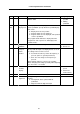

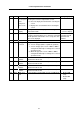


Table Of Contents
- Cover
- Introduction
- Precautions for Safety
- CONTENTS
- 1. Parameter Screens
- 2. Machining Parameters
- 3. I/O Parameters
- 4. Setup Parameters
- 5. Base Specifications Parameters
- 6. Axis Specifications Parameters
- 7. Servo Parameters
- 8. Spindle Parameters
- 9. Machine Error Compensation
- 10. PLC Constants
- 11. Macro List
- 12. Position Switch
- 13. Indexing Axis Parameters
- 14. Indexing Axis Position Switch
- 15. Indexing Axis Commands
- 16. Auxiliary Axis Parameters
- Revision History
- Back cover

5. Base Specifications Parameters
32
# Items Details
Setting range (unit)
1133 ofsmem Select how
to set up tool
wear
compensa-
tion screen
Select the number stored by previous setup when
selecting the tool wear compensation screen.
0: Does not display the number when selecting the
screen.
1: Displays the stored number when selecting the
screen.
0/1
1134 LCDneg LCD reverse
display
Specify 1 to reverse the display on the 10.4-type
monochrome LCD.
0: Normal display
1: Reverse display
1135 unt_nm Unit name Set up a unit name.
Set up the unit name with 4 or less characters consisting
of both alphabets and numbers. If 0 is set up, the unit
name is not displayed.
4 or less characters
consisting of both
alphabets and
numbers
1138 Pnosel Not used. 0
1139 edtype Edit type
selection
Set up an edit type.
0: Screen edit type (M50 or equivalent operation)
1: Screen edit type (The screen of EDIT or MDI is
changed automatically according to the selected
operation mode.)
2: Word edit type (The screen of EDIT or MDI is
changed automatically according to the selected
operation mode.)
0/1/2
1140 Mn100 M code
number
First number of M code that corresponds to setup
number from 100 to 199.
0 to 99999999
1141 Mn200 M code
number
First number of M code that corresponds to setup
number from 200 to 299.
0 to 99999999
1142 Mn300 M code
number
First number of M code that corresponds to setup
number from 300 to 399.
0 to 99999999
1143 Mn400 M code
number
First number of M code that corresponds to setup
number from 400 to 499.
0 to 99999999
1144 mdlkof MDI setup
lock
Select whether to enable MDI setup in non-MDI mode. 0: Disable MDI
setup
1: Enable MDI
setup