
Operation Manual


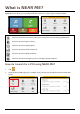


Tap on the driving map to bring up the Map options screen, and then tap .
Item Description
Event icon Displays icon to indicate type of event.
Current position
Your current position is marked with
.
To zoom in or out, tap and hold or .
How do I view a list of all events on my route?
Your Mio creates a list of events as they are received, which is displayed on the Event list screen.
From the Traffic Overview screen, tap
.
Item Description
Tap to return to the previous screen.
Event icon Displays an icon to indicate type of event.
Event description Displays details of the Event, including:
Name of road and direction in which Event is taking place.
Location of where Event begins and ends.
o > indicates an Event from a location, to a location.
o < > indicates an Event between locations.
Type of Event.
19