
User manual




2
Installing a Windows Printer Driver
2-4 Pi3505e Printer Driver
6 When the Install From Disk screen appears, place the controller
driver CD-ROM that comes with the controller into the CD-ROM drive
of your computer.
7 Click the Browse button, select the file that corresponds to the of
printer driver that matches the operating system your computer is
running, and then click the OK button.
8 On the list of printers that appears, select the driver you want to install,
and click the Next button.
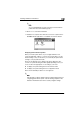
9 On the port selection screen that appears, select the LPT port, and
then click the Next button.
✎
Note
For information about connecting to a network, see “Network
Settings” on page 3-1.
10 On the next screen that appears, check the name of the printer. If you
want to designate this printer as the default printer, select Yes. Finally,
click the Next button.
This displays a screen that asks if you want to print a test page.
11 Select Yes (recommended) to print a test page.
❍ If you elect not to print a test page, select No.