
User manual




Installing a Windows Printer Driver
2
Pi3505e Printer Driver 2-3
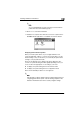
4 On the screen that appears asking how the printer is connected to your
computer, select Local if your computer is directly connected to the
machine. Then click the Next button.
✎
Note
When installing the printer driver from a computer connected to the
machine over a network, contact your network administrator. Your
system administrator needs to select Network printer and then
click the Next button. On the dialog box that appears prompting
entry of the network path, type in the correct path.
5 On the screen that appears asking you to select the manufacturer and
model of your printer, click the Have Disk button.