
User's Manual





Chapter Five - 37
BIOS Setup
Boot Menu
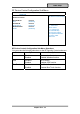
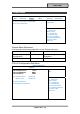
Aptio Setup Utility
Main Advanced Chipset Boot Security Save & Exit
Sets the system boot
order
Boot Option Priorities
Boot Option #1 [P2: SATA SSD...]
Boot Option #2 [IBA GE Slot 00C8 v...]
Network Device BBS Priorities
Hard Driver BBS Priorities
→←: Select Screen
↑↓: Select Item
Enter: Select
–/+: Change Opt.
F1: General Help
F2: Previous Values
F3: Optimized Defaults
F4: Save & Exit
ESC: Exit
The system will try to boot from device on top then the 2
nd
and so on. If there
is more than one device in each category, only the device on top of
sub-menu can boot up.
Boot Menu Selections
You can make the following selections on the Boot menu.
Feature Options Description
Boot Option #1 Sets the system boot order
Boot Option #2 Sets the system boot order
Network Device
BBS Priorities
Set the order of the legacy
devices in this group
Hard Drive BBS
Priorities
Set the order of the legacy
devices in this group