
User's Manual





Chapter Five - 29
BIOS Setup
SATA Configuration Sub-Menu
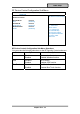
Aptio Setup Utility
Advanced
Determine how SATA
controller(s) operate.
SATA Mode Selection [AHCI]
Serial ATA Port 0 Empty
Software Preserve Unknown
Serial ATA Port 1 Empty
Software Preserve Unknown
Serial ATA Port 2 SATA SSD (120.0
Software Preserve SUPPORTED
→←: Select Screen
↑↓: Select Item
Enter: Select
–/+: Change Opt.
F1: General Help
F2: Previous Values
F3: Optimized Defaults
F4: Save & Exit
ESC: Exit
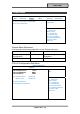
SATA Configuration Sub-Menu Selections
You can make the following selections on the SATA configuration sub-menu.
Feature Options Description
SATA Mode
Selection
IDE
AHCI
RAID
Port 0 Disabled
Enabled
Enable or Disable SATA Port
Hot Plug Disabled
Enabled
Designates this port as Hot
Pluggable