
User Manual
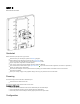
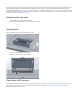
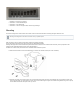
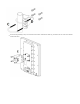




Table Of Contents

Or Keep holding the button for 5 more seconds until LED turns off, then release it to make the RouterBOARD look for Netinstall servers (total 15
seconds).
Regardless of the above option used, the system will load the backup RouterBOOT loader if the button is pressed before power is applied to the device.
Useful for RouterBOOT debugging and recovery.
Accessories
Package includes accessories that come with the device:
Montage elements: QRT U Bolt, Steel - Zinc plated, DIA 6 mm, U mast clamp, antenna mount.
EU/US Switching Power Supply 24 V, 0.8 A, 19.2 W, DC , 85.3 %, VI, cable:150 cm Hor CMC.
K-QRT_Fastening set for QRT.
ZCPOEC006-R2_Gigabit POE injector cable with shielded connector.
Operating System Support
The device supports RouterOS software with the version number 6.44.5 at or above what is indicated in the RouterOS menu /system resource. Other
operating systems have not been tested.
Specifications
For more information about this product, specifications, pictures, downloads and test results please visit our web page: https://mikrotik.com/product
/RB911G-5HPnD-QRT
MikroTik mobile app
Use the MikroTik smartphone app to configure your router in the field, or to apply the most basic initial settings for your MikroTik home access point.
Federal Communication Commission Interference Statement
This equipment has been tested and found to comply with the limits for a Class A digital device, pursuant to Part 15 of the FCC Rules. These
limits are designed to provide reasonable protection against harmful interference in a commercial installation.
This equipment generates, uses, and can radiate radio frequency energy and, if not installed and used in accordance with the instruction
manual, may cause harmful interference to radio communications. Operation of this equipment in a residential area is likely to cause harmful interference
in which case the user will be required to correct the interference at his own expense.
FCC Caution: Any changes or modifications not expressly approved by the party responsible for compliance could void the user’s authority to operate this
equipment.
This device complies with Part 15 of the FCC Rules. Operation is subject to the following two conditions: (1) This device may not cause harmful
interference, and (2) this device must accept any interference received, including interference that may cause undesired operation.
Note: This unit was tested with shielded cables on the peripheral devices. Shielded cables must be used with the unit to ensure compliance.