
User's Guide


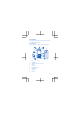
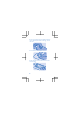

5. Line up the battery contacts, and put the
battery in.
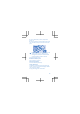
6. Insert the memory card into the memory card
slot. Push the memory card in until it locks into
place.
Important: Do not remove the memory card
when an app is using it. Doing so may
damage the memory card and the device
and corrupt data stored on the card.
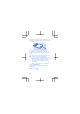
7. Replace the back cover.
Remove the memory card
Pull the memory card out.
Switch on your phone
Press and hold the power key.
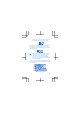
Charge the battery
Your battery has been partially charged at the
factory, but you may need to recharge it before
you can use your phone.
1. Plug the charger into a wall outlet.
9