
User's Guide
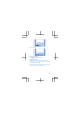




1. To switch the camera on, select Camera.
2. To zoom in or out, press the scroll key up or
down.
3. To take a photo, press the scroll key.
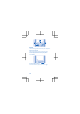
View the photos you’ve taken
Select
> Photos > Captured.
Record a video
Besides taking photos, you can also record videos
with your phone.
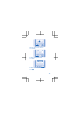
1. To switch the camera on, select Camera.
2. To switch the video camera on, select
>
Video camera.
3. To start recording, select
.
4. To stop recording, select
.
View the video you’ve recorded
To view the video right after recording, select
.
To view the video later, in the video camera, select
> Videos > Recorded.
Share a photo or video
Use Slam to quickly share your photos and videos
with a friend close by.
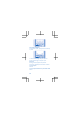
1. Select Photos and a photo or Videos and a
video.
2. Select Options and Share photo or Share
video.
3. Select Slam via Bluetooth.
4. Move your phone close to the other phone, and
let Slam share the photo or video.
19