
User's Guide




Switch between character cases
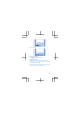
Press # repeatedly.
Type in a number
Press and hold a number key.
Use predictive text
To speed up your writing, your phone can guess
what you are starting to write. Predictive text is
based on a built-in dictionary. This feature is not
available for all languages.
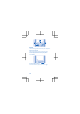
1. Select Options > Dictionary and the language.
2. Start writing a word. When the word you want
is shown, press 0.
Change a word
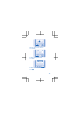
Press * repeatedly until the word you want is
shown.
Add a new word to the dictionary
If the word you want isn't in the dictionary, write
the word, press * repeatedly to skip all unwanted
words, select Spell, and write the word.
Switch between predictive and traditional text
Press # repeatedly.
Switch predictive text off
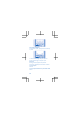
Select Options > Dictionary > Dictionary off.
Set the ringtone
Set a ringtone for your phone.
1. Select Menu > Settings > Tone settings.
2. Select Ringtone.
15