User's Guide
Manuals
Brands
Microsoft Manuals
Cell Phones
GSM cellular phone w/BT
21
22
23
24
25
26
27
28
29
30
Table Of Contents
Contents
Safety
Get started
Keys and parts
Insert a SIM card and battery
Insert a second SIM card
Insert a memory card
Charge the battery
Set which SIM card to use
Copy content from your old phone
Basics
Explore your phone
Display indicators
Prolong battery life
Personalise your home screen
Change your ringtone
Set a song as your ringtone
Nokia Store
Write text
People & messaging
Make or answer a call
Save a name and phone number
Add social info to contacts
Send a message
Check your voice mail
Mail for Exchange
Set up your mail account
Send a mail
Get social
Chat with your friends
Camera
Take a photo
Take a self-portrait
Take a panorama photo
Send a photo or video
Maps & navigation
Find nearby places
Internet
Browse the web
Add a website to your favourites
Entertainment
Listen to the radio
Play a song
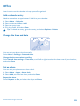
Office
Add a calendar entry
Change the time and date
Set an alarm
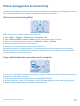
Phone management & connectivity
Share your content using Slam
Copy content between your phone and a computer
Back up content to a memory card
Update your phone software
Access codes
Product and safety information
Network services and costs
Emergency calls
Take care of your device
About Digital Rights Management
Battery and charger info
Battery and charger safety
Additional safety information
Small children
Medical devices
Implanted medical devices
Accessibility solutions
Hearing
Nickel
Protect your device from harmful content
Vehicles
Safety and texting while driving
Potentially explosive environments
Certification information (SAR)
Nokia support messages
Nokia Care
Copyrights and other notices
Clos
e the m
usic
play
er
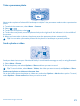
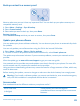
Press the end key.
Set the music player to play
in the background
Select
Options
>
Play in background
.
Close the music player when it is playing in the background
Press and hold the en
d key.
© 2013 Nokia. All rights reserved.
25
1
...
...
23
24
25
26
27
...
...
35