User Manual
Manuals
Brands
Microsoft Manuals
Cell Phones
CDMA cellular phone w/BT
11
12
13
14
15
16
17
18
19
20
Table Of Contents
RM-687 User Guide
1. Get started
Insert the UIM card and battery
Remove the back cover and battery
Insert the UIM card
Replace the battery and back cover
Insert and remove the microSD card
Charge the battery
Switch your device on or off
Normal operating position
Access codes
Nokia support on the web
2. Your device
Keys and parts (front)
Keys and parts (back)
Standby mode and shortcuts
Active standby
Keyguard
3. Call functions
Make a call
Answer or reject a call
Conference call
Loudspeaker
Voice dialling
4. Write text
Switch between input methods
Pinyin input method
Stroke input method
Phrase input
Activate or deactivate predictive English input
Traditional English input
Predictive English input
Tips for writing text
5. Voice commands
Activate and use voice commands
Voice commands settings
6. Menu functions
Messaging
Write and send a text message
Write and send a multimedia message
Read and reply to a message
Text message settings
Multimedia messages settings
Inbox, Sent items, and Drafts folders
Delete messages
Voice messages
Browser messages
QQ
E-mail mailbox
Groups
Contacts
Search using the search command
Search using the pop-up window
Groups
Speed dials
Log
esurfing
Web
Best Tone
Customer Service
Settings
Profiles
Blog site
Themes
Tones
Display
Date and time
My shortcuts
Connectivity
Call
Device
Voice commands
Accessories
Security
Network
Network services
Device information
Restore settings
Gallery
Media
Camera and Video
Capture an image
Record a video clip
Camera and Video options
Media player
Voice recorder
Radio
Equaliser
Organiser
Alarm clock
Calendar
Lunar calendar
Notes
Calculator
Dictionary
Extras
7. Accessories
8. Battery and charger information
Battery information
Charging times
Talk and standby times
Nokia battery authentication guidelines
Authenticate hologram
Care and maintenance
Additional safety information
Small children
Operating environment
Medical devices
Implanted medical devices
Hearing aids
Vehicles
Potentially explosive environments
Emergency calls
To make an emergency call:
Certification information (SAR)
19
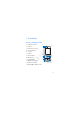
2.
Y
our device
■
K
eys and parts (front)
1.
Nokia AV con
nector
2.
Earpiece
3.
Navi™ key (scroll key)
4. Left
selection
key
5. Call
key
6. K
eypad
7. Release
button
8. Microphone
9. P
ow
er/En
d
key
10. Middle selection key
11.
Right selection key
12.
Charger
/Micro US
B connec
tor
X3
6
2
3
10
11
9
8
4
5
1
12
7
Draft
1
...
...
17
18
19
20
21
...
...
101