
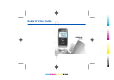
User Manual
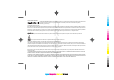

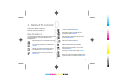


When you see this icon in the home screen,
Contacts, or Calendar, scroll right to access a list
of available actions.
Keys and parts
1 — Earpiece
2 — Light sensor
3 — Navi™ scroll key. Press the scroll key to enter a selection,
to scroll left, right, up, and down on the display. A long press
of the scroll key left, right, up, or down accelerates the
scrolling.
4 — Selection key. Press the selection key to perform the
function shown above it on the display.
5 — Call key
6 — Microphone
7 — Charger connector
8 — Power key
9 — Camera (video calls only)
10 — Selection key
11 — End key. Press the end key to reject a call, end active
calls and held calls, and with a long keypress, end data
connections.
12 — Backspace key
13 — Enter key
1 — Home key
2 — Contacts key
3 — Calendar key
4 — E-mail key
Nokia E71 in brief
10
Cyan
Cyan
Magenta
Magenta
Yellow
Yellow
Black
Black