
User Manual





Call functions
21
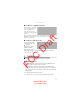
■ Connect a compatible headset
Do not connect products that
create an output signal as this
may cause damage to the
device. Do not connect any
voltage source to the Nokia AV
Connector.
When connecting any external device or any headset, other than those approved
by Nokia for use with this device, to the Nokia AV Connector, pay special
attention to volume levels.
■ Connect a USB data cable
To set the default USB
connection mode, select
> Settings >
Connectivity > USB >
USB mode and the
desired mode. To set
whether the default mode is activated automatically, select Ask on
connection > No.
3. Call functions
To adjust the volume during the call, press the volume keys.
■
Make a voice call
1. In the standby mode, enter the phone number, including the area
code. Press the clear key to remove a number.
For international calls, press * twice for the international prefix
(the + character replaces the international access code), and enter
the country code, area code (omit the leading zero if necessary), and
phone number.
2. To call the number, press the call key.
3. To end the call, or to cancel the call attempt, press the end key.
FCC Draft
Model: 6650d-1bH
21 February 2008