
User Manual




Get started
11
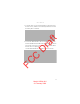
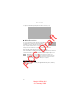
1. To open the back cover, press teh black button on the lower part of
the back cover (1), slide the cover forward (2), and lift (3). To remove
the battery, lift it as shown (4).
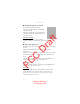
2. To release the SIM card holder, slide it backwards (4), and lift it (5).
Insert the (U)SIM card in the SIM card holder (6). Make sure that the
gold colored contact area on the card is facing downwards, and the
beveled corner faces upwards.
Close the SIM card holder (7), and slide it forward to lock it (8).
FCC Draft
Model: 6650d-1bH
21 February 2008