
User Manual


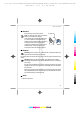


Table Of Contents
- Nokia 3109 classic User Guide
- Contents
- For your safety
- About your device
- Network services
- Shared memory
- Enhancements
- General information
- Get started
- Your device
- Call functions
- Write text
- Navigate the menus
- Messaging
- Contacts
- Call log
- Positioning
- Settings
- Operator menu
- Gallery
- Media
- Push to talk
- Applications
- Organizer
- Web
- SIM services
- PC connectivity
- Battery
- Care and maintenance
- Additional safety information
- Index

2. Hook a strap behind the clamp as shown in the
picture (1) and close the back cover (2).
3. Your device
Keys and parts
1 — Earpiece
2 — Display
3 — Left selection key
4 — Call key
5 — Infrared (IR) port
6 — Navi™ key: 4-way scroll key and middle selection key
7 — Right selection key
8 — End key
9 — Keypad
10 — Microphone
Your device
18
Cyan
Cyan
Magenta
Magenta
Yellow
Yellow
Black
Black
file:/D:/temp/overmode/GUID-1CEEB162-7A20-44BD-B810-5A0A723017F0.20070508154818636.en1178629717662/en/1/GUID-99309606-A5AF-4368-A45B-
BF2275776152.xml Page 18 May 8, 2007 4:09:52 PM