
User Manual





Call functions
30
3. Call functions
■ Making a call
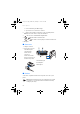
1. Key in the phone number, including the area code. If you key in an
incorrect character, press Clear to delete it. To make a call when the
flip is open, key in the phone number using the number keys. The
loudspeaker is always activated, when you open the flip.
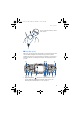
For international calls, press twice for the international prefix
or + if the flip is open, (the + character replaces the international
access code) and then key in the country code, the area code without
the leading 0, if necessary, and finally the phone number.
2. Press to call the number.
To adjust the volume during a call, use the volume key on the side of
the phone.
3. Press to end the call or to cancel the call attempt.
See also Options during a call on page 32.
Making a call using contacts
• To search for a name/phone number that you have saved in Contacts
See Searching for a contact on page 72. Press to call the number
on the display.
Last number redialling
• In standby mode, press once to access the list of upto 20 last
numbers you called or attempted to call. Scroll to the number or
name that you want, and press to call the number.
Calling your voice mailbox (network service)
• In standby mode when the flip is closed, press and hold , or
press and . When the flip is open, press and hold the
corresponding number key on the keyboard.
If the phone requests the voice mailbox number, key it in and press
OK. See also Voice messages on page 61.
rm-2_en1_FCC.fm Page 30 Monday, February 16, 2004 8:14 AM