
User Manual
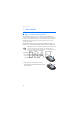

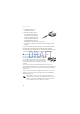

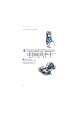
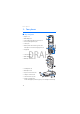

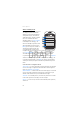
Table Of Contents
- Contents
- For your safety
- General information
- 1. Get started
- 2. Your phone
- 3. Call functions
- 4. Phone menus
- 5. Messaging
- 6. Contacts
- 7. Call log
- 8. Settings
- 9. Operator menu
- 10. Gallery
- 11. Media
- 12. Push to talk
- 13. Organizer
- 14. Applications
- 15. Web
- 16. SIM services
- 17. Computer connectivity
- 18. Enhancements
- 19. Battery information
- Index

Get started
17
DRAFT
Your device has an internal antenna.
Note: As with any other radio transmitting device, do not touch the
antenna unnecessarily when the device is switched on. Contact with
the antenna affects call quality and may cause the device to operate at
a higher power level than otherwise needed. Avoiding contact with the
antenna area when operating the device optimizes the antenna
performance and the battery life.
■ Wrist strap
Remove the back cover from
the phone and thread a strap
as shown in the picture.