
User's Guide


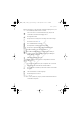
Table Of Contents
- Contents
- For your safety
- General information
- 1. Get started
- 2. Your phone
- 3. Call functions
- 4. Write text
- 5. Navigate the menus
- 6. Messaging
- 7. Contacts
- 8. Call log
- 9. Settings
- 10. Operator menu
- 11. Gallery
- 12. Media
- 13. Organizer
- 14. Push to talk
- 15. Applications
- 16. SIM services
- 17. Web
- 18. PC connectivity
- 19. Battery information
- 20. Technical Information
- Care and maintenance
- Additional safety information
- APPENDIX
- Index

Your phone
18
D
RAFT
To organize and change the active standby mode, activate the
navigation mode, and select Options > Active standby > My active
standby > Options and the following options:
Personalise — Assign or change phone features in the standby mode.
Organise — Move the position of features in the standby mode.
Enabling active standby — Select keys to activate the standby
navigation mode. To change the settings, see “Standby mode settings,”
p. 55.
To switch off the active standby mode select Options > Active
standby > Off; or select Menu > Settings > Main display > Standby
mode settings >Active standby > Off.
Shortcuts in the standby mode
• To access the list of dialed numbers, press the call key once. Scroll to
the number or name that you want; and to call the number, press the
call key.
• To open the web browser, press and hold 0.
• To call your voice mailbox, press and hold 1.
• Use the navigation key as a shortcut. See “My shortcuts,” p. 57.
• Press the camera key to start the camera (still photo).
• In camera mode press the volume keys to zoom in or out.
• Press a volume key to mute the ringing tone of an incoming call
when the phone is closed.
• Press the power key to access the profiles menu on the main display.
Indicators
You have unread messages in the Inbox folder.
You have unsent, canceled or failed messages in the Outbox
folder.
The phone registered a missed call.
FCC_6126H_6133H_en_1_FCC.fm Page 18 Tuesday, June 27, 2006 1:35 PM